
Networks and character limits
Which networks can I post to, and what are the character limits?
Synup publishes to ten networks: Google Business Profile, Facebook, Instagram, X, LinkedIn, Pinterest, Mastodon, Bluesky, TikTok and Threads. What you can actually select in a given post is narrower than that — it is whichever profiles are connected to your account, which is why two clients on the same plan see different options.
Character limits, per network
The composer counts against each selected network separately, so a message that is fine for Facebook can be over the limit for X in the same post.
- Google Business Profile — 1,500
- Facebook — 30,000
- Instagram — 2,200
- TikTok — 2,200
- LinkedIn — 2,000
- Pinterest — 500
- Mastodon — 500
- Threads — 500
- Bluesky — 300
- X — 280
X is the one that catches people. At 280 characters it will stop a post that reads perfectly everywhere else, so write for X first if it is in the mix, or give it its own post.
Why the platform row shows fewer icons than you have profiles
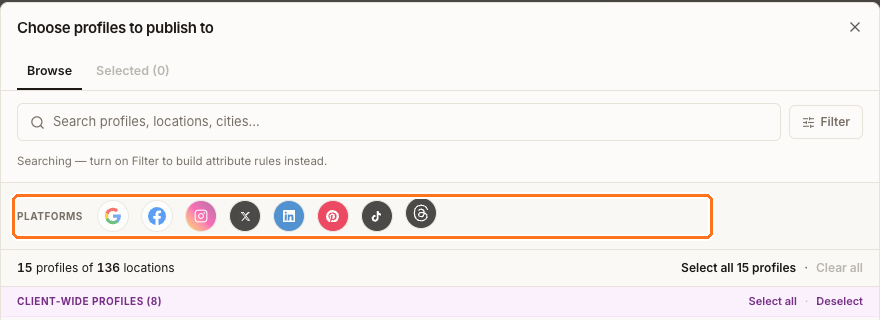
The boxed row in the profile picker filters by platform, and it lists eight: Google Business Profile, Facebook, Instagram, X, LinkedIn, Pinterest, TikTok and Threads.
If you have a profile connected on a network that isn't in that row — Bluesky, or a Mastodon account — you can still select it and still publish to it. It just won't have a filter chip, and it won't show its own media guidance in the composer. Find it by name in the search box instead of by platform icon.
Post types, and which networks take them
Three types are creatable, and the channel restrictions are hard limits rather than recommendations:
- Announcement — all supported networks. It is the default and the only type available when any social profile is selected.
- Offer — Google only. Also needs the offer's terms, coupon code and redeem URL before it can publish.
- Event — Google only. Also needs a title, start and end.
Those extra fields are enforced when you publish, not when you save a draft, so you can park a half-finished offer and come back to it.
Next
For what images and video each network takes, see attaching media. To put this into a post, see the composer.