
How AEO reports are made
How do I generate an AEO report, and what happens next?
For a location that has never had an AEO report, open AEO, select the location, review the displayed credit estimate, and click Generate Report. Simply opening the page does not start the run.
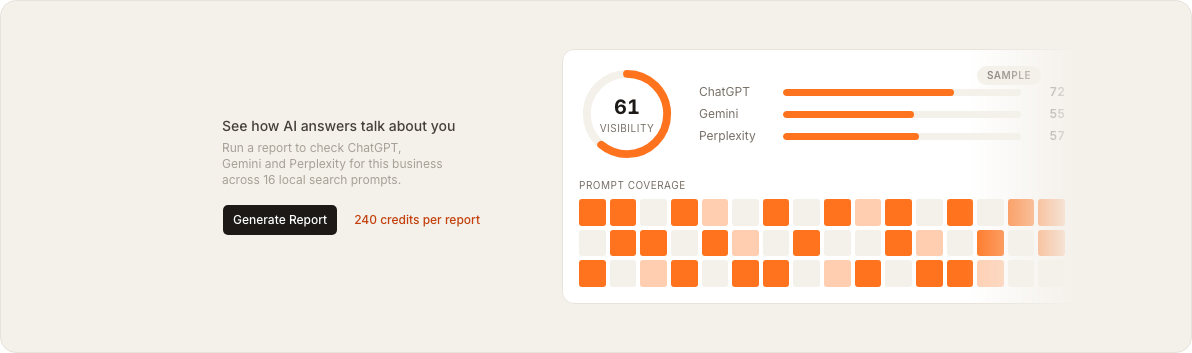
The current first-run screen shows 240 credits per report. It also explains that Synup will test the business across 16 local search prompts on ChatGPT, Gemini, and Perplexity. Check the estimate shown in your account before you continue, because the Product display is the authority if pricing changes.
Generate the first report
- Open AEO from the main navigation.
- Choose the client and location you want to measure.
- Confirm that the page says Not run yet and shows the first-run panel.
- Review the credit estimate beside Generate Report.
- Click Generate Report once.
After you start the run, the page changes to Checking your visibility. The report continues in the background, so you can leave the page and return later. Synup says the run takes a few minutes and sends an in-product notification when it is ready.
What the report checks
Synup creates discovery questions that resemble what a potential customer might ask an AI assistant. The questions describe the category and location without naming the business, because the report is testing whether the assistant recommends it on its own.
Synup prepares 16 local discovery prompts
The prompts cover different customer intents, such as best, top-rated, affordable, specific services and open-now searches.
Each available engine answers every prompt
ChatGPT, Gemini and Perplexity answer independently. Synup retains the answer evidence and any sources the engine cited.
Synup turns the answers into the report
The results power the visibility score, prompt-coverage matrix, competitor comparison, citations and recommended actions.
What happens after the first report
Once a location has a report, its AEO page shows when it was updated and the next automatic refresh date. Synup refreshes active locations with an existing report on the monthly schedule; locations that have never run a report are not added to that paid cycle until someone starts the first report.
There is no customer-facing Regenerate control for an existing current-month report. Treat each report as a monthly snapshot and use the next scheduled refresh to measure changes made in Listings, Reviews, Posts or other source information.
Watch out for
- Generation spends credits. Review the estimate on the first-run screen before clicking.
- The report is location-specific. Confirm the selected client and location before starting it.
- Do not click repeatedly. One click queues the background run; leaving or reloading the page does not cancel it.
- A missing first report is not a zero score. The location has not been measured yet, so there is no result to interpret.
Questions people ask
Does opening AEO start a paid report?
No. A location with no report now shows the cost and waits for you to click Generate Report.
Why don't I see Generate Report?
The control appears in the location-level first-run state. If the selected location already has a report, the page shows the stored results and its automatic refresh schedule instead.
Can I leave while the report is running?
Yes. Generation continues in the background, and the page can be reopened while it is running.
Where to go next
- What does my AI Visibility score actually measure? — interpret the completed report
- How do I track AI visibility over time? — compare monthly results after more than one report exists