
When changes go live
When do my listing changes actually go live?
If you saved a change and Google still shows the old details, that's usually expected. Three separate things have to happen, and most of the confusion comes from treating them as one: you save, Synup sends the update, and then each publisher applies it on its own schedule.
The three moments
You save
Each section of the location editor has its own Save. Your change is stored against the location straight away, and nothing has left Synup yet.
Synup sends it
After an ordinary Save, Synup waits a few minutes and sends your edits as one update rather than three. Save & Publish skips that wait and sends immediately.
The publisher applies it
Google, Apple, Bing and the rest process what they were sent on their own schedule. Some confirm in minutes, some take days.
Save & Publish moves the middle step, not the last one. It gets your update out of Synup sooner; nothing in Synup makes Google publish faster.
That waiting period runs from your last edit, so saving again restarts it. Make your edits, then leave it alone.
Two controls in the editor footer belong to the middle step.
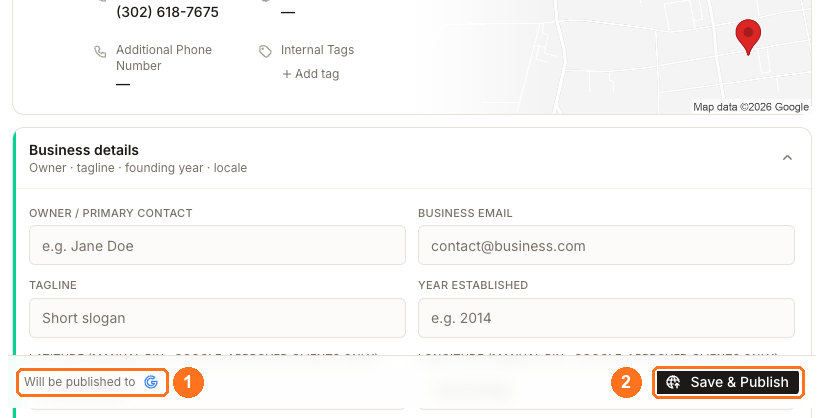
① Will be published to names the connected destination this location's changes go to.
② Save & Publish sends the update on the spot. Press it when you need a change out urgently. If nothing has changed since the last successful publish, pressing it does nothing at all.
Check what has not gone out yet
Open Clients → All locations → Manage. Two columns tell you where each location stands.
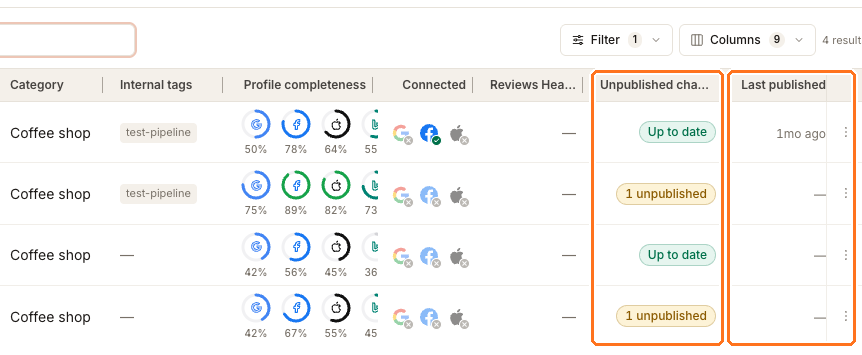
Unpublished changes reads Up to date when nothing is waiting, and shows a chip such as 1 unpublished when work is still queued. Last published tells you when the location last completed a publish. Sort by Unpublished changes to find every location with work outstanding.
For per-directory detail, open the location's Listings → Published tab. That table is where a single directory reports Synced, still processing, or a failure with its reason. Not every failure is yours to fix — some directories reject a category mapping or report a listing already claimed elsewhere.
Which publishers get the update without you connecting them
Customers often wait for a connection that was never needed.
Google and Facebook update only if you linked your own account. If the account isn't connected, nothing goes to that publisher.
Bing and the wider directory network need nothing from you — Synup submits on your behalf. Apple is submitted for you too, but only once the location already has a healthy Google or Apple connection.
So a location can push updates to Bing without you ever connecting Bing, and can fail to reach Apple through no fault of yours.
Watch out for
Questions people ask
Save & Publish said it worked, but Google still shows the old details.
That's the expected sequence. Synup confirms that it sent the update; Google then applies it in its own time, and a change to core business information can trigger re-verification before it appears. Check Published for the Google row's current status.
Does publishing update my Google Business Profile score?
Not on the same schedule. The Optimizer card grades a stored snapshot of your Google profile that refreshes independently of your publish, so it can lag well behind a change that has already gone live. See Profile completeness for how the different scores move at different speeds.
Next
To make the change in the first place, see updating a location's business information. To read what each directory reports back, see the directory table.