
Set up and test Sydekick
How do I set up and test Sydekick?
Sydekick has no on switch, and it does not need one. If your workspace has Sydekick, it is already running — the Sydekick button sits in the top bar of every page, and it answers straight away. Setting it up means giving it something to work with. The useful question is has it actually got hold of my data yet?, and you settle that by giving it a small real job rather than looking for a status light.
The setup checklist is how you test it
Finish setup in the left sidebar opens Get started, which keeps the running count. It is the closest thing Synup has to a Sydekick readiness screen, because each row is a thing you do with the agent rather than a setting you configure.
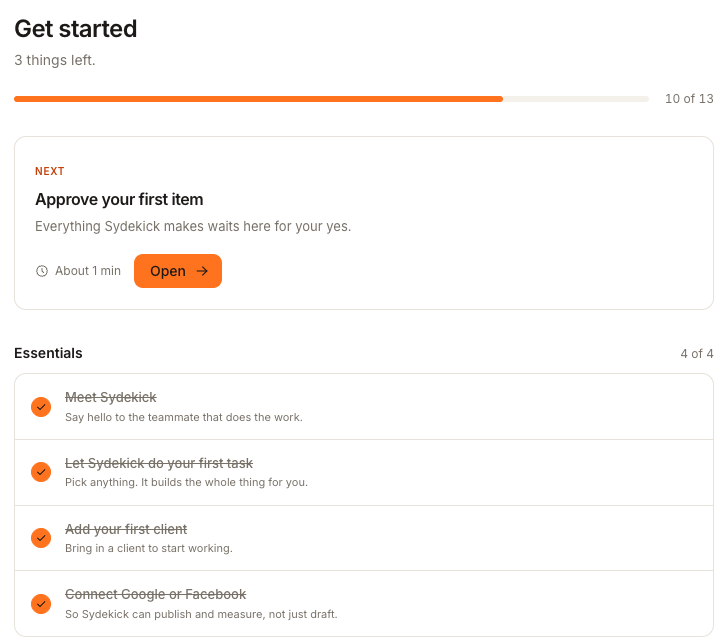
The two rows under Essentials are the test:
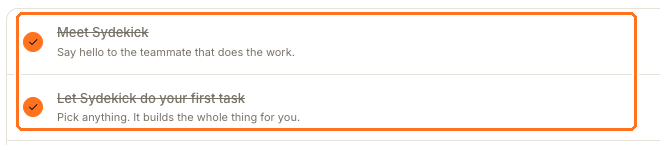
Meet Sydekick is the hello — open the panel and ask it anything. Let Sydekick do your first task ticks after your first real prompt. Use the reply itself to check whether Sydekick reached the client and workspace data you expected; the completed row only proves that the first turn happened.
That is also why Add your first client and Connect Google or Facebook sit in the same block. Sydekick can talk before either is done; it cannot do anything useful.
If it says it is still starting up
Right after a workspace is created — or after Synup restarts your agent, which happens whenever you save a new skill — you may see "Starting up your agent — this can take a minute or two after a deploy or restart. Retrying automatically…". Leave it; it retries on its own. If it is still saying that a few minutes later, reload the page and try again shortly.
A different message, "Your agent isn't provisioned yet", means the workspace has no agent at all rather than one that is warming up. That is not something you can fix from these screens — contact Synup.
Send its work to Slack
Once Sydekick is answering, the Connect Sydekick to Slack row further down the same checklist lets you send drafts and run summaries to the agency's selected Slack channel.
Go to Agent → Home and choose Change Slack channel.
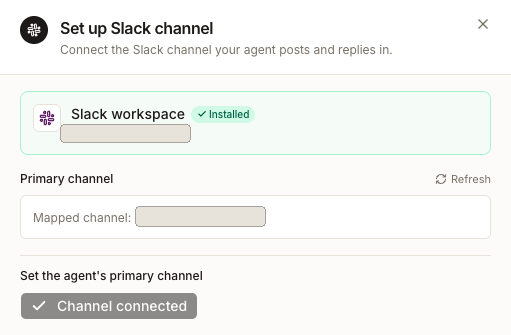
The panel confirms the Slack workspace is installed, shows the channel currently mapped, and lets you set a different primary channel before you Save. This is one channel for the agency, not one per client.
Watch out for
Questions people ask
The checklist says 10 of 13. Does that mean Sydekick is only half set up?
No. The count tracks setup jobs across the whole workspace — branding, domain, connected accounts — not the agent's state. A ready Sydekick can work before the checklist is complete.
It replied instantly but got the client wrong. Is something wrong with the setup?
Almost always that is scope, not setup. Check the Client and Location pickers before you retype the question — see setting Sydekick's working scope.