7 updates
Featured updates
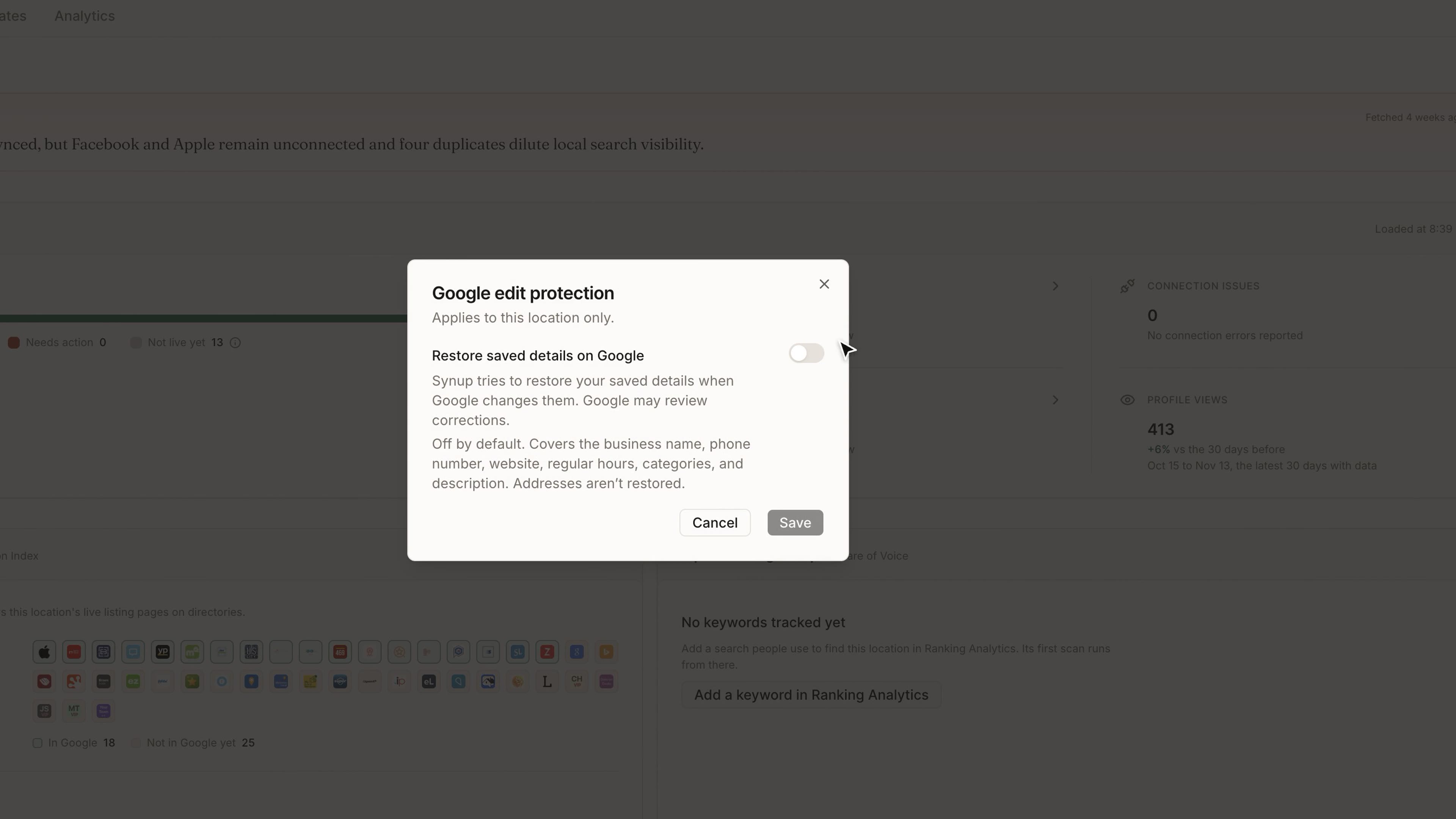
Google Edit Protection
Google sometimes changes a business's details without asking, and nobody notices until a customer does.
Turn on protection for a location and Synup tries to restore its saved details when Google changes them on a connected profile. It covers the name, phone, website, regular hours, categories and description, but not the address. Protection is off until you turn it on, and it needs a publish of your details that Google accepted. Edits you haven't published yet and changes Google is still reviewing are held, and Google may review a correction.
WhereListings → choose a location → the shield below the tabs
Backlinks in SEO
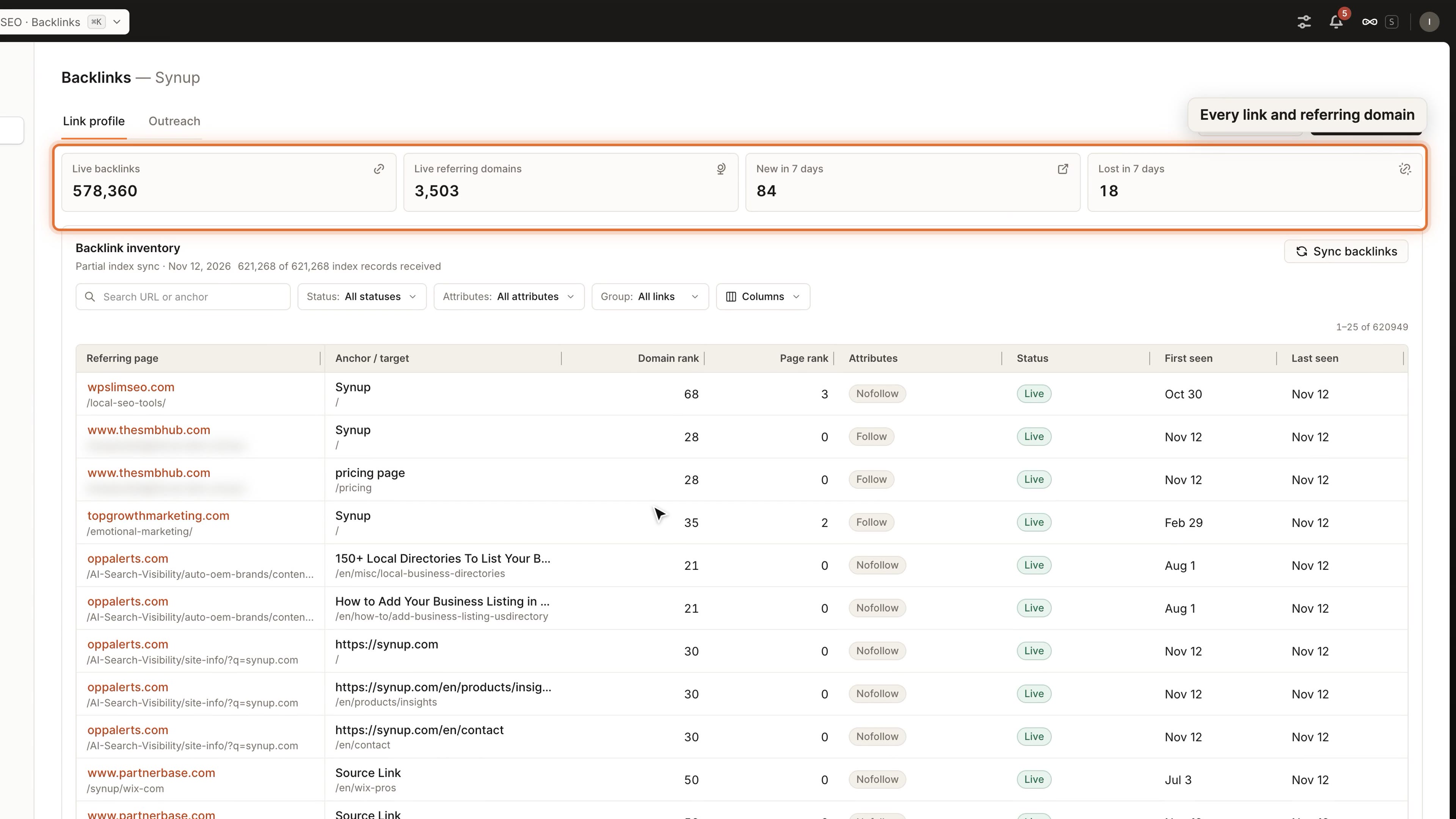
Link building tends to live in a spreadsheet that only one person can find.
A new Backlinks tab in website SEO keeps a searchable list of the links pointing to your site and the domains they come from. Add links by hand, or import a CSV and check the preview before anything is saved. The outreach queue gives each prospect an owner and a follow-up, and records whether a promised link was actually placed. Backlinks is available where website tracking is turned on.
WhereSEO → choose a website → Backlinks
Search Console in Website SEO
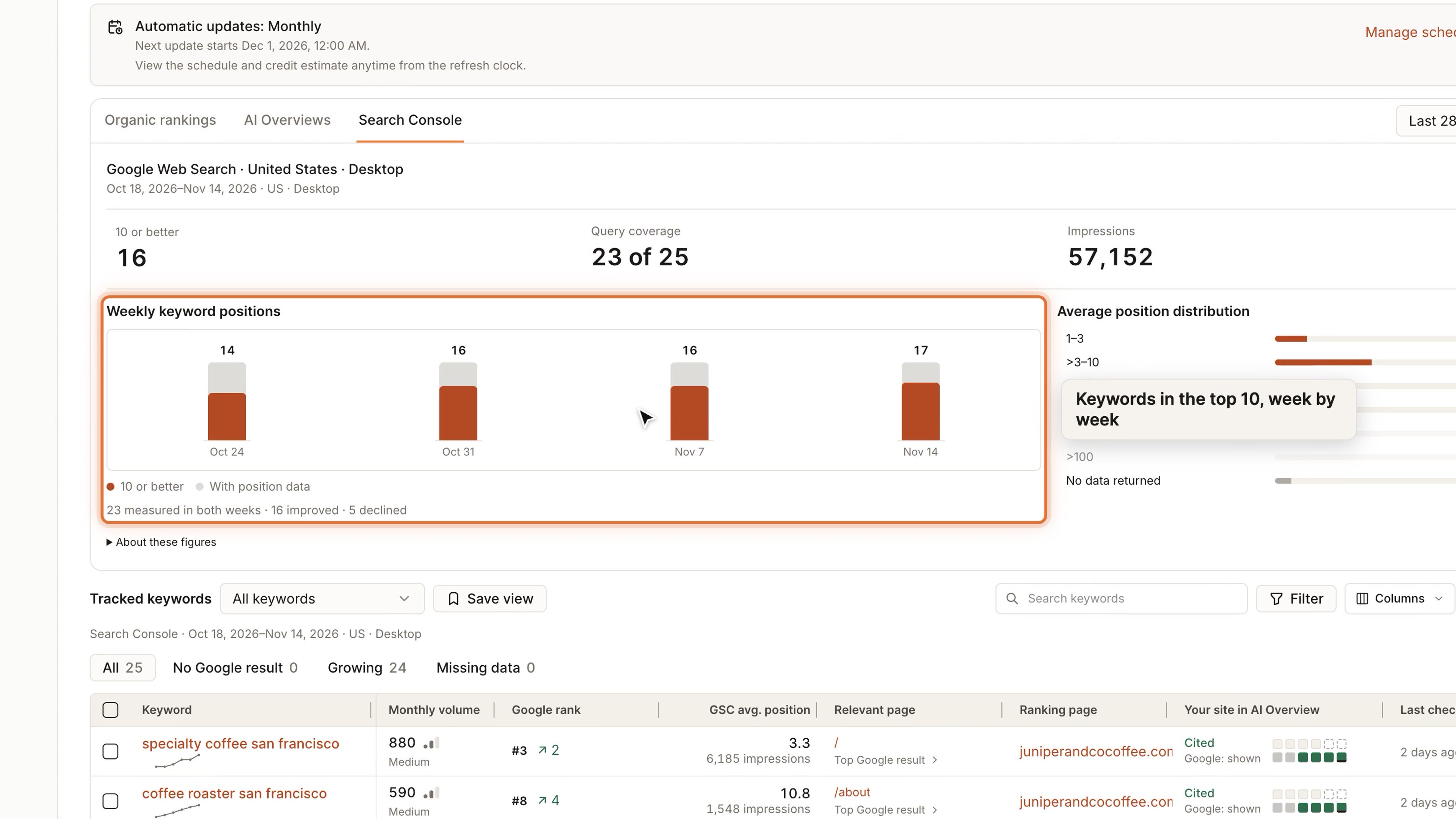
A rank check shows one moment. Search Console shows what Google measured over weeks.
Website SEO now has a Search Console view with 7, 28 and 90-day windows, how many keywords reached the top 10 each week, and how positions are spread. Click a week or a position band to filter your tracked keywords. The keyword table also gains a Search Console average position column beside Google rank. Days Google hasn't reported show as unavailable, never as zero. You need the website connected to Search Console.
WhereSEO → choose a website → Search Console
Website Research for Local Locations
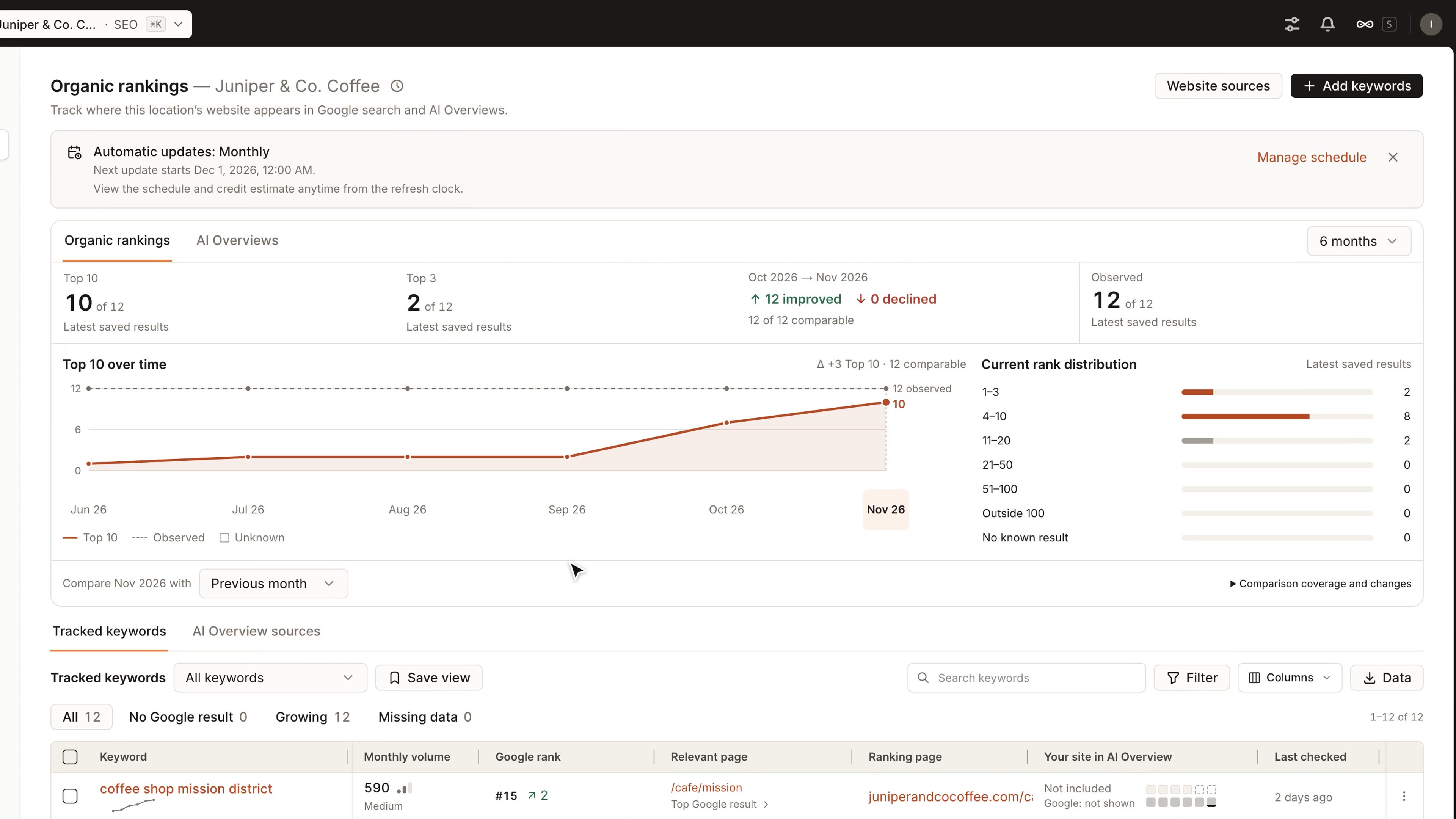
Local locations had map rankings, but not the keyword and page research that websites get.
A local location can now collect keyword volumes and see which of its pages rank, or should, for each keyword, next to its saved ranking and AI Overview history. Add the location's pages under Website sources to use them as evidence and keyword ideas. You can add, edit, pause or remove the location's AEO prompts, and Rankings get their own update schedule. Saving a prompt or a schedule doesn't run a check or spend credits.
WhereSEO → choose a location → Rankings
AEO Analytics with Competitor Trends and Brand Perception
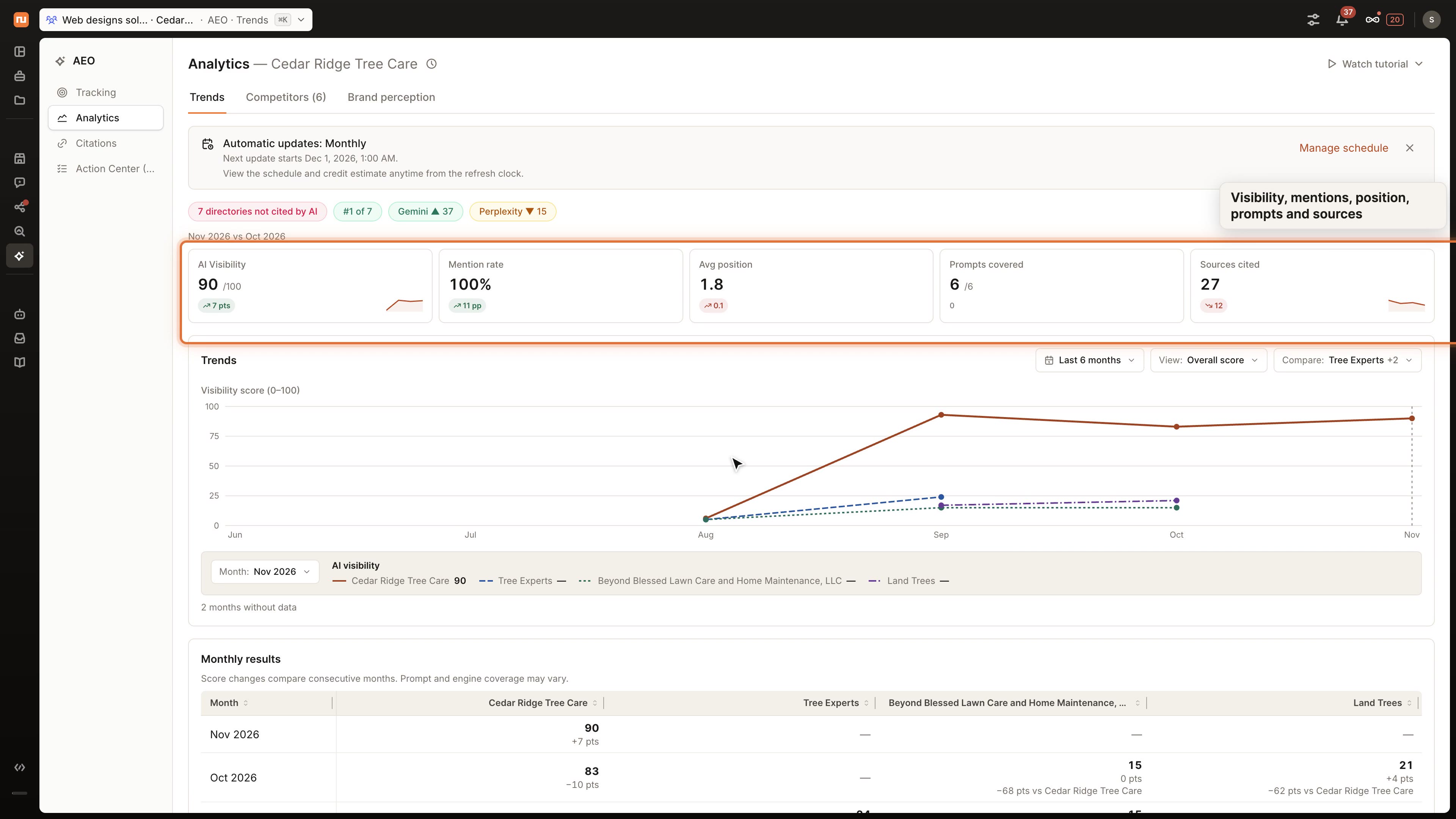
A visibility score says how often AI mentions you, but not how you compare or what it says about you.
AEO Analytics now tracks your AI visibility month by month against the competitors you pick, alongside your mention rate, average position, prompts covered and sources cited. Brand perception shows how AI answers describe your brand, prompt by prompt. It reads answers already saved, so opening it doesn't run a check or use credits.
WhereAEO → choose a location → Analytics
Video Analytics by Day, Week or Month
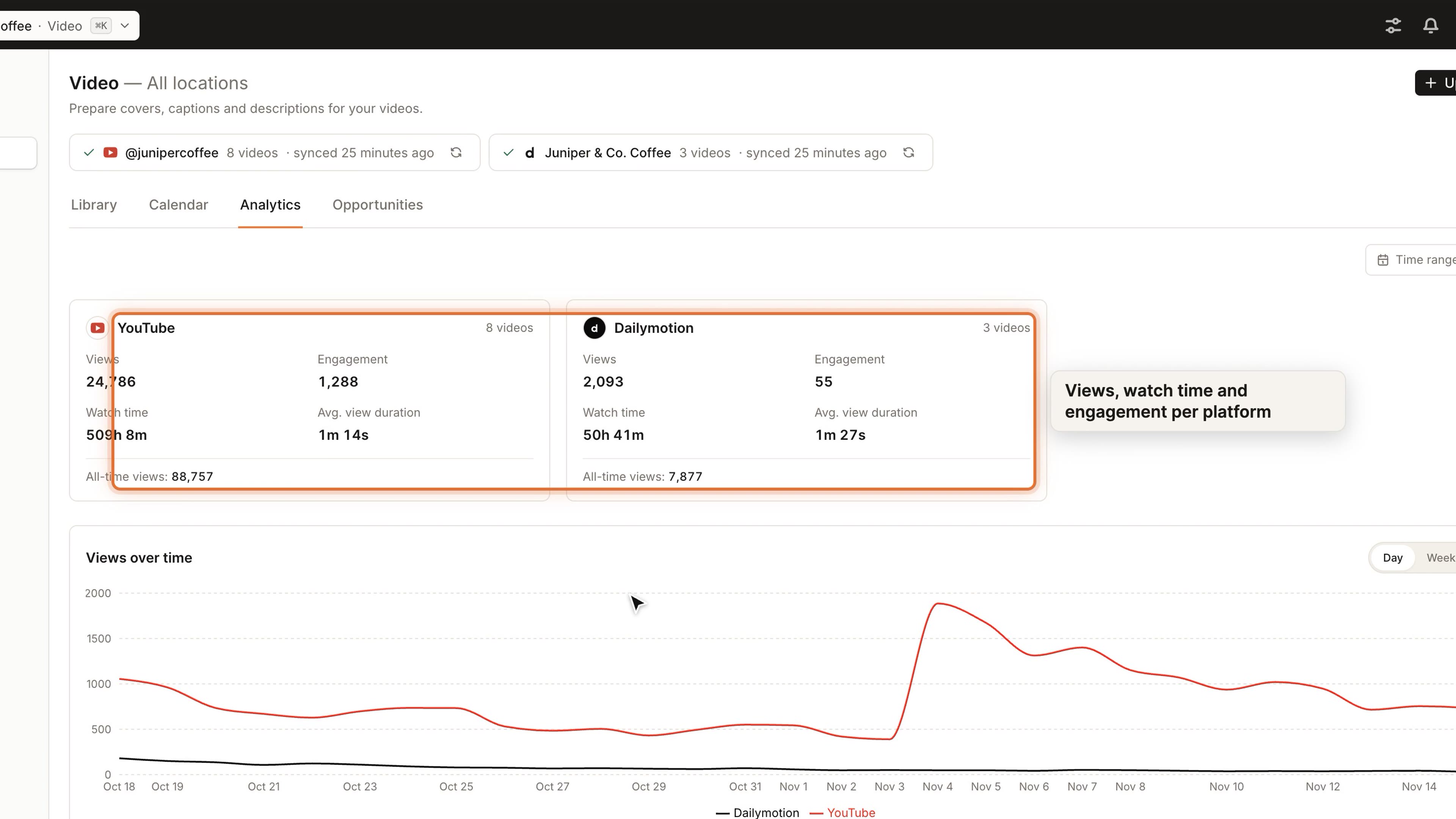
A year of daily bars is hard to read, and preset ranges rarely match a campaign.
Group the Video Analytics chart by day, week or month. The range you pick sets the grouping, and you can change it. Choose your own dates, up to 366 days, alongside the existing presets. Days a platform hasn't reported yet show as missing, not as zero.
WhereSocial → Video → Analytics
Find the Right Workspace at Sign-In
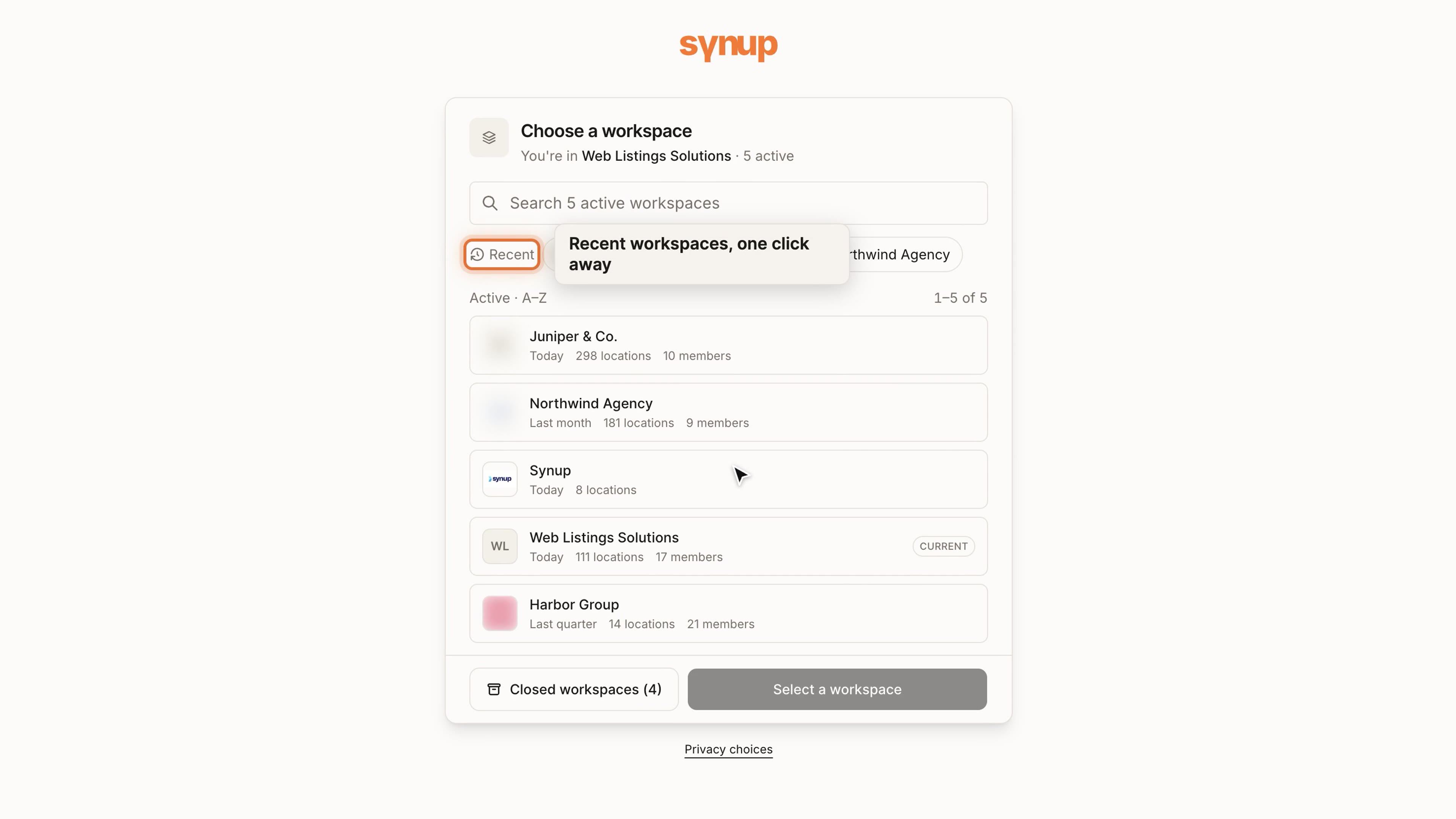
People with many workspaces were choosing from a plain list every time they signed in.
If your email belongs to several workspaces, sign-in now uses the same picker as the switcher inside the app: search by name, Recent shortcuts, logos, and location and member counts. Closed workspaces sit behind their own button. Choosing a row doesn't switch you until you confirm.
WhereSign in at ai.synup.com
Also improved
Change a Scheduled Post After You Set It Up
Edit a post scheduled for several clients in one place: caption, date and time, and pictures. The time and pictures can change until the post goes live anywhere; after that, you can still edit the caption. A scheduled post that hasn't gone out yet can also change the locations it goes to.
Directories Get Only the Photos You Chose
Gallery photos imported from Google are no longer sent to directories such as Bing, Hotfrog and Brownbook. They receive your logo, your cover and the photos you uploaded in Synup.
Reply Playbooks Work Through a Backlog
A reply playbook facing hundreds of old reviews used to pause at the review limit on every run. When the list only feeds replies, it now answers the next batch each run instead of waiting for a person.
Post Images Use the Location's Own Brand
Images Sydekick generates for a post now use the brand kit of the location or brand they're for. They never fall back to the agency's kit, and placeholder logos from parked domains are dropped.
See What AI Overviews Cite
Website SEO now shows which brands and pages Google's AI Overviews cite for your tracked keywords, beside your own rankings. It's available where website tracking is turned on.
Sydekick Keeps Its Clarifying Questions
When Sydekick asked a question such as "which weekend?", a content check could hold back the whole question because one answer option looked like post copy. Sydekick now keeps the question and drops only that option, and it no longer says it drafted text when it didn't.
A Tidier Menu
Video now sits under Social, Organic rankings is now called Rankings, and AEO shows its full menu when All Locations is selected.
Synup in Claude and ChatGPT (Early Access)
Use Synup from Claude or ChatGPT with cards for locations, listings, reviews, posts and SEO, and save changes from a card. It's switched on per workspace; ask your account manager to turn it on.