9 updates
Featured updates
Sweeps

Stop asking the same question every morning. Describe the check once and Sydekick runs it for you.
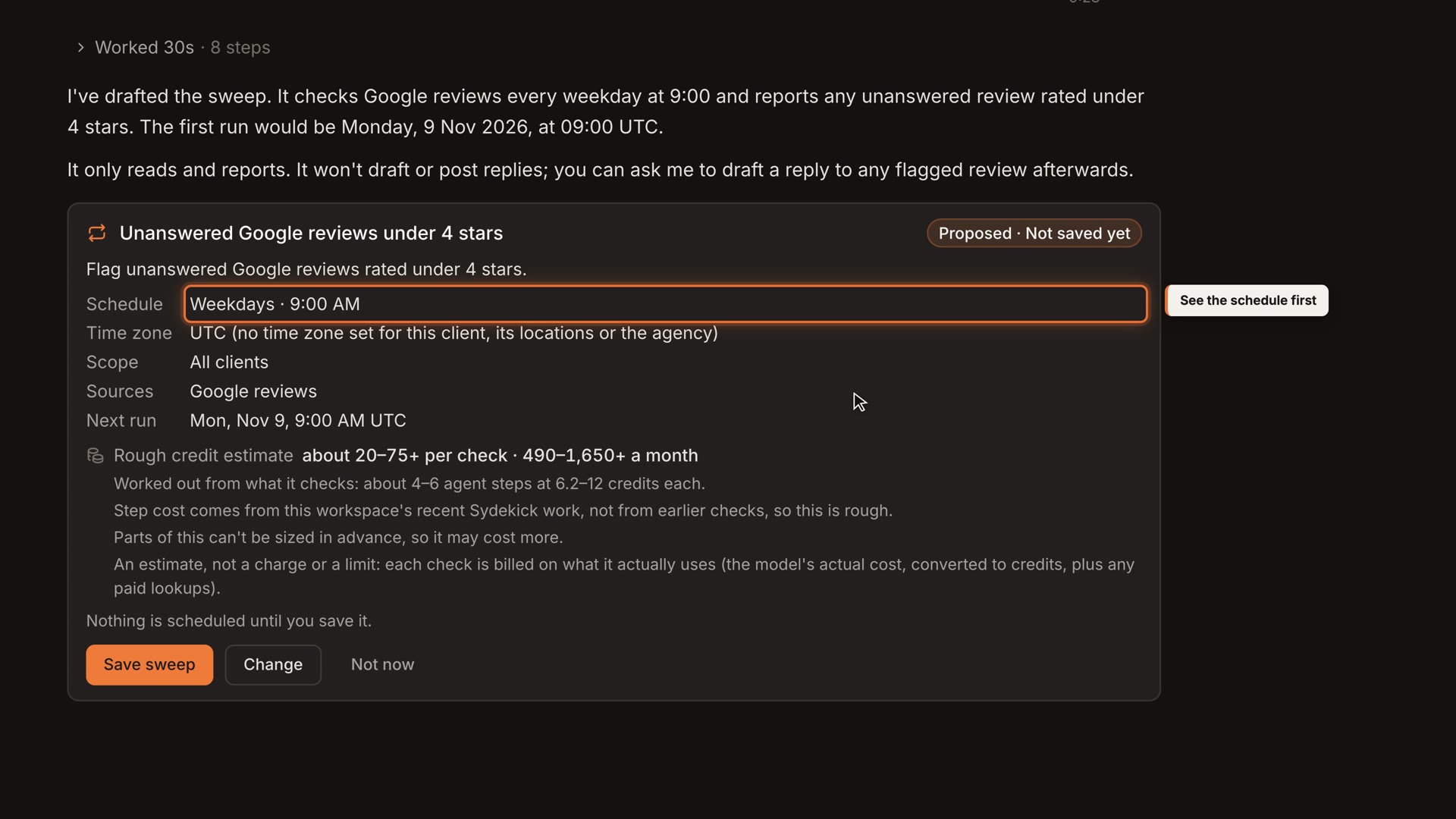
Agencies repeat the same checks for every client, and the ones that matter are easy to miss on a busy day. Describe a check in plain English, such as flagging unanswered Google reviews under 4 stars every weekday at 9am. You see the schedule, sources and estimated credits before saving, and results come back in the chat. Sweeps only read and report, so they never post or change anything.
WhereAsk Sydekick, then open All sweeps
Content Checks for Every Workspace
Set your guidelines once, so nobody has to remember them for every draft.
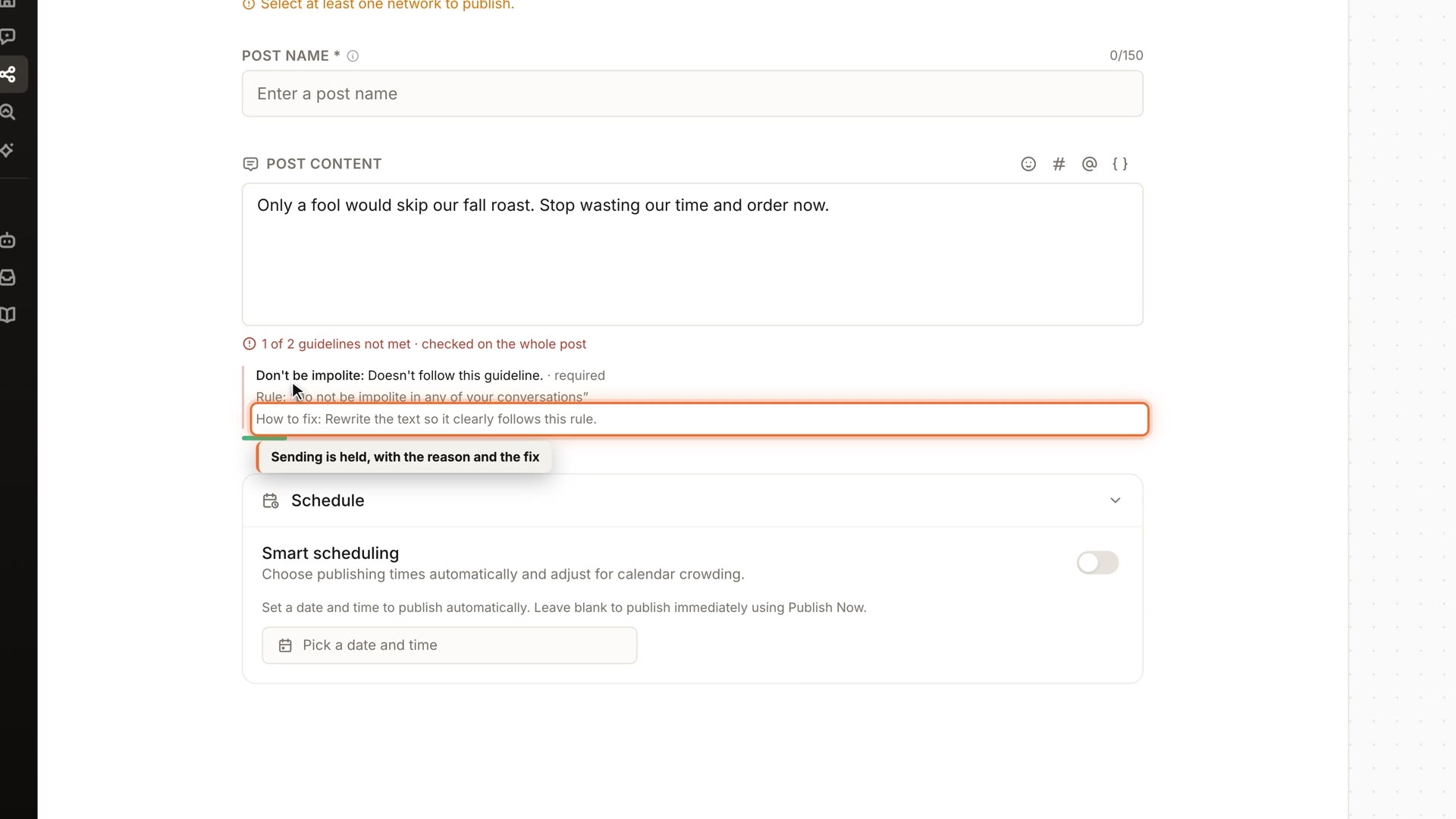
Teams kept client guidelines in their heads, and that doesn't scale across people and accounts. Write each guideline in plain English and choose whether it applies to posts, listing updates or review responses. When content breaks one, sending is held and the guideline is shown with how to fix it. Sydekick's drafts are checked the same way before they're queued, and each guideline can be mandatory or allow "send anyway".
WhereSettings → Content checks
Custom Fields in Tables

Every team tracks something our tables didn't have a column for.
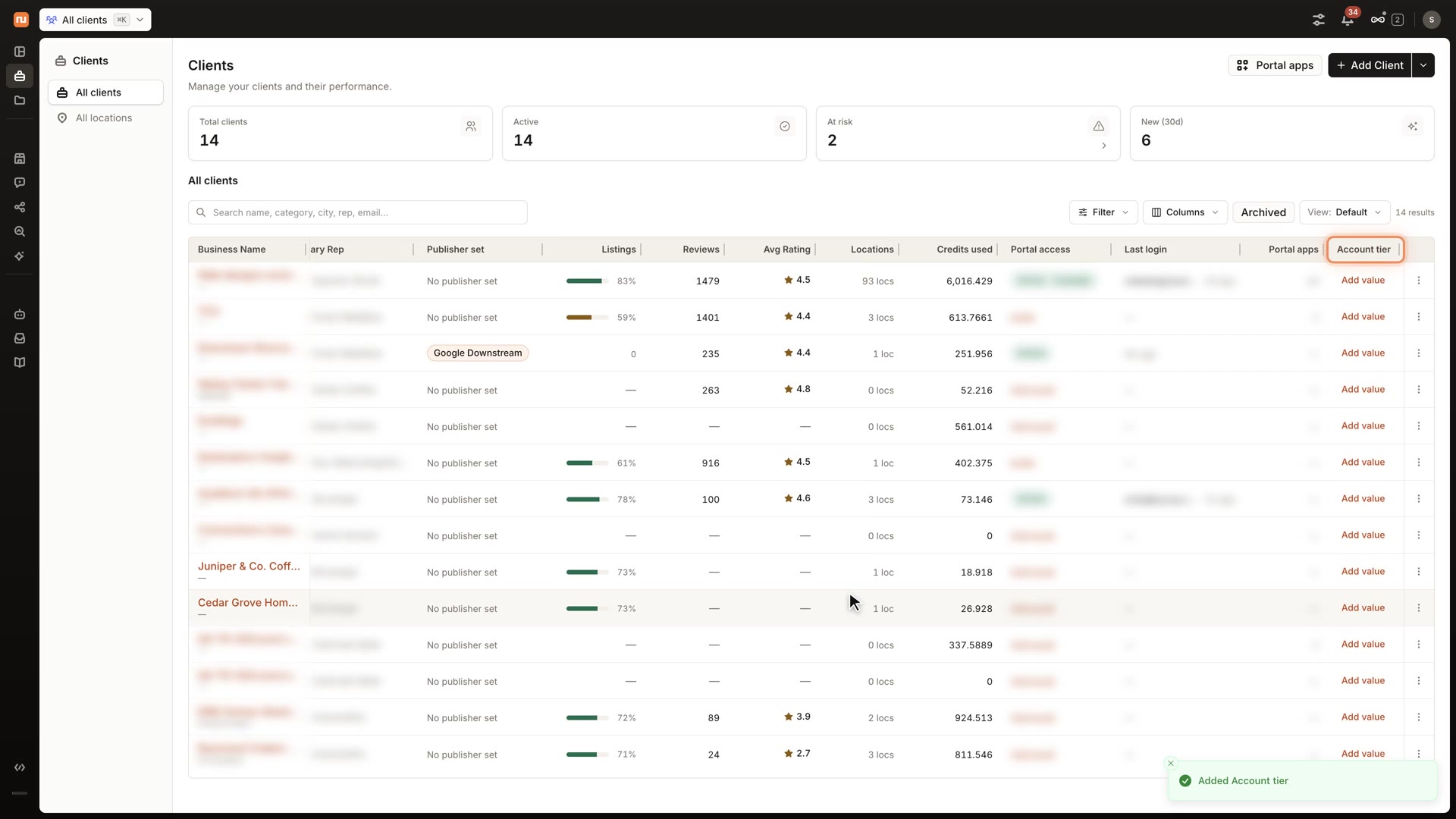
Add your own fields to the tables you use every day, including Clients, Locations, Tasks, Social Posts, Series, Listings, Review Invites, SEO and AEO. Choose text, number, date, single-select or multi-select, fill values in right in the table, and pick which columns to show. Archive a field when you no longer need it; on most tables you can restore it later.
WhereColumns menu in supported tables
An SEO Section You Can Act On
- Faizan Madakiya
- Ashwin
Rankings alone don't say what to do next, so the SEO section now does.
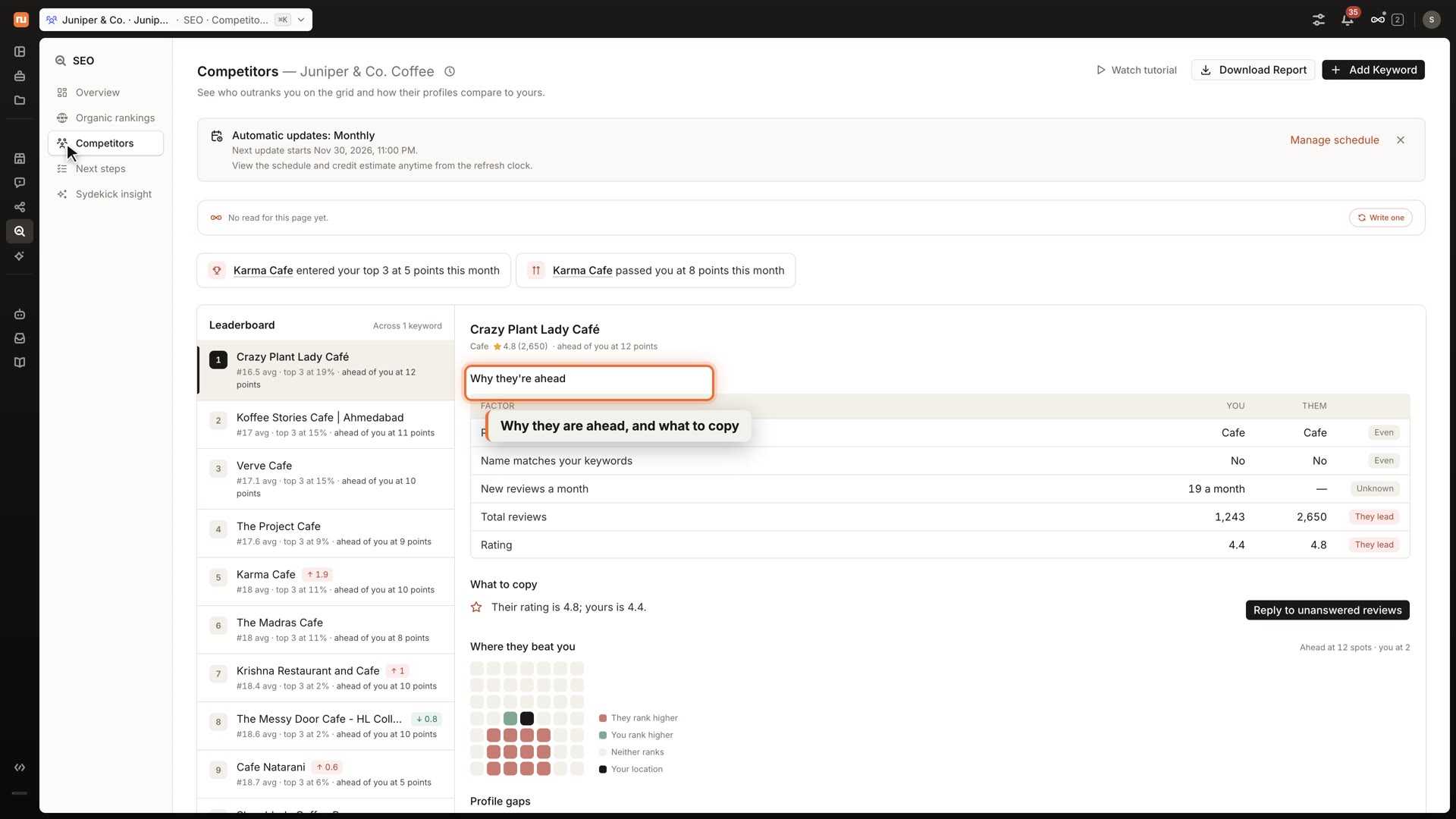
The redesigned Overview shows your map, what changed and each point's top results. Competitors brings one view across all your keywords, with why they're ahead and what to copy. Next steps turns this into short cards you can hand to Sydekick. Website SEO also adds keyword suggestions, monthly volume and guidance on which page fits each keyword, where website tracking is turned on.
WhereSEO
Redesigned Listings
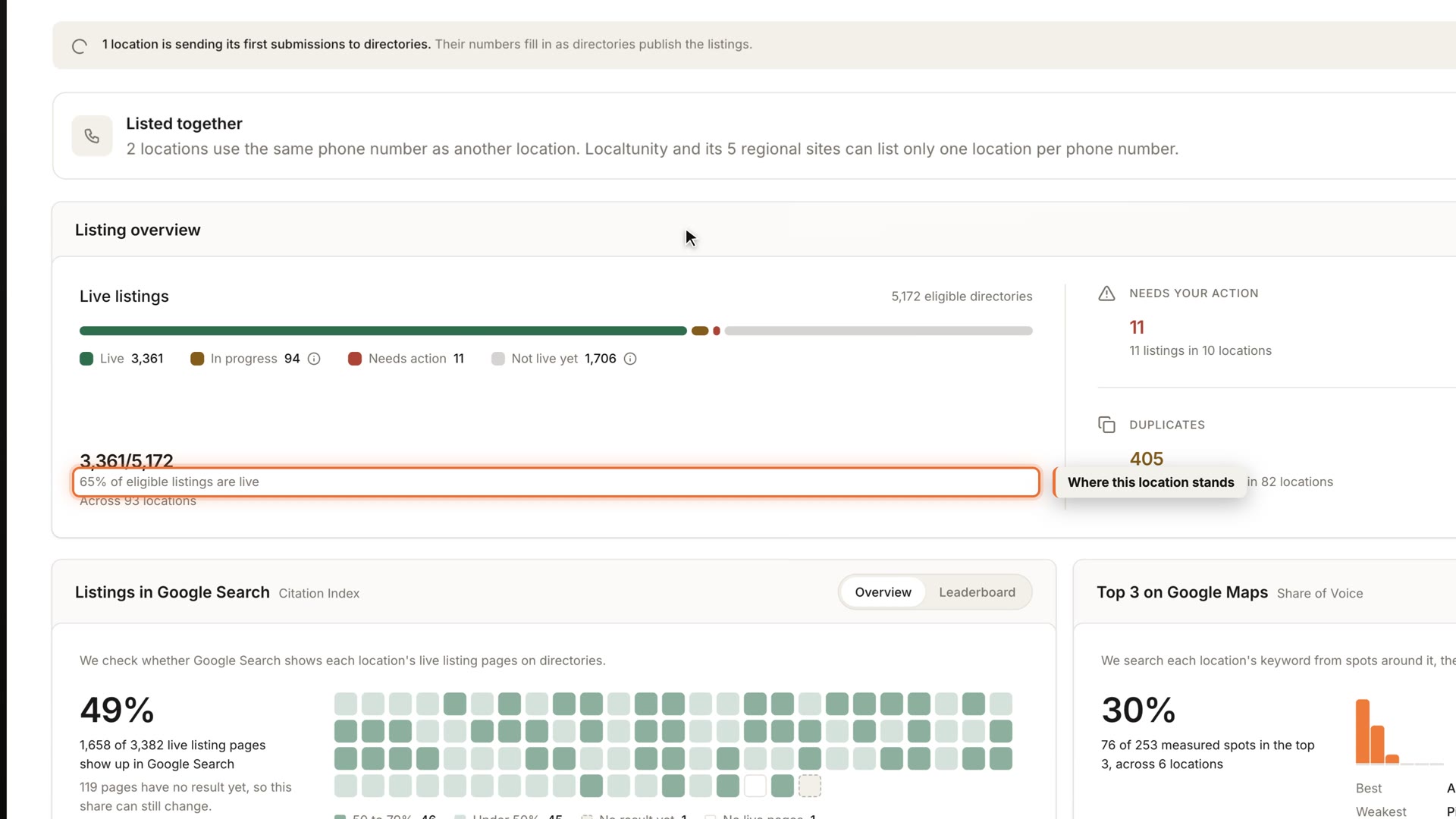
See what needs your attention without working through screens that don't.
Listings is redesigned for every agency, so it's quicker to see where a location stands and what to fix. Issues that could only be answered with "contact support" no longer fill the list. A new location now shows as one line in Change history, while later edits keep their full before and after.
WhereListings
Approve in Bulk
- Faizan Madakiya
- Ashwin
Agencies approving hundreds of posts a month were deciding them one at a time.
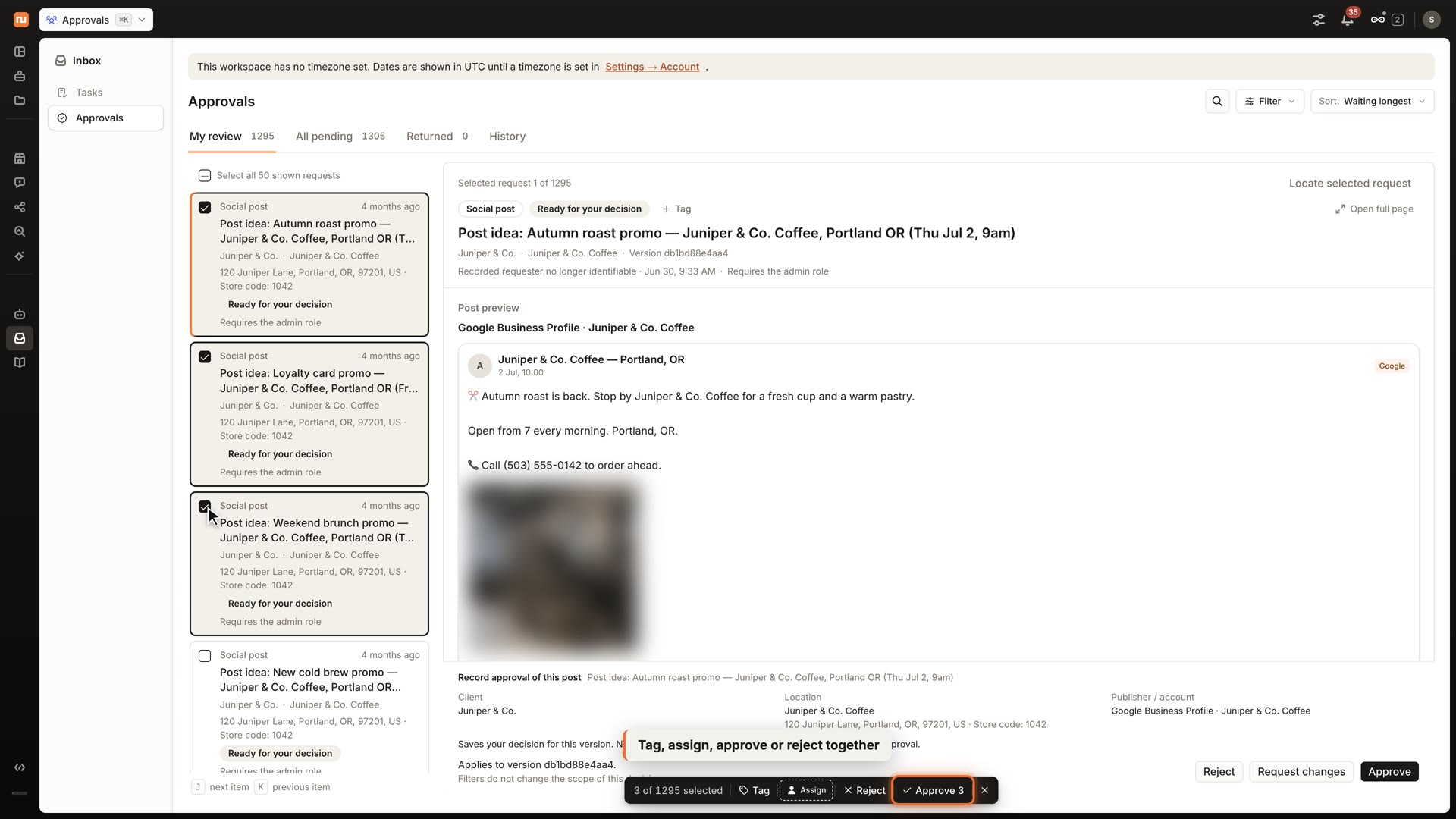
Filter Approvals by client, location, type, platform, date or tag, then select the items you want. Tag, assign, approve or reject them together, with a clear count for each client before you confirm. Failed items stay selected with their reason so you can retry only those. Approving records your decision and doesn't publish or send anything by itself.
WhereInbox → Approvals
One Review Inbox in the Client Portal
Clients with several locations shouldn't have to open each one to read their reviews.
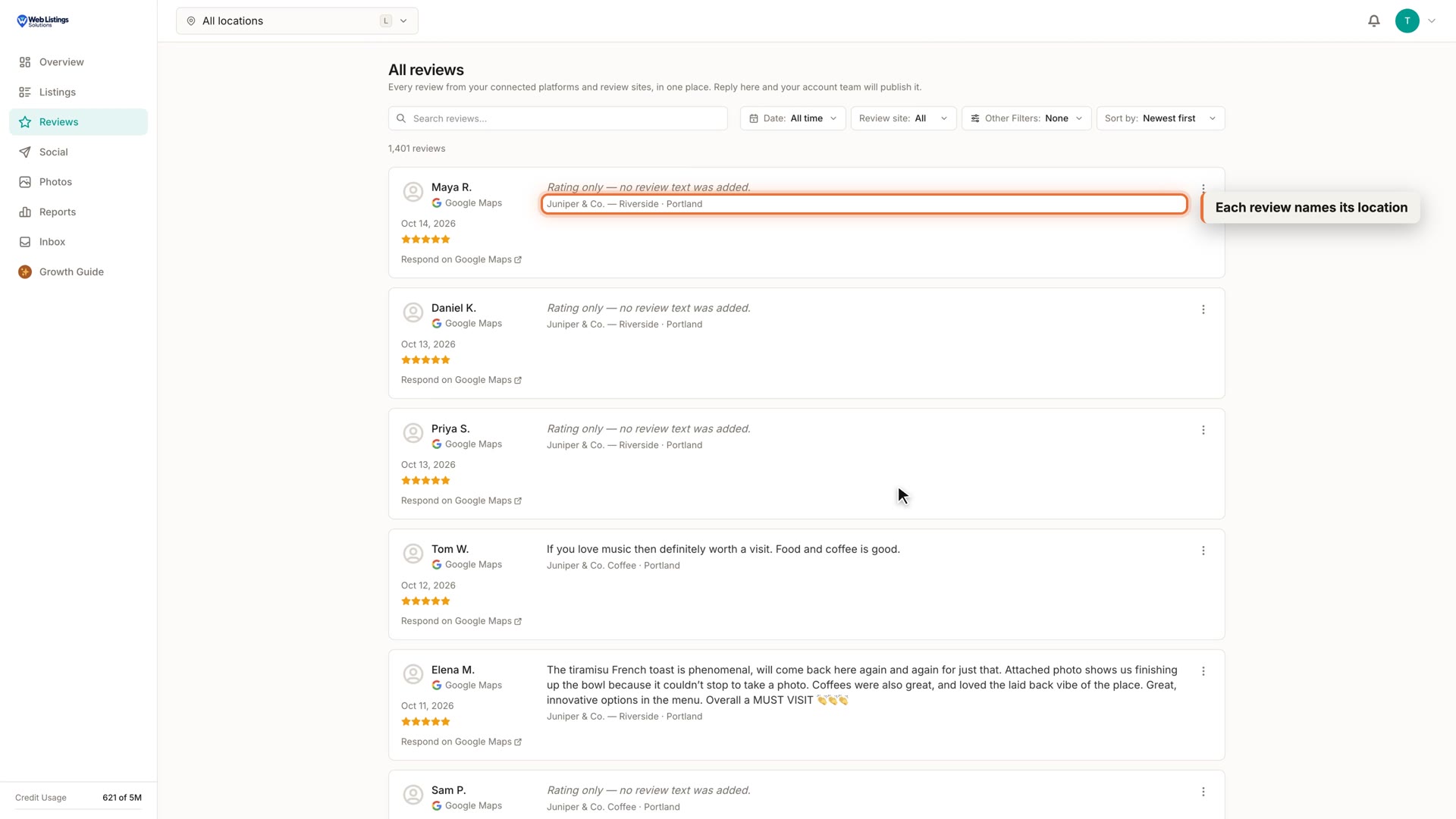
The client portal now shows every review for all of a client's locations in one inbox, and each review names its location. Clients can filter by date or review site and sort newest or oldest. They can also add a note from a review's menu. You decide whether each of your notes is shared with them.
WhereClient portal → Reviews
Facebook Page Safety Check
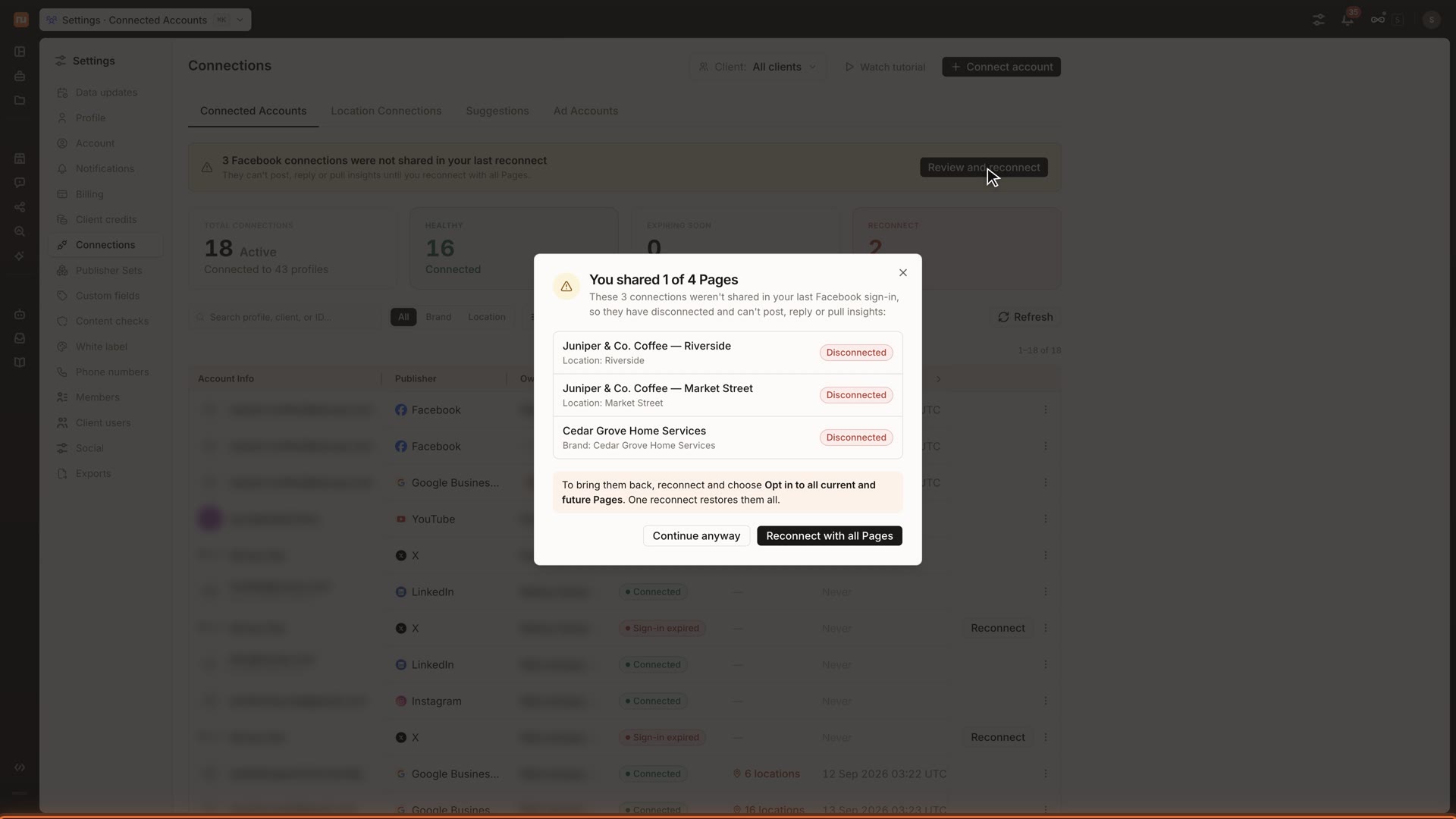
One reconnect could quietly disconnect every other Facebook Page, so now it can't go unnoticed.
Before Facebook opens, a guide shows which option keeps all your Pages connected. If Pages were left out, you see exactly which ones, with a way to reconnect them, and a banner stays until that's done. Nothing is deleted. Connected Accounts also replaces a vague status with specific reasons, such as sign-in expired or access lost.
WhereSettings → Connections → Accounts
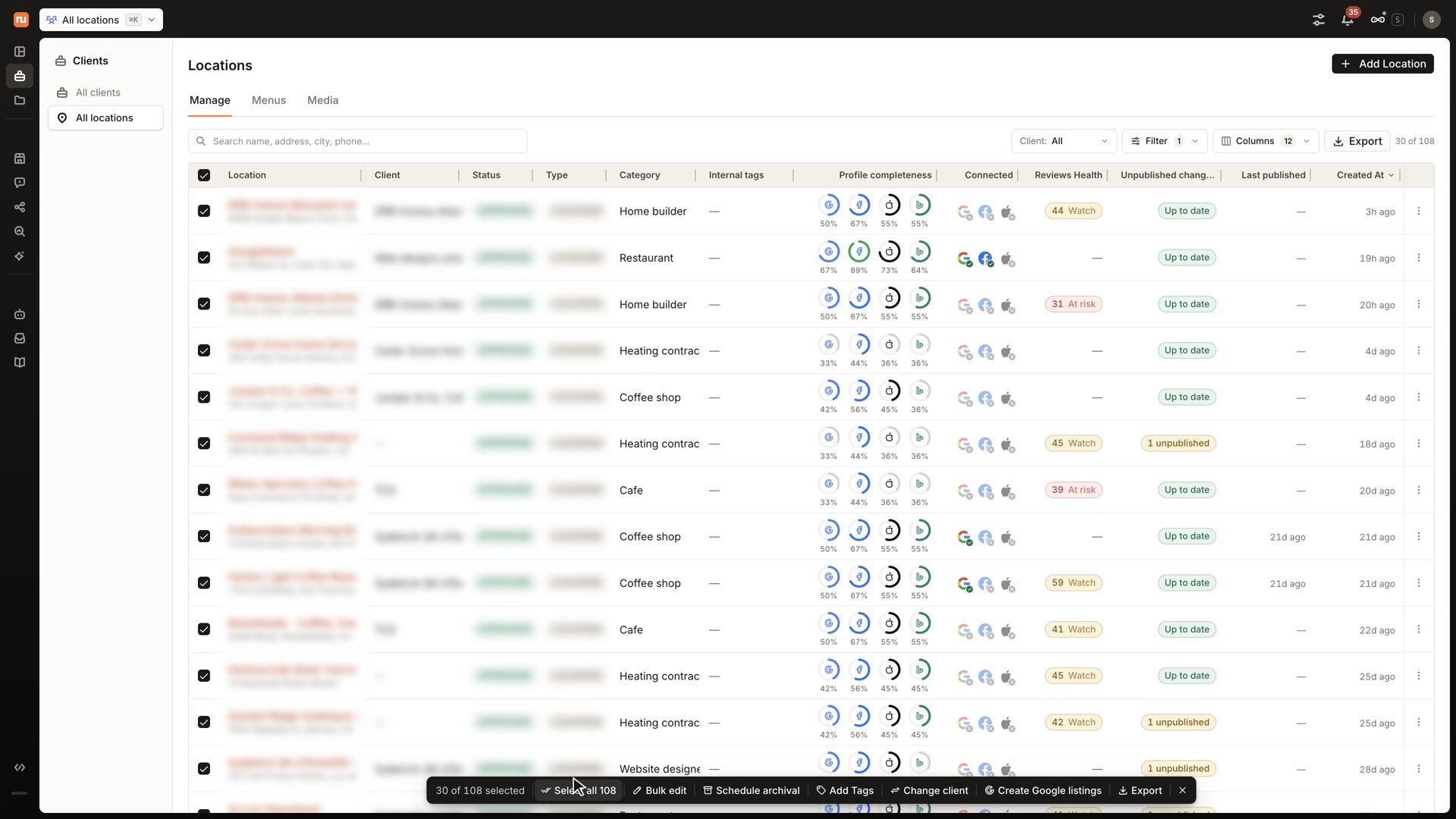
Edit More Than 100 Locations at Once
Large accounts were running into a ceiling on bulk edits.
Bulk edits over 100 locations now run as one background job you can follow and stop. Select all matching locations from the table in one step rather than scrolling to load them. When Sydekick prepares a large edit, its approval card shows progress and the final result after you approve it.
WhereClients → All locations
Also improved
Custom Apps Cards from Outside Data (Early Access)
Client portal pages shouldn't be limited to what's inside Synup. Custom Apps cards can now read from connected apps and read-only APIs. Custom Apps is in early access; ask your account manager to turn it on.
Steadier Answers from Sydekick
By:- Sayantan Ghosh
- Faiz Zubair
Sydekick now counts only live clients and doesn't pick a client for you when none was named. If it can't finish its final check, it still gives you the answer with a note. A spend limit now gets a clear message.
Keep All Times
Keep every listed scheduling conflict at its existing time in one action, including lists over 1,000 conflicts. Nothing is moved or unpublished.
Automatic Photo Optimization
Phone photos are often too large or sideways. They're now resized, compressed and rotated before upload, and transparent PNGs keep their transparency.
Sydekick Ideas Beside the Calendar
Ideas now open beside the calendar from laptop width up, in Month and Week views, and every card opens properly. We also fixed 12 publishing reliability issues found in an audit.
Larger Video Uploads
Library videos over about 4 MB used to fail. MP4s up to 75 MB now upload directly.