
Most of our clients don't even know we're using it. And we send the white-labeled reports straight to our clients. The whole process is so streamlined.
 Aaron Gobidas
Replace every Synup touchpoint with your own identity, logo, colors, favicon, domain, and outbound emails. Clients see your brand on their portal, their scan reports, and every email they receive.
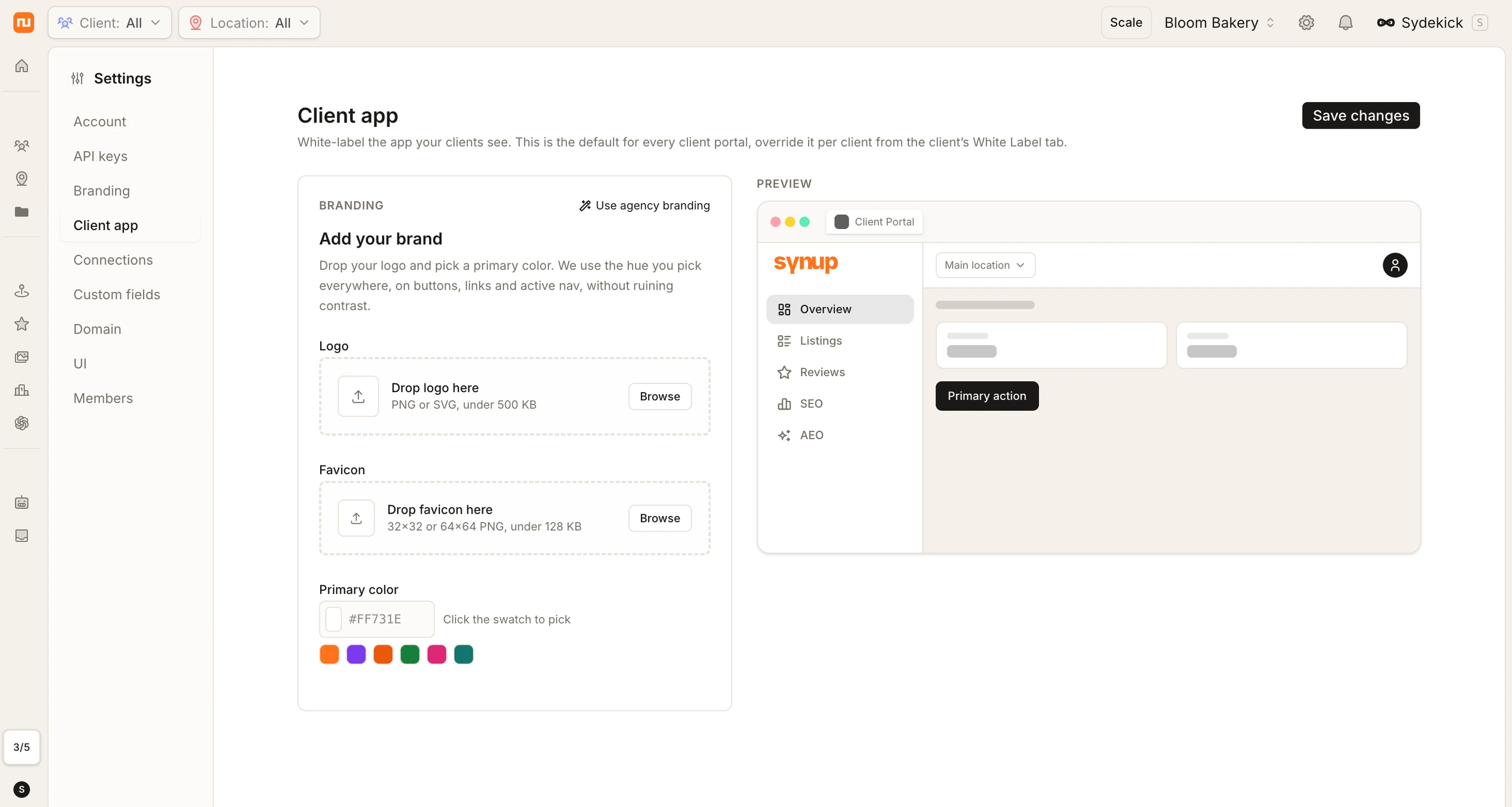
Four client-facing surfaces resolve from the same brand record: the portal rail, the browser tab, the dashboard your client reads, and the address their email arrives from. Change the logo, the color and the domain once. They all move together. That same brand record covers the products you resell, so the white label listing management and white label reputation management you sell to clients arrive under your name.
The same client portal, unconfigured and configured. Nothing else about it changes.
One primary color drives the palette on every surface above. Your own Synup workspace, where you configure this, is not a client-facing surface and stays Synup-branded.
Upload your logo, pick your primary color, set your favicon and logo tone. The brand editor shows a live preview of your client's portal, every change you make appears instantly on the right. No guessing, no deploy cycles.
Your clients reach their portal at app.yourdomain.com, scan reports live at scan.yourdomain.com, and emails arrive from hello@yourdomain.com. There are two ways to get there, and you can take either one.
No DKIM, SPF or CNAME setup. We register and hold the domain, and your white-label surfaces are live immediately.
Keep the domain in your own DNS, with your own DKIM and SPF records. Full control of the zone, verified step by step.
Set your agency brand once as the master. Every client inherits it automatically. Need a different look for a specific client? Override their portal with a custom logo and colors, or reset to your agency master anytime. The system resolves the cascade automatically: per-client override wins if set, otherwise the agency master applies.
An override is all four settings at once, logo, primary color, favicon and logo tone. There's no field-by-field mixing: a client either inherits the whole agency bundle or carries its own. Resolution order is per-client override first, then the agency master.
Five surfaces carry your identity, the logo in the corner, the color on every button, the address in the browser bar, and the sender on every email.
Upload your logo, pick your color, set your favicon. Every client touchpoint updates automatically.
View guidePortal, scan tool, and emails, all on your domain. No Synup URLs visible to clients.
View guideGive a specific client a different brand, their own logo, their own colors. Reset to your master anytime.
View guideOutbound emails, magic links, reports, notifications, come from your domain with your logo.
View guideSwitch between dark, light, and original versions of your logo depending on the background it sits on.
View guide
Most of our clients don't even know we're using it. And we send the white-labeled reports straight to our clients. The whole process is so streamlined.
Aaron GobidasSynup lets you white-label the main client-facing experience, including the client portal, logo, brand colors, favicon, browser tab, scan reports, outbound emails, sender address, email logo, and portal URL on your custom domain.
Yes. You pay Synup a fixed fee and set your own price and markup. Listings live inside your branded portal, and the listing management page covers how agencies package it. On the reviews side, the embeddable review widget and review request emails carry your brand too. The reputation management page has the details.
You have two options. You can register a domain through Synup, in which case there is no DNS setup required, or you can connect a subdomain you already own by adding the required CNAME, DKIM, and SPF records. Synup guides you through the setup and verifies the records, and SSL is handled automatically.
Yes. You can customize the branding for individual clients while keeping your agency branding as the default. Each client can have their own logo and brand colors, which you can manage from their White Label settings. If you remove the custom branding, the client automatically switches back to your agency’s default branding.
Synup first checks whether a client has its own branding override. If it does, that branding is used. If not, the client automatically inherits your agency's default branding, so you do not need to configure every client individually.
White-labeling is included with Premium plans and above. This includes features such as custom domains, branded emails, and client-specific branding. White-labeling is not included with the Solo plan.
No. Client-facing areas such as the portal, emails, scan tool, and custom domain use your branding. Synup branding remains in the agency admin experience, which is where your team manages the account.
Upload your logo, point your domain, and every client touchpoint carries your brand. No Synup URLs, no Synup logo, no Synup anywhere your clients can see.