
Multi-location review management: who owns the reply to a negative review?
Before anyone drafts a reply to a negative review, decide whether you can answer with what you know, need facts from the branch, or need someone senior. Give one person ownership of the response, name the location manager who supplies the facts and the approver who signs off the wording, and promise only what has been confirmed.
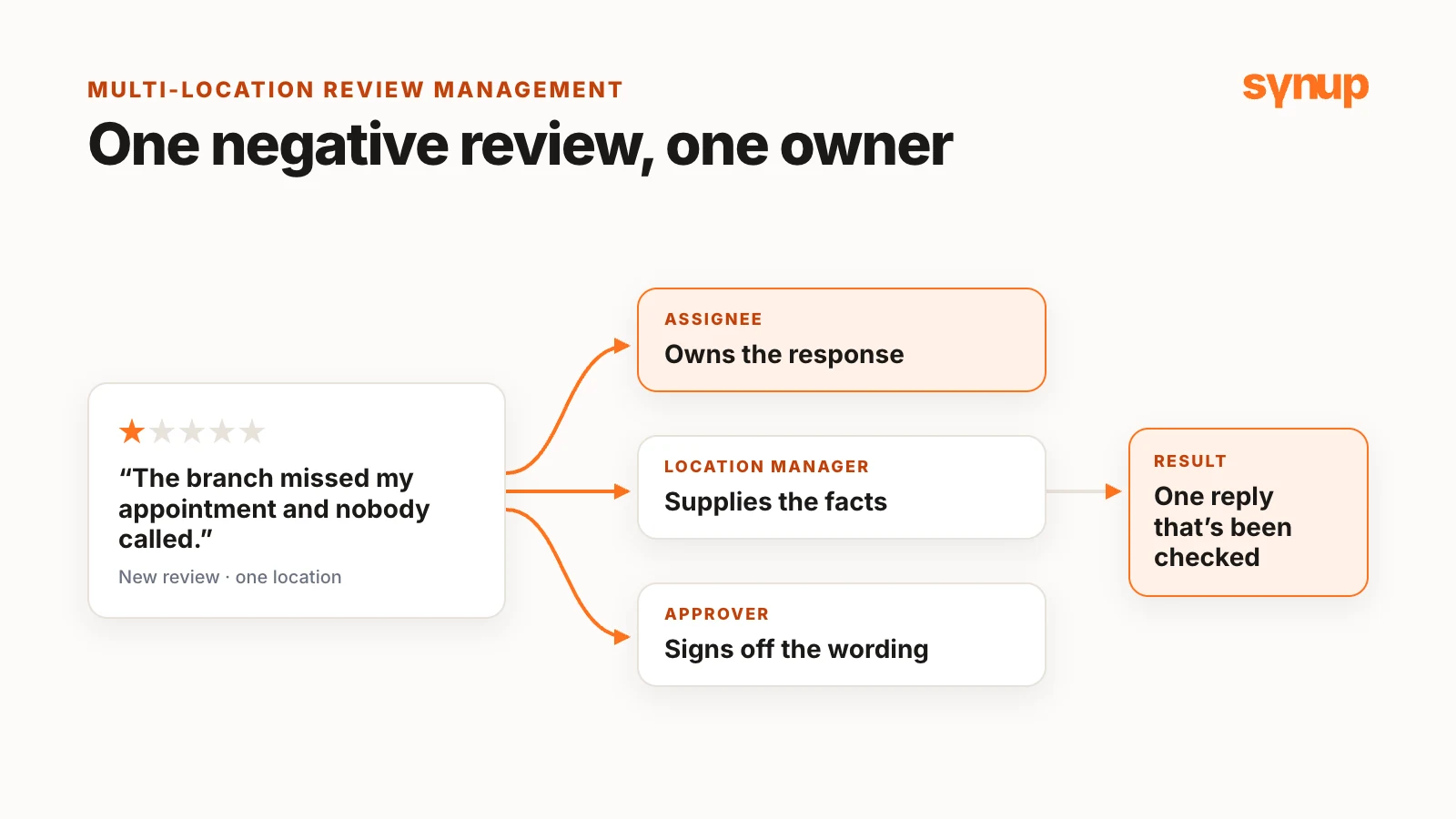
A one-star review arrives for one of your branches. Marketing sees it in the review platform. The branch manager sees it on the Google Business Profile. Customer service hears about the complaint separately. If nobody has agreed who replies, two people answer the same review, or each assumes the other has it and nobody does.
Short answer: Before anyone drafts a reply, work out whether you can answer with what you know, need facts from the branch, or need someone senior. Give one person ownership of the response, name the location manager who supplies the facts and the approver who signs off the wording, and promise only what has been confirmed.
Watch: who owns the reply?
Why ownership breaks down in multi-location teams
Reviews help people decide whether to choose a business, and replying on time shows you are paying attention, especially when something has gone wrong. In a multi-location brand, more than one department can be involved in a single case.
When marketing, customer service or both look after reviews, someone also has to agree who handles each response. Otherwise you get one of two failures: two people reply to the same review, or both assume the other will take care of it and the customer hears nothing. When more than one department needs to be involved in a case, the escalation matrix and the roles become just as important as the wording of the reply.
First, work out which situation you're in
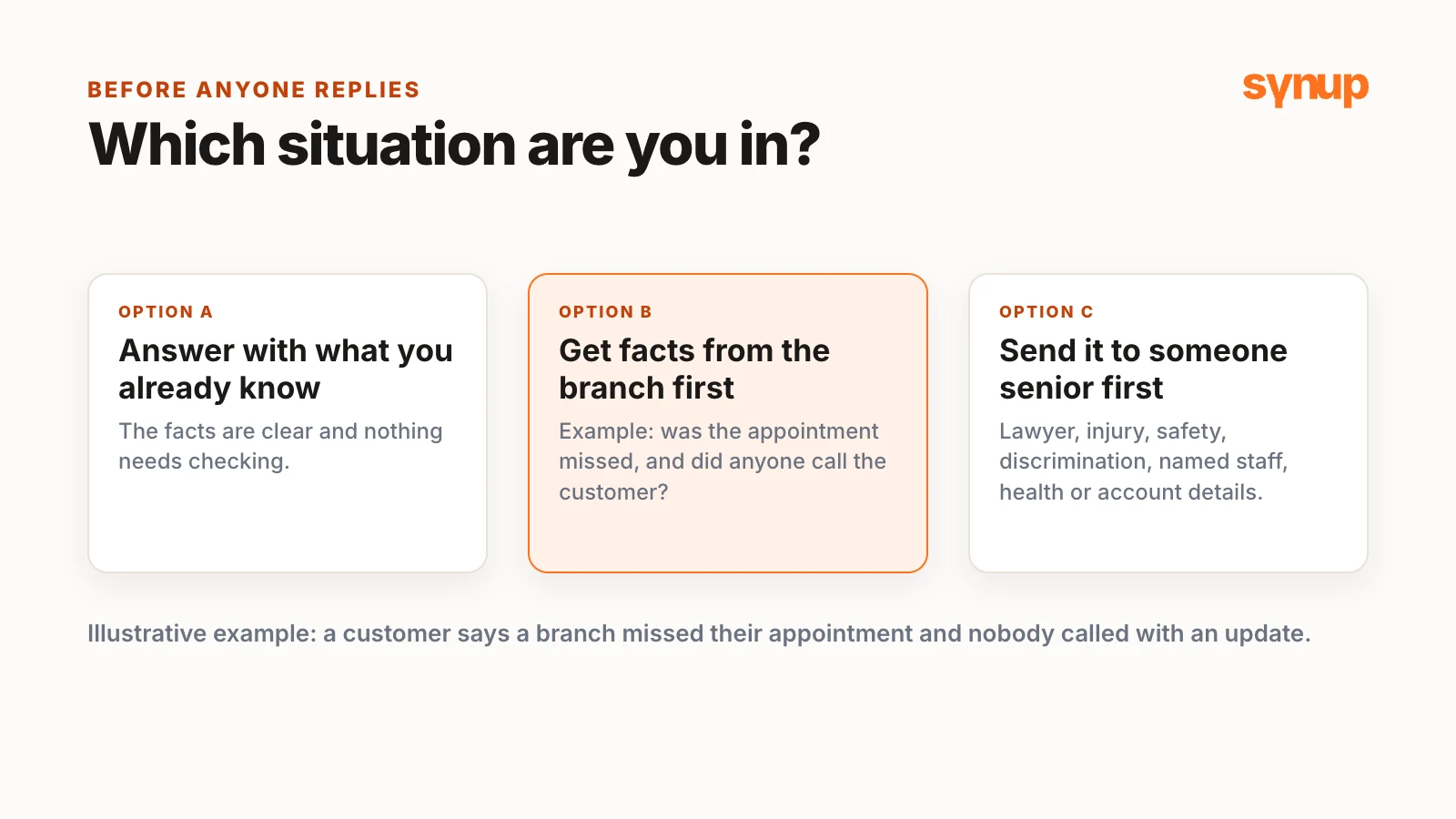
Take a hypothetical example: a customer posts a fresh complaint that a branch missed their appointment and nobody called them with an update.
The first instinct is to get back to the customer immediately with something. Resist it for a moment and decide which of three situations you are in:
- You can answer with what you already know.
- You need facts first, from that branch, that location or its manager.
- It needs someone senior before anybody replies.
In the missed-appointment example, you need facts before responding: was the appointment actually missed, and did anyone contact the customer?
When a negative review needs escalating
Watch for reviews that mention:
- a lawyer
- an injury
- a safety issue
- discrimination
- a specific, named member of staff
- anything touching the customer’s health or account details
For these, don’t draft a response immediately. Set the highest priority, then choose an approver within the organization who can make the call. If the person who usually approves these decisions isn’t available, the call usually goes to someone more senior, in leadership or the legal team. When you create the task, say in the description what is being escalated.
In healthcare and dental, even confirming that someone is a patient can be a privacy concern. Those replies should go through whoever handles compliance.
A real case: two replies to one review
A few years ago, while working with the automotive industry, Niladri saw this go wrong at a multi-location automotive group. A review came in for one of the branches about a coupon or promotion they were running. The branch manager saw it and replied straight away from his Google Business Profile account, without realizing that the social media person was in charge of responding to that kind of feedback.
She was working in a different review platform. When she saw the review there, she didn’t see the branch manager’s reply, so she responded as well. Google shows one response from the business under a review, so when the customer checked back, they saw the social media person’s later reply, written without the full context.
Neither of them did anything wrong. They were working in two different places. The fix was to get everyone replying from the same interface, where you can see straight away whether a review already has a response. The team brought everyone onto one platform, created an escalation matrix internally and made sure the situation didn’t happen again.
Agree the roles before anyone writes
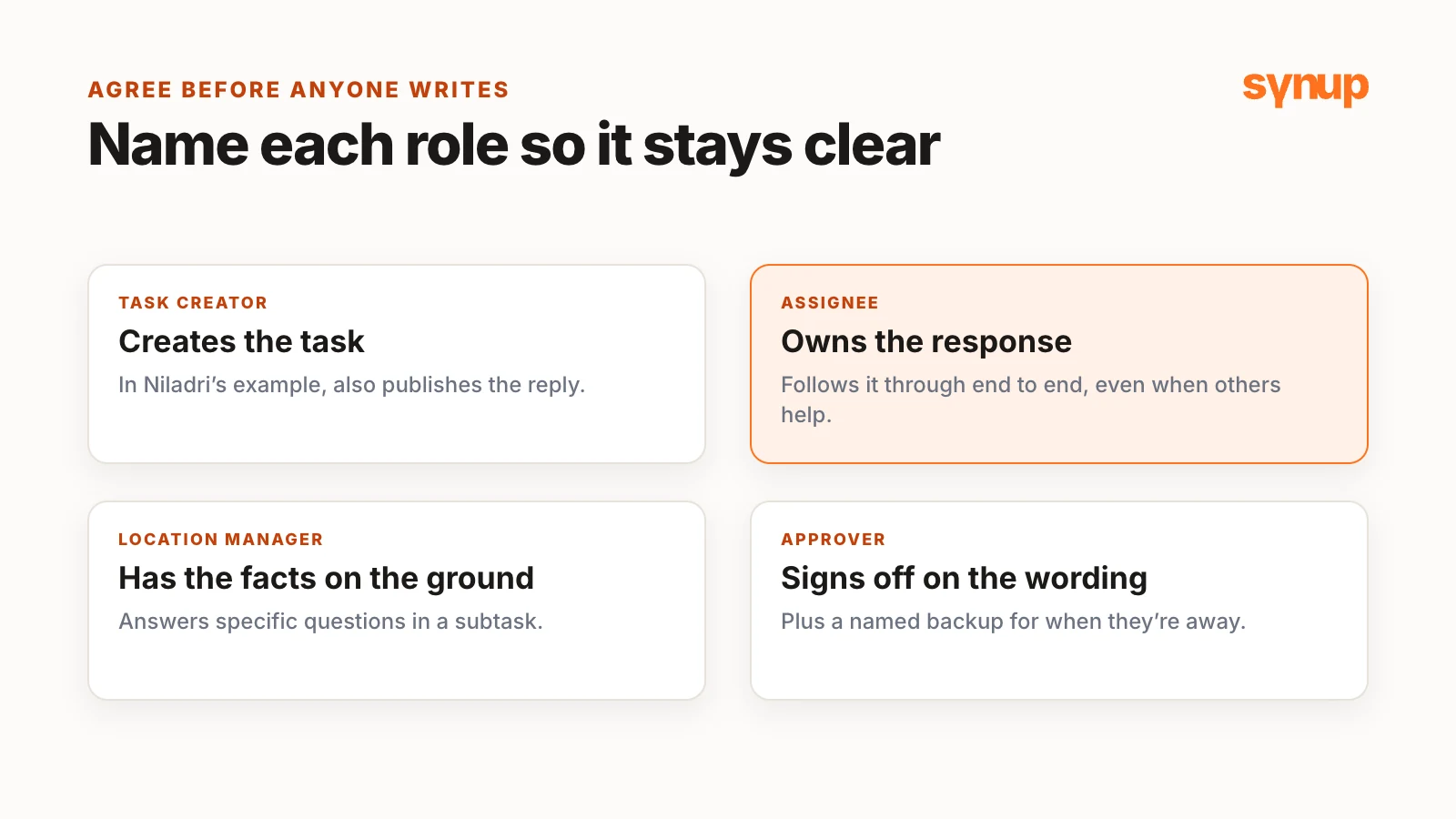
Define who owns each review, who approves the reply and what happens when the usual approver or responder isn’t available. The owner could be in marketing, customer service, finance or billing, or operations; it depends on how your teams are set up. Larger organizations can have their own internal routes for escalating things.
What matters is that one person follows the response through end to end, even when other people need to help. Name the roles so they stay clear:
| Role | Responsibility |
|---|---|
| Task creator | Creates the task and, in Niladri’s example, also publishes the reply |
| Assignee | Owns the response and follows it through |
| Location manager | Has the facts on the ground |
| Approver | Signs off on the wording |
In a small team, one person might cover all of these. In a brand with hundreds of branches across a country or around the world, naming each role makes a real difference.
Set up the response as a task in Synup
In Synup, open Inbox under Sydekick. You’ll see Tasks, work a teammate has assigned to you, and Approvals, content created by Sydekick that’s waiting for your approval.
The review dashboard shows whether a review already has a reply. It doesn’t show whether a colleague is already working on one, so check the business and its reviews for an open task before you create a new one. There’s no direct assignment on the review itself, so the task is where ownership lives.
For the missed-appointment example, the task includes:
- Client and location: the exact branch the review came from.
- Title: for example, “Respond to negative review – escalated”.
- Description: what the customer says, what you need checked, and a link to the review itself, so everyone is looking at the same thing. If you need an answer by a particular time, say so here.
- Assignee: the person who will coordinate the response and gather the information in one place.
- Approver: the person who signs off the wording. In the video, Niladri approves it himself because the usual approver is on leave.
- Due date and priority: today and urgent for a one-star review like this, leaving enough time to gather the facts and review the reply within the team.
Then add a subtask for the location manager, asking specific questions:
- Was the appointment missed?
- Did anyone contact the customer?
- What can we do for them now?
Be as specific as possible. If you just write “please investigate”, you may get an update that still doesn’t answer the questions a public reply needs. Ask the location to flag anything it hasn’t been able to confirm. That is useful to know before anyone starts making promises to the customer. The location manager adds the answers to the subtask assigned to them. If the response needs help from several people, give each of them a subtask within the same main task.
Write a reply that promises only what's confirmed
Bring the relevant facts into the main task description, so the person reviewing the reply can see what it is based on without asking the same questions again. You don’t need to copy the customer’s whole record into the task: a short summary and a reference to the internal case are usually enough. If something is still unknown, leave it as unknown. The wording of the reply should reflect only what you have actually confirmed.
In the example, the team confirms that the appointment was missed, that no callback was made, and that customer service can contact the customer today. The reply can then acknowledge the missed appointment and the missing update, and say that the customer service team will be in touch today. If that follow-up hasn’t been arranged, leave the promise out.
Keep the reply focused on the customer’s concern and what happens next. There’s no need to describe the investigation or how your departments are handling it internally.
When the wording is ready, the assignee requests approval. The task appears under Approval required on the task board, where the approver reviews the prepared work, including the reply, and either requests changes or approves it.
When the usual approver is unavailable
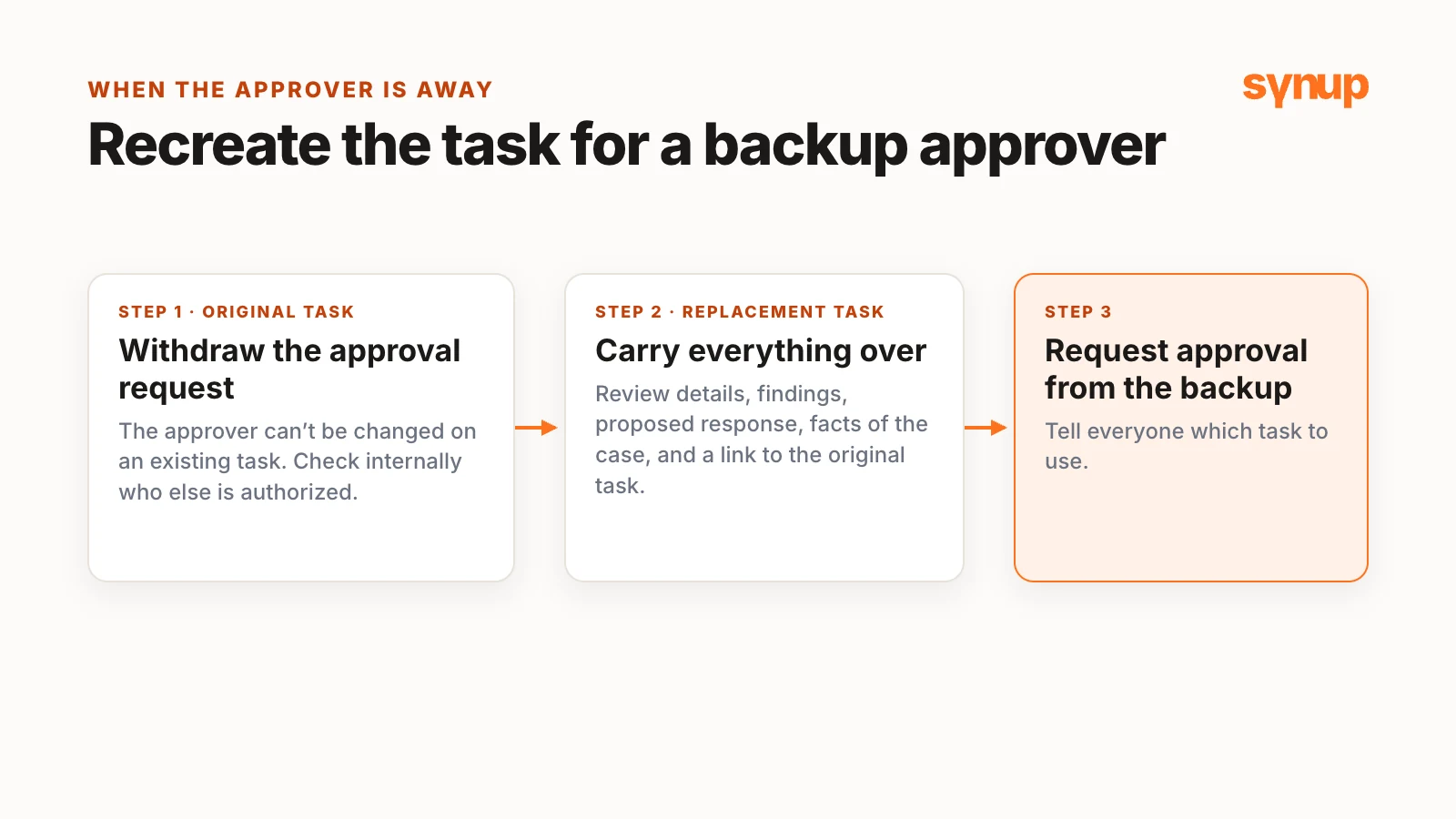
If the main approver is offline, you need someone else who is authorized to review this type of response. Check internally before you create another task. In Synup, you can’t change the approver on an existing task, so:
- Withdraw the approval request on the original task.
- Create a replacement task and carry over the review details, findings, proposed response and the facts of the case, with any supporting subtask information or attachments.
- Keep the same assignee if they are still handling the response, check the due date and priority, and include a reference to the original task.
- Tell the people involved which task to use, and request approval on the replacement.
The person coordinating the reply should keep following it through until the response is posted.
After you post
Once the reply is approved, the task moves to the approved column and back to the assignee, who posts the reply on the review and marks the task done. Before posting, check the review once more: if someone has replied in the meantime, posting yours would mean replying twice.
Then check that the reply actually went live, in two places:
- in Synup’s review inbox, against the review
- on the live listing itself, whether that’s Google, Yelp or another site
Responses can occasionally be blocked or fail to post, and this is a customer who is already unhappy. Add an internal note that you’ve checked.
Most importantly, if you promised a callback, make it immediately. You can add subtasks for the call, the reply and the check on the live listing. Record the conversation when the follow-up happens; if the team can’t reach the customer, record that too and decide the next step.
A public reply doesn’t resolve the customer’s issue on its own. The habit to build is checking that the next person has picked up the work. The task gives everyone the context, but you still need to confirm who is handling the next action.
Common questions about review ownership
Who should reply to negative reviews at a multi-location business?
Agree it in advance. One person should own each response and follow it through, even if they need facts from the branch and sign-off from someone else. That owner could sit in marketing, customer service, operations or finance, depending on how your teams are set up.
When should a negative review be escalated?
Escalate when the review mentions a lawyer, an injury, a safety issue or discrimination, names a member of staff, or touches on a customer's health or account details. Don't draft a reply straight away: set the highest priority and send it to an approver who can make the call.
Can two people from the same business reply to one Google review?
Google shows one response from the business under a review, so if two people reply from different places, the customer may see the later reply, written without the full context. Replying from one shared interface makes it clear whether a review already has a response.
What if the person who normally approves review replies is unavailable?
Check internally who else is authorized to approve that type of response. In Synup, withdraw the approval request, create a replacement task with the review details, findings, proposed response and a reference to the original task, then request approval from the backup approver.
Next step
Download the review ownership and escalation worksheet (CSV). Fill in one row per location or region: who owns replies, who supplies the facts, who approves and who the backup approver is, so the decision is made before the next difficult review arrives.
Put your local marketing in motion.
Manage listings, reviews and local visibility in one place. Sydekick, your AI agent, lines up the work and you approve what goes live.
- 14-day free trial
- $50 in AI credits
- Cancel anytime