
White-label reputation management: what has to work behind the logo
Start with one package your team can deliver every month. Agree a responsibility matrix with each client at onboarding: your agency owns delivery, the client owns the facts and the business profiles, the software vendor provides the software, and the publisher decides what shows. Get two named contacts for escalations, write the client's brand rules down, keep a person approving every reply, and run the same trial checklist on every vendor, including Synup.
Most agencies that start reselling reputation management treat white label as a branding question. You put your logo on the report, send review requests from your own domain, and you have a service. Niladri Sarkar, who has worked in this business for almost two decades, says that is the easy part. What decides whether the service works is everything behind the logo: who handles the reviews every day, when the client needs to step in, and whether the workflow, reporting and escalation matrix are in place. If nobody agrees that during sign-up, the first angry review is likely to sit unanswered while everyone assumes someone else has it.
Short answer: Start with one package your team can deliver every month. Agree a responsibility matrix with each client at onboarding, get two named contacts for escalations, write the client’s brand rules down and keep a person approving every reply. Then run the same trial checklist on every vendor, Synup included.
Watch: white-label reputation management, beyond the logo
Start with one package your team can deliver every month
If you’re starting out and small, Niladri recommends one package that your team can deliver consistently every month. Keep it simple. This is the example package from his slides:
| Part of the package | Example |
|---|---|
| Scope | 1 business, up to 3 locations. Google first, plus the next review site that matters for that business. |
| What’s included | Listings and reputation, bundled. |
| Coverage | Business hours in the client’s time zone. Alerts flag urgent reviews during the day; weekends are priced separately. |
| Allowance | Up to 100 reviews a month and one round of edits per reply. Agree up front what happens above the limit. |
| Two clocks | Draft time (review comes in → draft ready) and post time (client approves → reply posted), reported separately. |
Why bundle? Across Synup’s partners over the years, Niladri has seen agencies that sell listings, reputation and social together keep their clients much longer than agencies that only ever sold a listings package. With listings alone, you fix the data or do a one-time citation cleanup, and then you go quiet.
Be clear about response times: there are two clocks
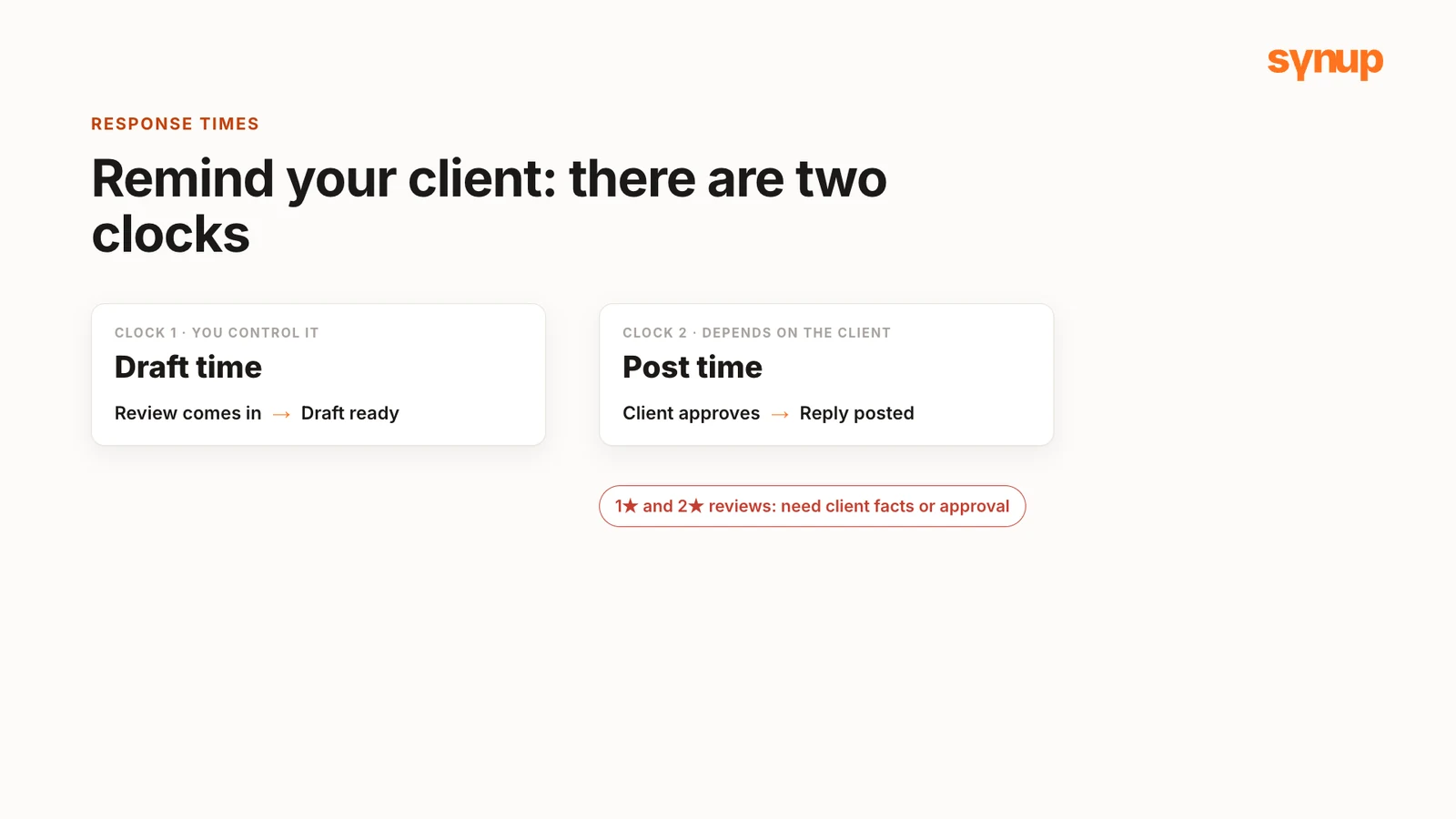
Remind your client that two clocks run on every review:
- Draft time: how fast you can draft a reply once a review comes in. You control this one.
- Post time: how fast the reply goes live. That depends on how fast the client approves it, especially for one- and two-star reviews where you need more information or an approval from the client.
Some agencies Niladri works with handle this well. They talk to the client beforehand, learn the brand guidelines, and get the client to approve a few templates at the start: templated responses for positive reviews and for not-so-positive or negative ones. That gives the team something approved to work with from the first review.
Agree a responsibility matrix at onboarding
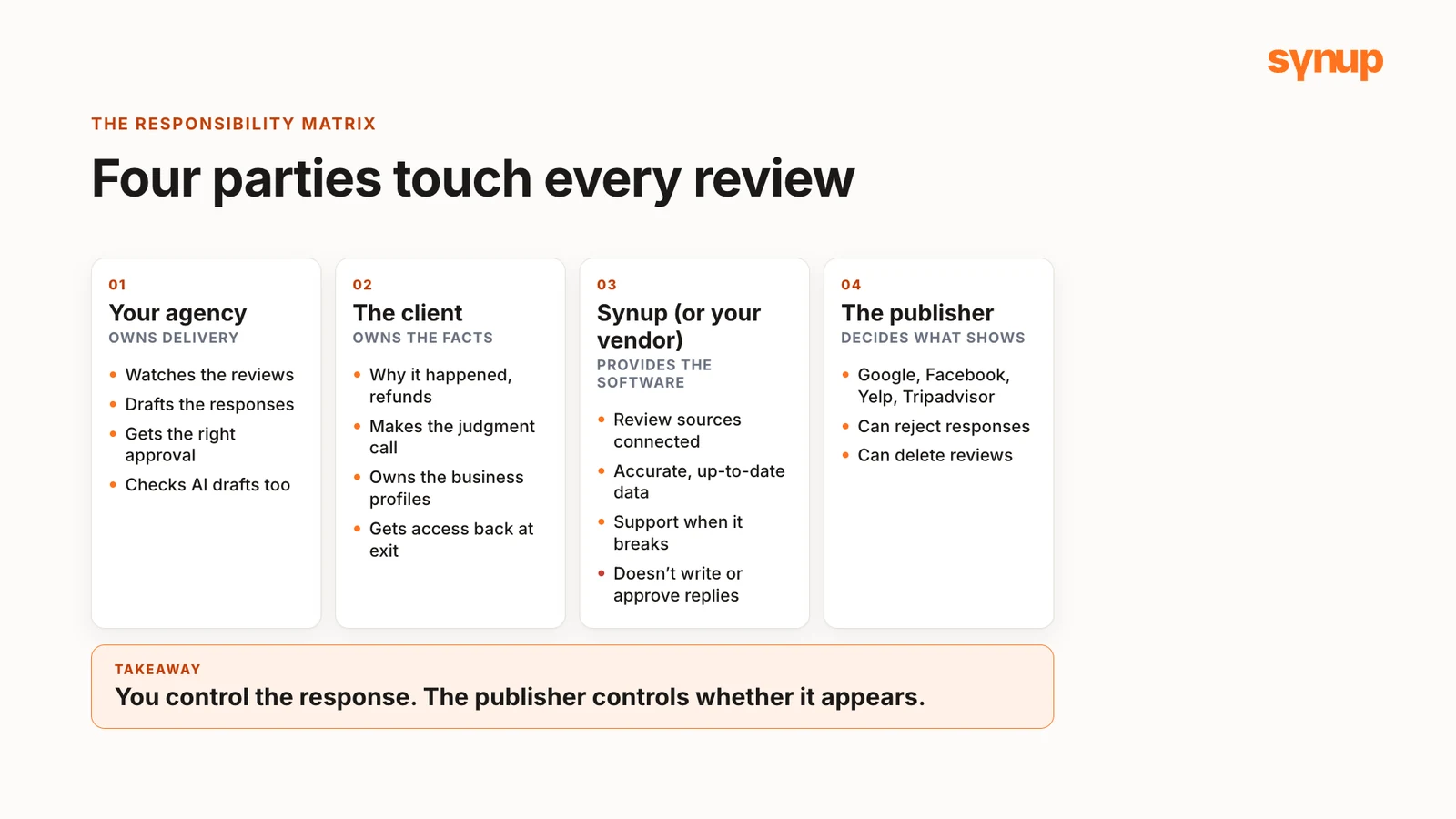
Present a responsibility matrix as part of your onboarding plan with each client. Four parties are involved in every review on a platform:
- Your agency owns delivery. You watch the reviews, draft the responses and make sure the right person has approved each one, if you have an approval step in place. If AI wrote the draft, you are still the one who checks and approves it.
- The client owns the facts about the business. You can’t know for sure why a technician was late or whether a refund was processed. Only the client can investigate and make that call. The client also owns the business profiles: you get access when they sign up for the work, and when the contract ends, that access goes back to them cleanly.
- The software vendor (Synup, or whichever vendor you use) provides the software. It keeps the review sources connected and the data accurate and up to date, and its support team helps when something breaks. In the software-only white-label setup Niladri describes, the vendor doesn’t run the service: Synup’s team won’t write or approve your client’s replies.
- The publisher decides what shows. Google, Facebook, Yelp and Tripadvisor decide what appears on their sites. You control the response, but not whether it appears. Google, for example, can reject responses and can delete reviews.
This is the draft matrix from Niladri’s slides. Use it as a starting point and adjust it for each client.
| Activity | Agency (delivers the service) | Client (owns the facts) | Synup (software only) | Publisher (Google, Tripadvisor) |
|---|---|---|---|---|
| Monitor reviews | Owns the queue | – | Keeps sources connected | Hosts the reviews |
| Draft replies | Drafts and checks every reply, AI or not | Sets the brand rules | Sydekick drafts; playbooks hold the rules | – |
| Approve replies | Routine praise, with a standing OK | Complaints and anything sensitive | Nothing posts without approval (with replies set to Ask first) | – |
| Facts and remedies | Asks the right questions | Investigates and decides, including refunds | – | – |
| Post the reply | Submits it | – | Sends it to the source | Decides when it goes live |
| Business profiles | Gets the access it needs | Owns them, keeps them at exit | – | – |
| Escalation: needs facts or a decision | Holds the review, sends it to the agreed contact | Named contact investigates and decides | – | – |
| Escalation: no response in time | Follows up | Backup contact takes it | Playbook notifies the backup | – |
| Escalation: technical problem | Keeps the client informed | – | Support fixes the software | – |
| Escalation: decision made | Drafts, gets approval, posts, closes it | Approves the reply | – | – |
Bold marks who owns each activity.
Plan the escalation handoffs
This is where most services break. An escalation is any review your agency can’t respond to on its own, so it has to pass through one or two more people. If a reply needs a fact or a decision that is critical in nature, it has to come from your client: think of refund questions, or a legal threat.
For those, hold the review and send it for approval to the person you agreed on during onboarding. Get at least two names from every client before you need them. You can also set up a playbook that notifies the backup automatically if the first approver isn’t available.
Daily checks, brand rules and approvals
Read the review, not just the star rating. A four-star rating looks positive, but the text might say “great work, but they made me wait a long time”, or that they missed an appointment. Those subtle messages get hidden. They are useful information for your client, and your agency should flag them instead of just saying thanks.
Write the client’s brand rules down. In Synup, open Agent in the left-hand bar, then Memory, and use it to set up the client’s brand guidelines: the do’s and don’ts. Niladri’s examples:
- Never promise a refund, to an angry customer or a happy one, based on just a review.
- Never say a problem is fixed until the client confirms it.
- Point unhappy customers to the business, which can answer their specific problem, instead of the agency trying to.
Decide how much autonomy your agent gets. In Synup’s Autonomy settings, each module can be set to Off, Ask first or Automatic. Always keep a person in the loop: make sure every draft is reviewed and approved by a person before it gets posted. For routine positive reviews, Niladri finds that most clients are happy to give the agency a standing OK.
Reports that carry insight
Niladri has seen agencies spend hours building reports every month. You don’t need to do that anymore. At the start of the recording, he asked Sydekick, Synup’s AI agent, for a reputation performance report covering August to October in PDF and Excel format. It produced a professional PDF report along with a CSV download that you can send to your client.
His personal favourite is a negative sentiment report: ask whether a business has received any negative reviews in the past month. When you present the negative data, the business has action items to work on, and some of them are things only the business owns: the service itself, which your agency can’t fix on its own.
What your client sees
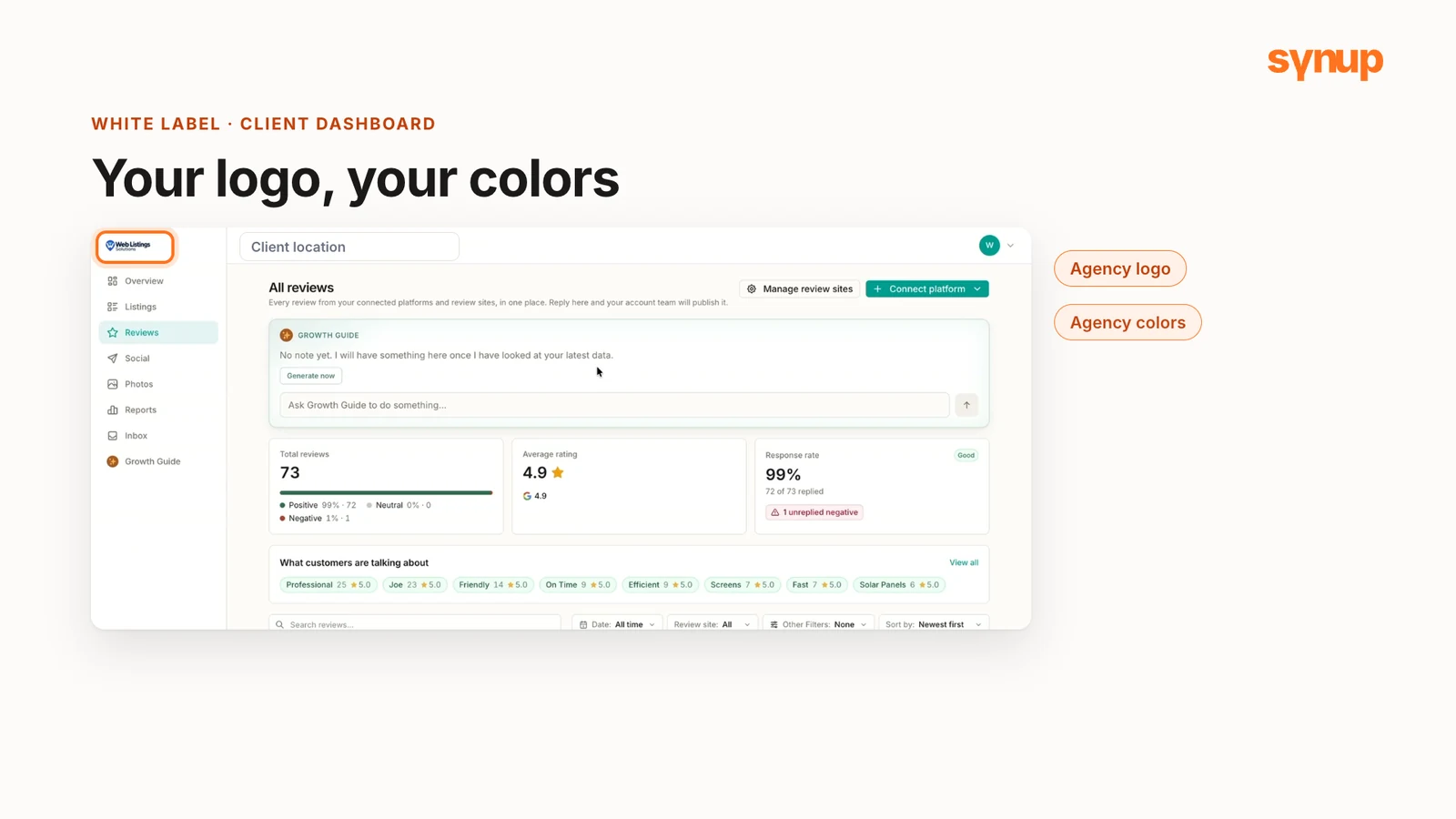
The white-label interface is what your client sees: overview information on their listings, reviews, social, photos and reports, which they can view on their own. So what you send them needs to go beyond what is already on the dashboard. It needs to contain insights.
The dashboard carries the agency’s logo and colors. In Synup’s white-label settings you also define how the navigation is set up, whether any custom script goes into it, and what the AI agent is called in front of the client. You can rename Sydekick for your own dashboard (the agency in the video calls it “Growth Guide”), and it’s white-labeled too, so customers using your dashboard don’t see that you are using Synup’s agent.
For what Synup’s white-label setup covers, see Synup’s white-label settings and white-label reputation management software.
Run this trial checklist on every vendor
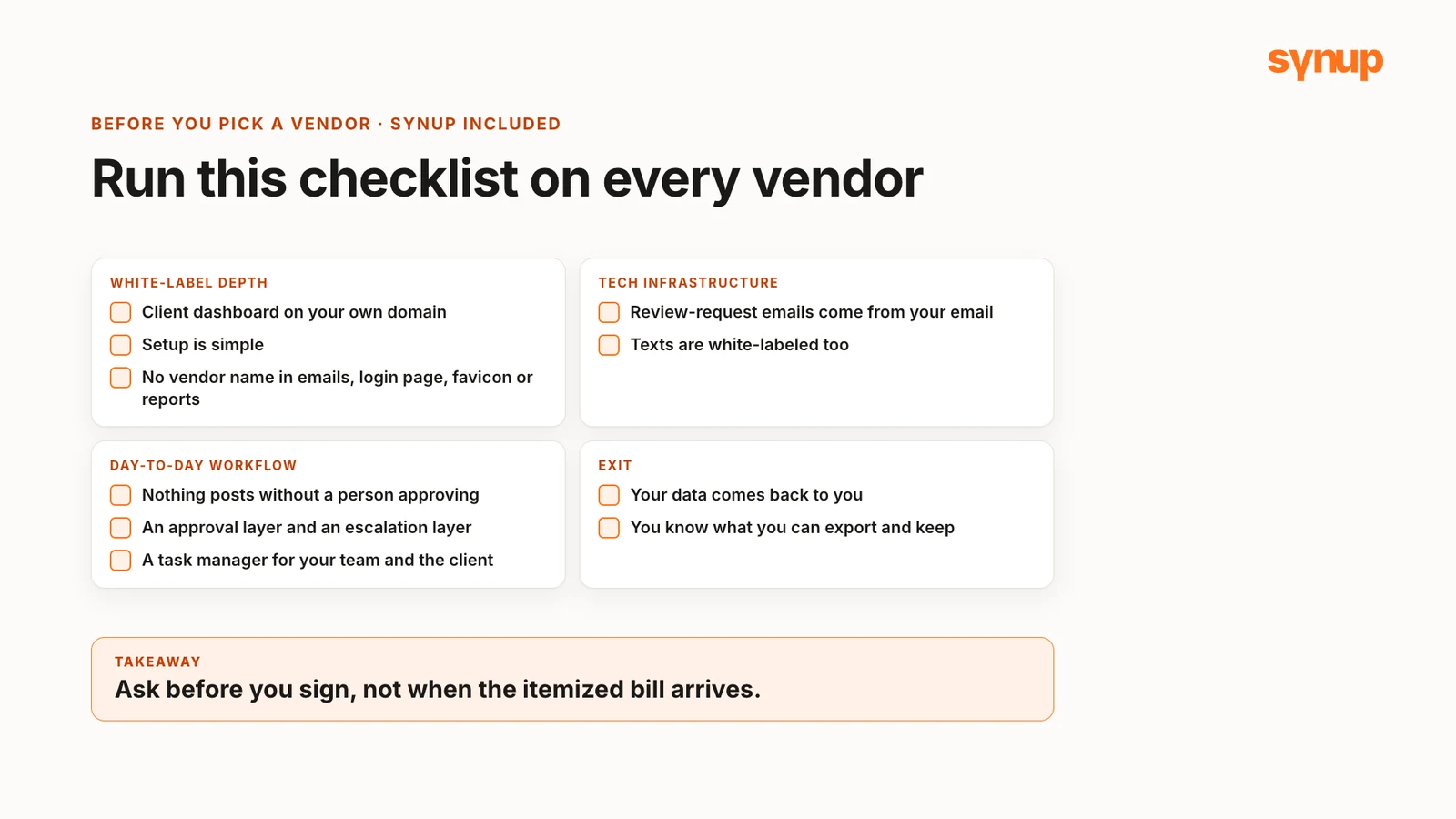
Before you pick a white-label reputation management vendor, run the same checklist on each one, including Synup. This is the full checklist from Niladri’s slides:
White-label depth
- The client dashboard runs on your own domain, and setup is simple.
- No vendor name in emails, the login page, the favicon or the page source.
- Navigation menus, colors and logos are yours to change.
Tech infrastructure
- Emails send from your domain and sender name. Check whether review-request emails carry your email address or the vendor’s.
- Texts come from your sender name and number, and links carry your brand.
- It integrates with your clients’ CRMs.
Day-to-day workflow
- Nothing posts without a person approving it. There has to be an approval layer and an escalation layer.
- There’s a task manager for going back and forth with your team and with the client.
- One client can never see another client’s data.
- Known reviews show up for every source you promise.
- Competitor review tracking.
- Exports open with the fields and dates you need.
- Support gives a useful answer, not just an acknowledgment.
Scalability
- A 50-location client gets one view and can drill into each location.
AI assistant
- You can rename it, and clients see your brand.
Pricing
- Flat rate, or modular pricing you’ll have to track per client.
Exit
- Your data comes back to you, and clients keep their profiles. Ask what information and data you can export and keep.
Ask these questions before you sign, rather than waiting for an itemized bill and some surprises at the end of the month. For more questions to settle early, see white-label questions to ask before you start.
Common questions about white-label reputation management
What is white-label reputation management?
It's a reputation management service an agency sells under its own brand, built on a software vendor's platform. Clients see the agency's logo, colors and domain. The branding is the easy part: the service depends on who handles reviews every day, who approves replies and what happens when a review needs the client.
Who is responsible for what in a white-label review service?
Four parties are involved. The agency owns delivery: it watches the reviews, drafts the responses and gets them approved, including drafts written by AI. The client owns the facts and its business profiles. The software vendor provides the software, connected review sources and support. The publisher, such as Google, decides what appears and can reject responses or delete reviews.
What counts as an escalation in white-label reputation management?
Any review the agency can't respond to on its own, because the reply needs a fact or a decision only the client can give, such as a refund question or a legal threat. Hold the review and send it to the contact agreed at onboarding. Get at least two names from every client, so a backup can step in.
What should you check before choosing a white-label reputation management vendor?
Check that the client dashboard runs on your own domain, that no vendor name appears in emails, the login page, the favicon or reports, and that review requests and texts go out under your brand. Check that nothing posts without a person approving it, that there are approval and escalation layers and a task manager, and that your data comes back to you if you leave.
Next step
Download the responsibility matrix (CSV) and the trial checklist (CSV). Fill in the matrix with each new client at onboarding, including the two names you’ll escalate to, and score every vendor you trial against the checklist before you sign. To resell Synup under your own brand, see Synup’s agency partner program.
Put your local marketing in motion.
Manage listings, reviews and local visibility in one place. Sydekick, your AI agent, lines up the work and you approve what goes live.
- 14-day free trial
- $50 in AI credits
- Cancel anytime