6 updates
Featured updates
Synup in Claude and ChatGPT
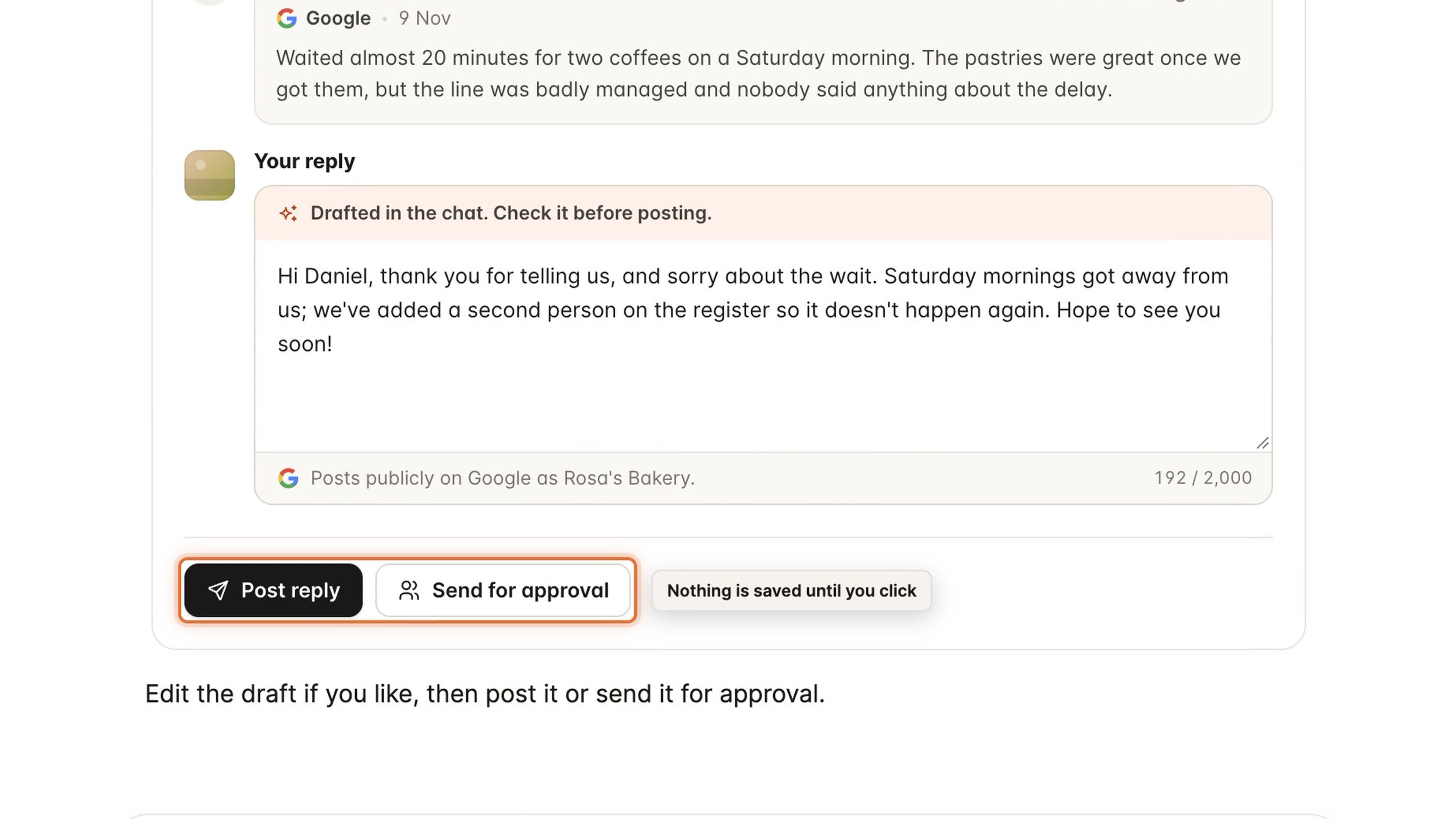
Checking on a client usually means opening Synup, finding the location and reading several screens.
Connect Synup to Claude or ChatGPT and ask in plain words, like "show my locations" or "how did reviews go this month". Answers come back as interactive Synup cards for locations, listings, reviews, posts, rankings and more. Ask for a change, such as a review reply or a post for Friday, and the card opens a filled form; nothing is saved until you check it and click. In Claude, add a custom connector with ai.synup.com/mcp. In ChatGPT, turn on Developer mode and create an app with the same address while our directory listing is in review. In ChatGPT, type @ and pick Synup to use it; Claude uses it on its own. Connecting needs the Developer API plan or a trial.
WhereClaude: Customize → Connectors → Add custom connector · ChatGPT: Settings → Developer mode
AI Visibility by Engine (Early Access)
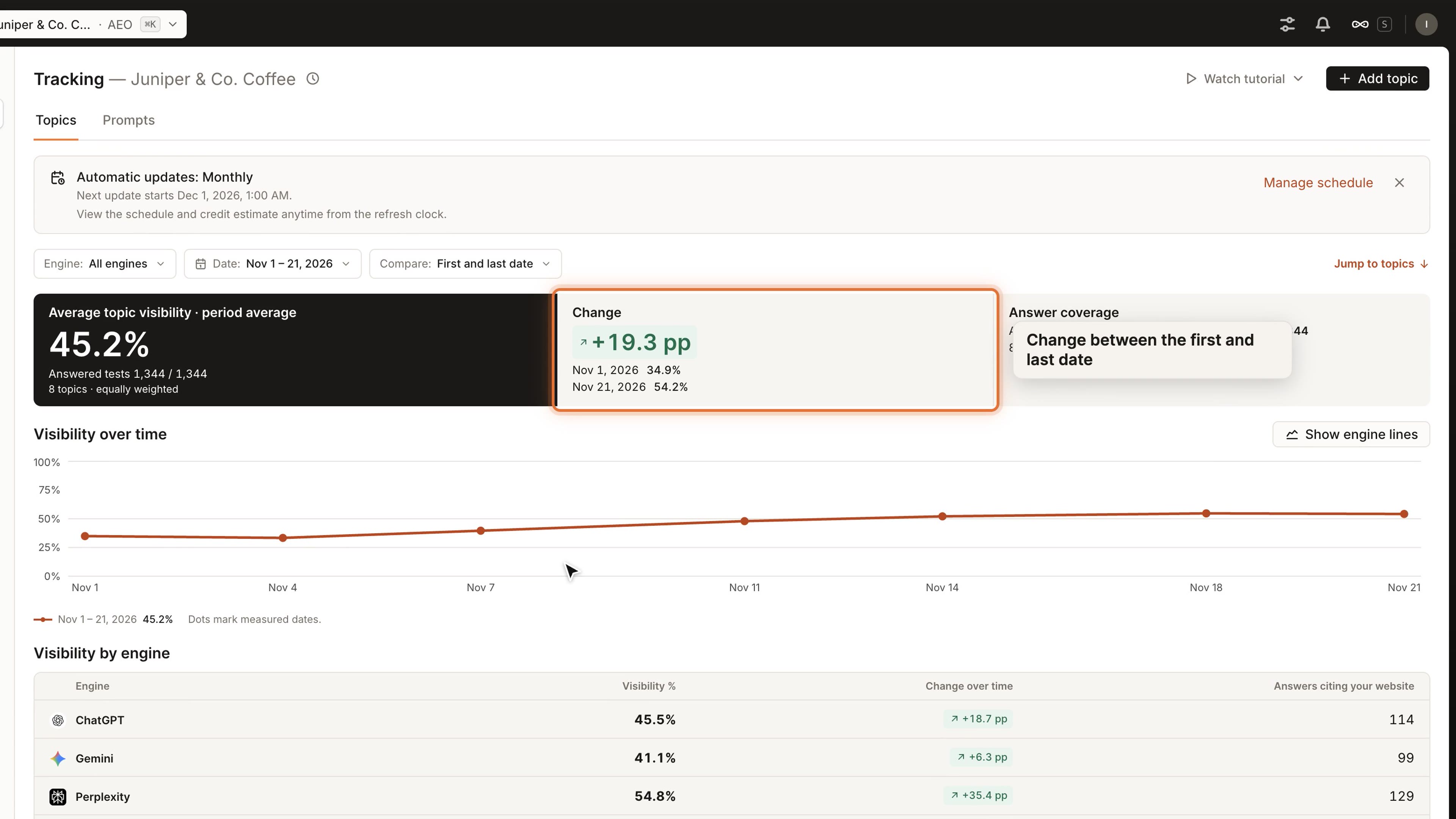
One overall AI visibility score hides which engines mention you and which don't.
AEO Tracking for websites now shows visibility for each engine, including Claude, with the change in percentage points between two dates and how many answers link to your site. Choose a date range and comparison, then select an engine row to filter the report. A change appears only when both dates were measured the same way. It's in early access for websites; ask your account manager to turn it on.
WhereAEO → choose a website → Tracking → Topics
Search Analytics for Your Website (Early Access)
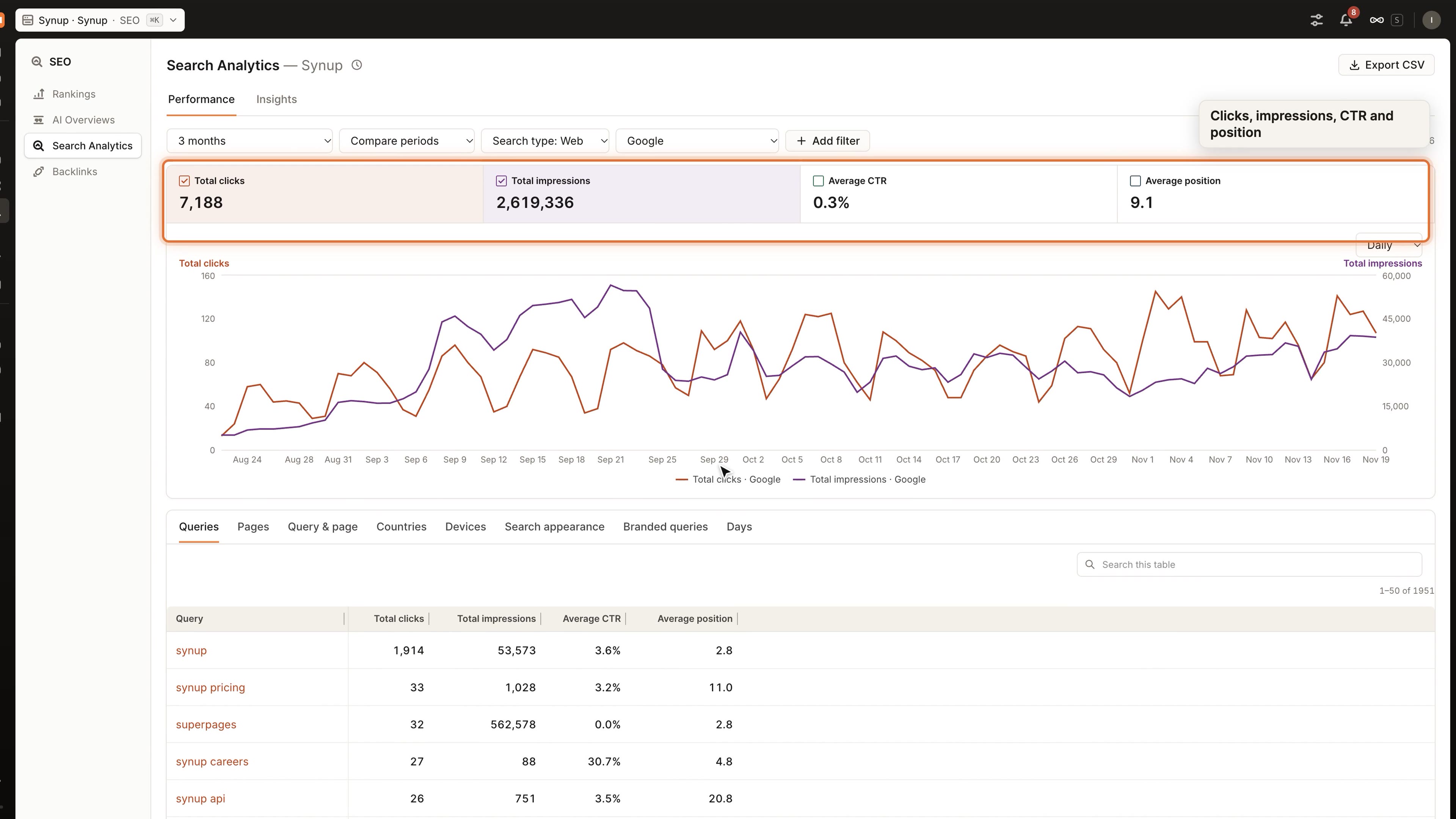
Search Console data tends to sit in a separate tool that most of the team never opens.
Website SEO now has Search Analytics: clicks, impressions, CTR and average position from Google Search Console, with up to 16 months of history, period comparisons, and breakdowns by query, page, country, device and search appearance. The Insights tab adds URL inspection and submitted sitemaps, and AI Overviews now sits in the same SEO menu. It's in early access for websites; ask your account manager to turn it on.
WhereSEO → choose a website → Search Analytics
AEO Citations: The Pages AI Answers Cite (Early Access)
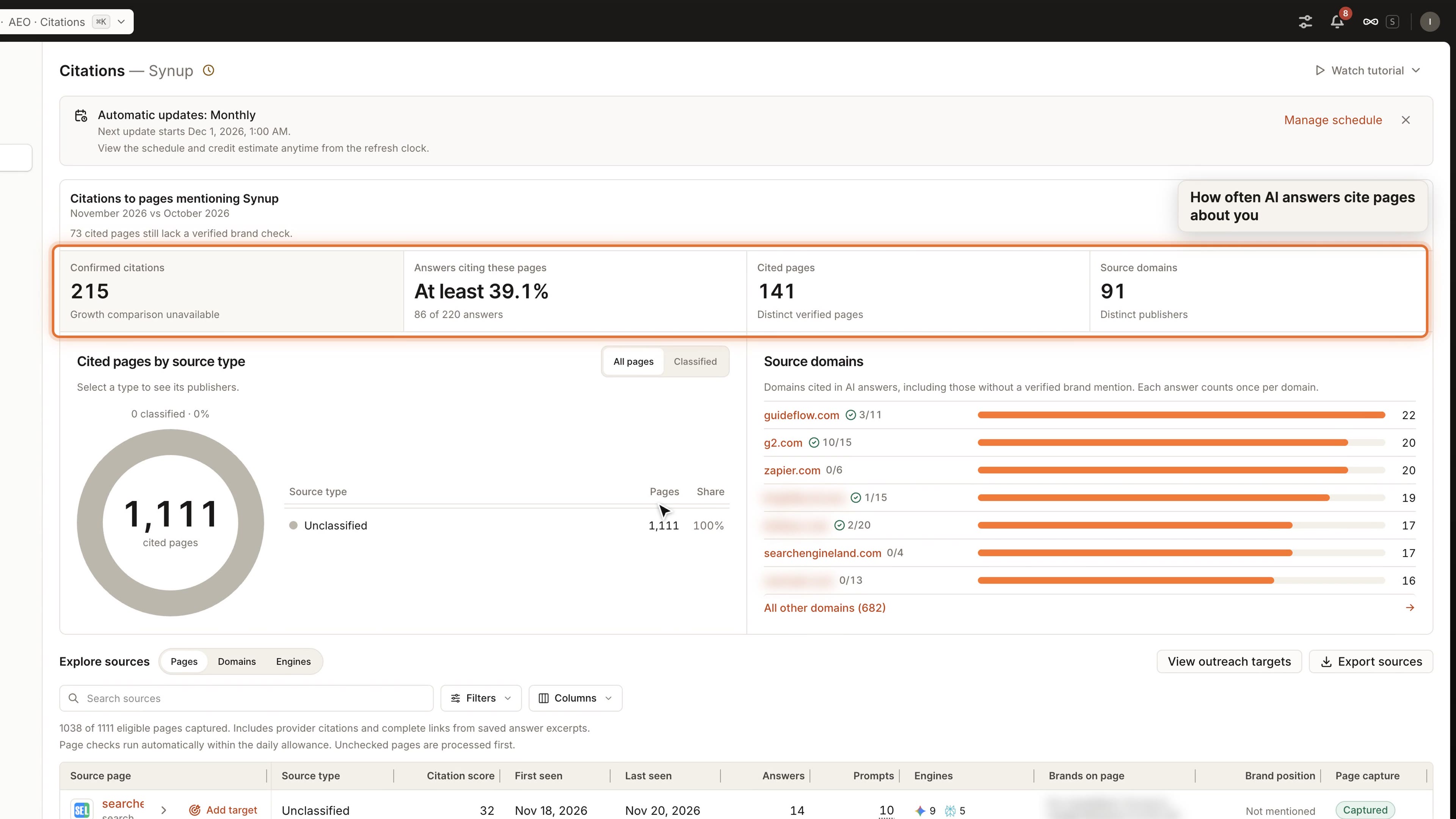
Knowing that AI mentions you is half the picture; the other half is which pages it reads.
AEO Citations lists the pages and domains that AI answers cite for your tracked prompts, with a citation score, first and last seen dates, the engines and prompts behind each count, and whether the page mentions your brand. Add a cited page to Backlinks outreach as a target in one click. Page checks run automatically within a daily allowance. It's in early access for websites; ask your account manager to turn it on.
WhereAEO → choose a website → Citations
Recover Failed Posts
When a post fails on some destinations, rebuilding it by hand for just those is slow and easy to get wrong.
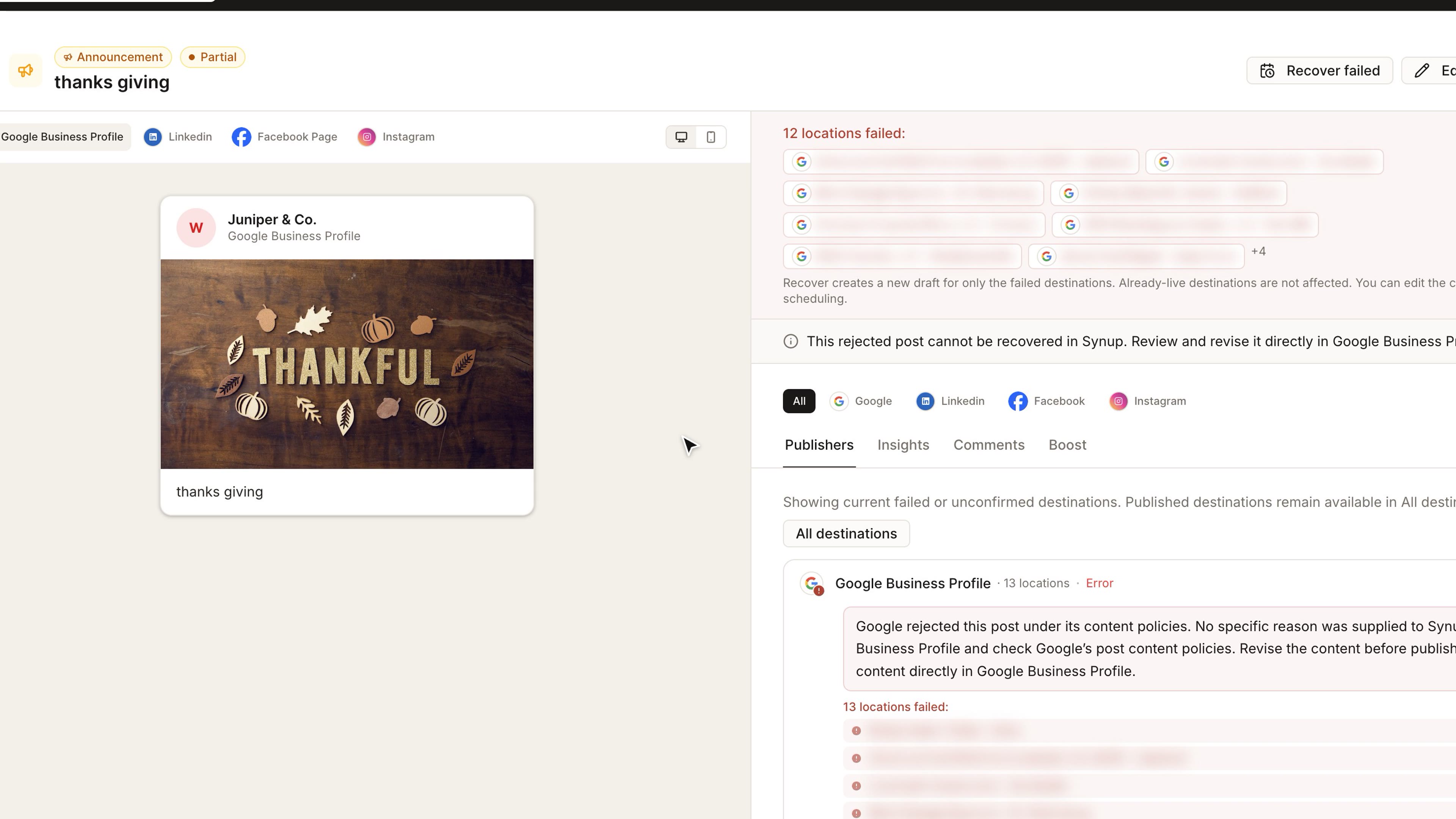
Needs attention keeps posts with publishing problems in view, including overdue ones outside the weeks you're looking at. Open a partly published post and choose Recover failed: Synup creates a new draft for only the destinations that failed, and the ones already live stay as they are. Failure notices now link to the post, import errors show the affected rows and image links, and Filters → Date narrows the calendar.
WhereSocial → Publishing → Needs attention
Add a Location from Anywhere
Adding a location meant leaving the page you were on to find the Locations screen.
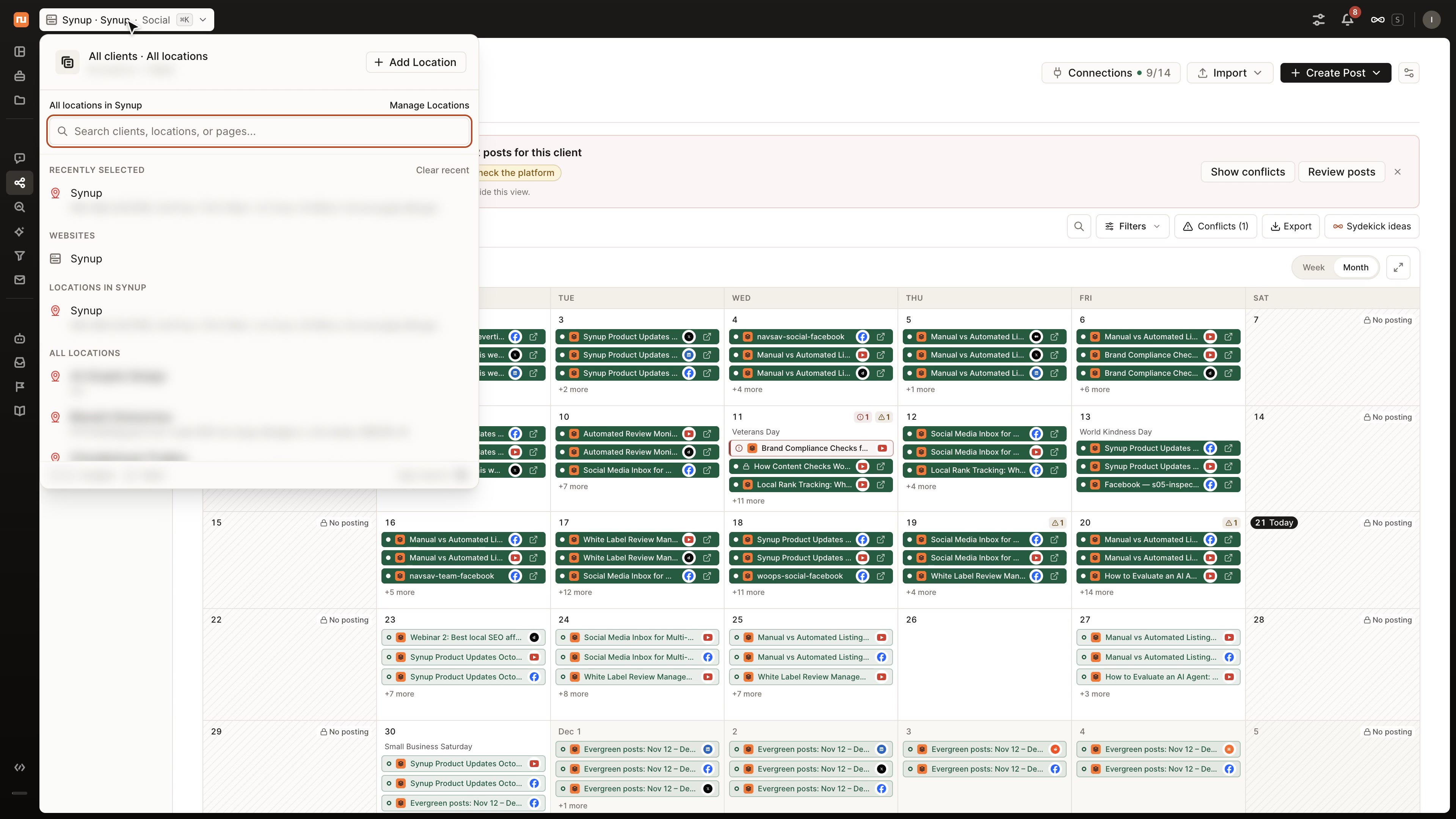
Open the global picker at the top of any page and choose Add Location to start setup, with or without a client. It shows for people who can manage clients.
WhereGlobal picker (⌘K) → Add Location
Also improved
Video Covers, LinkedIn Tagging and Steadier Facebook Reels
Add a cover to a video post by uploading an image, choosing one from the library or capturing a frame from the video. On LinkedIn Company Pages, tag people who follow the Page in a post. Facebook Reels now finish uploading the video first and then publish, so they go out more reliably.
Sydekick's Draft Replies on the Review
When Sydekick drafts a reply, the review shows it with a link to Approvals. The approval shows the review being answered, and if the review already has a reply, approving doesn't replace it.
Approval Emails Name the Location
Approval and task emails now include the location's name and city and a short preview of the item.
Old Suggestions Tidy Themselves Up
Post ideas expire 14 days after their suggested date, and review-reply suggestions expire when the review is gone, already answered or 30 days old. Find them under Expired and restore any you still want.
Playbooks on Several Days a Month
Schedule a playbook for more than one day a month. Running one playbook for every client in a publisher set is rolling out next.
One Portal App for Many Clients
Build a portal app once and use it across many clients, in a focus-mode builder with a publish step. Each client can have up to 10 live apps.
A Roomier Series Builder
The Series builder opens in focus mode, with a compact rail where you drag date tiles and a Preview switch to see the series as it will go out.
Grouped Notifications
Repeated notifications are grouped. Expand a group to see each update, and click a row to open the item.
Approval Links Open the Item
A link to a single approval now opens that approval directly. A link to several approvals opens the Approvals list.
Choose Your Account Type
Owners and admins can switch between Agency, Multi-location brand and Single-location business in Account details. It changes whether Synup calls your businesses clients or brands.
Download Markdown Reports
Reports Sydekick writes as Markdown files now offer Download in the Canvas.
A More Consistent Look
Buttons, page headers and refresh controls now look and work the same across the app.
AEO Analytics in the Side Menu
AEO Analytics has its own place in the AEO menu. Pick a location with a saved report to open Trends and Brand perception.
Social Inbox Alerts (Early Access)
The redesigned Social Inbox can alert you to new comments, direct messages and mentions, and forward LinkedIn messages by email. Ask your account manager to turn it on.
Video Studio (Early Access)
Prepare videos in a focus-mode Studio with a five-step Get found checklist. Ask your account manager to turn it on.