
Social media inbox for multi-location brands: who answers what?
Bring every comment, mention and DM into one queue, as far as each network allows, then decide ownership before you connect a single account. If the answer depends on the store, the store owns it; if it doesn't, anybody can answer. Name an owner and a backup for every location or client, set separate targets for response time and resolution time, keep personal details out of public replies, and start with a couple of regions before you roll out everywhere.
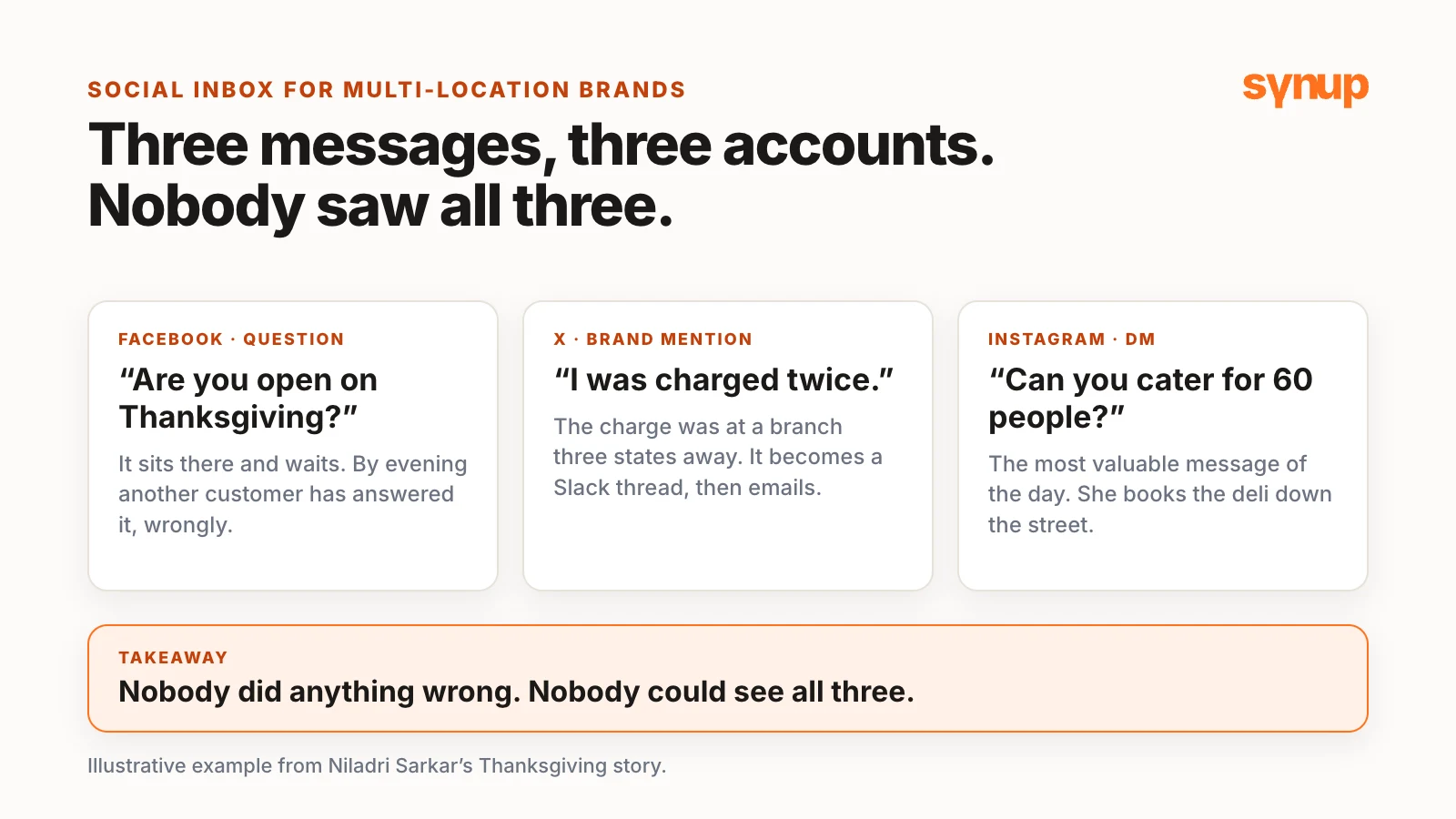
It’s a week before Thanksgiving, early in the morning. Someone asks on Facebook whether one of your restaurant’s branches is open on the holiday, and the question just sits there and waits. About an hour later, someone tags your brand’s X account about a charge that appeared twice, at a branch three states away. Your headquarters team sees it but has no idea who runs that location, so it turns into a Slack thread, then an email to a regional manager and a branch manager, one of whom may be out until next week. Meanwhile, an office manager sends one of your locations an Instagram DM asking about catering for about 60 people. It’s probably the most valuable message of the day, and it’s sitting in an inbox that nobody probably opens more than once a week.
By evening, another customer has answered the hours question on your behalf, and it’s wrong. The complaint has a dozen replies under it on X. Nobody ever saw the catering DM, so she books the deli down the street.
Niladri Sarkar, Synup’s CMO, tells this story to make one point: nobody in it did anything wrong. Three messages landed on three different accounts, and no one person could see them all, let alone work out which location each one was for and who was supposed to answer it. That, he says, is what social customer service looks like for most of the multi-location brands Synup comes across, and it’s one of the main reasons Synup built Social Inbox.
Short answer: A social media inbox for multi-location brands brings comments, mentions and DMs into one queue, as far as each network allows, and shows which location each one belongs to. The software makes ownership visible, but your team still has to decide it. If the answer depends on the store, the store owns it; if it doesn’t, anybody can answer. Name an owner and a backup for every location or client, set separate targets for response time and resolution time, keep personal details out of public replies, and start with a couple of regions.
Watch: social media inbox for multi-location brands, who answers what
The gap is ownership, not effort
Synup has spent a long time helping brands and agencies manage listings, do local SEO, track and respond to reviews, post on social and track rankings. In those conversations, Niladri says, social messages kept showing up as the gap. A brand could schedule a post across all its location pages from Synup, but when people replied, left comments or sent a DM, there was no place inside Synup to see them all. Every page had its own login and its own notifications, usually going to someone’s email.
The question multi-location teams keep asking him is ownership: who answers this one? Should the branch do it, or the national team? Niladri is open that this comes from conversations with customers, not from a big study or a survey. It was enough for Synup to want to fix the gap.
The stakes are public. A comment is visible to everyone who looks at the page. A complaint left unanswered under one of your Facebook posts for three days says something about a brand, even if the store fixed the problem over the phone or by email. And a DM asking about a booking is about as warm a lead as you can get.
Who needs a social media inbox: multi-location brands, agencies and franchises
Niladri describes two kinds of teams with one problem:
- Multi-location brands, such as a restaurant group, a dental chain or a fitness franchise. A national or regional team owns the brand messaging and the accounts. Each location has its own pages, run by managers whose real job is running the store, not social media. They need a clear owner for every message, and a backup.
- Agencies managing social, often alongside local SEO, for lots of clients, many of them with several locations of their own. The team needs to work across all of them without logging in and out of each account, and each person should see only the clients they actually work on.
In between sit franchise systems: the brand sets the rules and keeps an eye on its branding and messaging, while each owner answers for their own store. Different setups, the same problem: too many accounts, and not enough clarity about who answers what.
What a unified social inbox does in Synup
The idea, as Niladri puts it, is simple: bring every comment, mention and DM into one place, as far as each platform allows, show which location each message belongs to, and give the team a way to decide who owns it, who answers it and how it gets closed out.
One queue for brand accounts and location pages
Messages from Facebook, Instagram, X, LinkedIn company pages and YouTube land in one queue, and you can connect Bluesky and Mastodon accounts too. Brand accounts and location pages sit side by side, so a message that comes in on a location page shows that location’s name. Each network sets its own limits:
| Network | What comes into the inbox |
|---|---|
| Comments, mentions and DMs. You can reply privately to a public comment. | |
| Comments, mentions and DMs. You can reply privately to a public comment. | |
| X | Comments, mentions and DMs |
| LinkedIn company pages | Comments and mentions. No DMs. |
| YouTube | Comments only |
| Bluesky and Mastodon | Replies on your own posts |
Sorted before you open it
Synup categorizes new messages automatically, with a background job that runs about every ten minutes: a question, a complaint, praise, feedback, a lead or other, plus the sentiment, a spam flag and whether the message needs a reply. So when you open the inbox, it’s already sorted to a degree. In Niladri’s words, you’re not reading 200 messages to find the three that matter. Filters narrow it further by date, source, message type, tag, sentiment, intent, spam and priority.
DMs that are about to close
This one matters more than it sounds. Facebook and Instagram let a business answer a DM only for a limited time after the customer’s last message: normally 24 hours, then up to seven days under Meta’s human agent tag. Miss the window and you can’t reply in that thread anymore. Social Inbox flags DMs whose window closes within six hours in a bar at the top of the inbox, with a countdown.
Working the queue as a team
You can set a priority on a message and assign it to a teammate with a note. They get an in-app notification, and the message shows up in their Assigned to me view. If a teammate is already replying to a message, the inbox shows it, which helps the customer get one response from your company instead of several. Replies go out as your own Page or account, not as Synup. A contact panel beside each conversation shows who the person is and keeps the team’s internal notes.
Reporting shows how many messages came in, how many your team handled and how quickly you responded. You can download it, or have Sydekick, Synup’s AI agent, generate one for you. For the rest of Synup’s social tools, see Synup Social.
Social Inbox is available on some Synup accounts while it rolls out. To try it with your locations, reach out to your account manager.
Triage the three messages
Back to Thanksgiving. This is how Niladri would handle each message.
First, find the location. Two of the three messages, the X tag and the Facebook question, came in on national brand accounts. A national page doesn’t belong to a specific store, so the message doesn’t make the location clear. Somebody has to read it, work out which store it’s about and tag it. If the customer didn’t say, ask them. It takes ten seconds and saves a lot of guesswork later.
The hours question is easy. Even though it came in on the national page, whoever handles it can answer straight away and close it. They don’t need to check with anybody else. The rule Niladri gives:
If the answer depends on the store, the store owns it. If it doesn’t, anybody can answer.
The double-charge complaint is different. The national team can’t refund the card; the branch manager can. Assign the message with all the details, and set a priority so the person you hand it to knows whether it’s urgent. Publicly, say sorry and that you’ve reached out by DM; the conversation about the order details then happens in private. Make sure everything lands in the notes, so whoever picks it up next, or deals with the same customer again, knows what needs to be done.
If the branch manager isn’t on Synup, open the message’s menu. Copy link copies the network’s public link to the comment, or to the post it’s on (DMs don’t have one). Put it in an email or a Slack message with your notes for the person who needs to handle it. Email message sends the thread to up to five people, which helps when a manager doesn’t have a Synup login.
If it stalls, say the person you assigned hasn’t responded in four or five hours, the inbox won’t escalate it for you automatically. Raise it again, pull in the regional head and leave a note saying why. The history is right there in the thread, so whoever steps in isn’t starting from scratch.
The catering DM goes to the location, to the person who can quote the numbers. But whoever picks up the message first can at least ask for a location, a phone number or an email. As Niladri puts it, a lead without contact details is not a lead at all.
Response time vs resolution time
Niladri repeats a point he has made before about responding to customers: response time and resolution time are never the same. You might reply to a complaint in ten minutes while the issue behind it takes up to two days to fix. Social Inbox reports how fast you respond. How long it takes you or your client to fix the problem is something it can’t track, so set a target for each and write both down.
A social media triage matrix: who answers what, where and how fast
Niladri put together a triage matrix to go with the video. For each type of message, it sets who owns it, who backs them up, which channel to use and how fast to reply and fix. These are suggested targets, not product settings. Copy it, change the targets to suit your team and treat it as a guide, not a hard-and-fast rule.
| Message | Owner | Backup | Channel | Reply within | Fix within |
|---|---|---|---|---|---|
| Hours or general question | National team | None needed | Public reply | 1 business hour | Same as reply |
| Complaint | Location manager | Regional lead | Public acknowledgment, then private | 1 business hour | 2 business days |
| Sensitive: health, safety, billing, legal | Location manager | Regional lead | Short public note, all details private | 30 minutes | Case by case |
| Sales or catering lead | Location sales contact | Location manager | Private reply or DM to get contact details | 1 business hour | First contact in 1 day |
| Praise or feedback | National team | None needed | Public reply or like | Same day | Same as reply |
| Spam or abuse | National team | Regional lead for threats | Hide or delete where allowed | Same day | Same as reply |
“Reply within” is the response time; “fix within” is the resolution time. Set your own.
The hand-off checklist
The checklist is what the national team runs through every time it hands a message to a location or a client:
- Confirm the location. Work out which store the message is about and tag it. If the customer didn’t say, ask.
- Set the priority, so the person you hand it to knows how urgent it is.
- Keep personal details out of public replies.
- Assign an owner and a backup for each location or client you deal with, and pass the full details on in the note.
- Close it in the same channel the conversation ended in.
Social media inbox for agencies: one queue across clients
For agencies, Niladri says, the big change is working across clients without juggling logins. Otherwise someone logs in to each account, scrolls the notifications, replies to what they find, logs out and moves on to the next. On a good day someone gets through all of them, but with 50, 60 or 100 locations, each with its own social accounts, clients are left waiting.
With Social Inbox, the team sees one queue in one place, filtered to the clients each person is allowed to work on. Someone who handles two restaurant clients sees those two. Owners and admins see everything. Saved views can be private, shared with chosen people or agency-wide, so you can keep a view per client or region. The workflow stays the same: assign, prioritize, close after responding.
Because AI drafts use the location’s brand profile (its tone, guidelines and topics to avoid), a dental client and a burger chain don’t end up sounding the same. Reporting changes client conversations too: before the monthly check-in, the account manager can pull up how many messages came in for a client and how quickly the team responded. For more on running Synup across many clients, see Synup for agencies.
Sydekick can work with the inbox too, so you can hand it some of the routine sorting and drafting. Niladri’s advice is to keep a human in the loop: don’t let AI respond on your behalf blindfolded, and review every task before you hit send. For an agency, he says, that’s the difference between social care being a cost you absorb and something you can staff and scale.
Before you connect a single account: five steps
It’s worth spending an hour on the process before you connect anything. The software makes ownership very visible, Niladri says, but it won’t make the decisions for you.
- Decide what the national team answers and what goes to each store. Hours, general questions about your products or services, and praise can be handled centrally, because they aren’t specific to one location. Anything that needs the store’s input goes to the store, or to someone who works closely with it and has the location-level information. Agencies need the same rules for each client.
- Name an owner and a backup for every location. Owners go on vacation. Backups make sure messages don’t sit unanswered in the queue while they’re away.
- Set your targets. How fast do you reply to a complaint? How fast do you fix it? Write both down, because they’re different numbers.
- Agree what never goes in a public reply. Credit card numbers, addresses, account information and anything to do with someone’s health move to a private reply, a DM or an email.
- Connect your brand accounts and location pages, starting with a couple of regions. You find the gaps in your process fast, and they’re easier to fix with five to ten stores onboarded than with 200 stores and 300 people asking questions.
Common questions about social media inboxes for multi-location brands
What is a social media inbox for multi-location brands?
It's one queue for the comments, mentions and DMs that arrive on a brand's national accounts and on each location's pages. Each message shows which location it belongs to, so the team can decide who owns it, who answers it and how it gets closed, instead of checking every page's login and notifications separately.
Who should answer social media messages for a multi-location brand?
Niladri Sarkar's rule: if the answer depends on the store, the store owns it; if it doesn't, anybody can answer. In his triage matrix, the national team handles hours and general questions, praise and spam. Complaints, sensitive messages and leads go to the location, with a named backup such as a regional lead.
What is the difference between response time and resolution time?
Response time is how fast you reply to a message. Resolution time is how long it takes to fix the problem behind it. You might reply to a complaint in ten minutes while the fix takes up to two days, so set a target for each and write both down.
Which messages does Synup's Social Inbox bring in?
Comments, mentions and DMs from Facebook, Instagram and X; comments and mentions from LinkedIn company pages, which have no DMs; comments from YouTube; and replies on your own posts from connected Bluesky and Mastodon accounts. On Facebook and Instagram you can reply privately to a public comment.
How do agencies use a social inbox across clients?
The team works one queue instead of logging in to each client's accounts. Owners and admins see everything, other users see only the clients they're assigned to, and saved views can be private, shared with chosen people or agency-wide. AI drafts use each location's brand profile, so different clients don't end up sounding the same.
Next step
Download the triage matrix (CSV) and the hand-off checklist (CSV). Fill in an owner and a backup for every location or client, change the targets to suit your team, and agree them before you connect a single account. For how Synup supports brands with many locations, see Synup for multi-location brands. The same ownership question comes up with reviews: see who owns the reply to a negative review.
Put your local marketing in motion.
Manage listings, reviews and local visibility in one place. Sydekick, your AI agent, lines up the work and you approve what goes live.
- 14-day free trial
- $50 in AI credits
- Cancel anytime