Meet Sydekick — your AI teammate inside Synup
Synup's new AI teammate brings contextual, ongoing work and repeatable workflows into the places teams already use Synup.
Choose all-client, client, or location context before asking Sydekick to work. Return to searchable, resumable conversations without losing the thread. Preview generated work in Canvas and keep human review when supported workflows queue work for approval. Build reusable Playbooks that run on demand or on recurring daily, weekly, or monthly schedules, with status and history to follow progress.
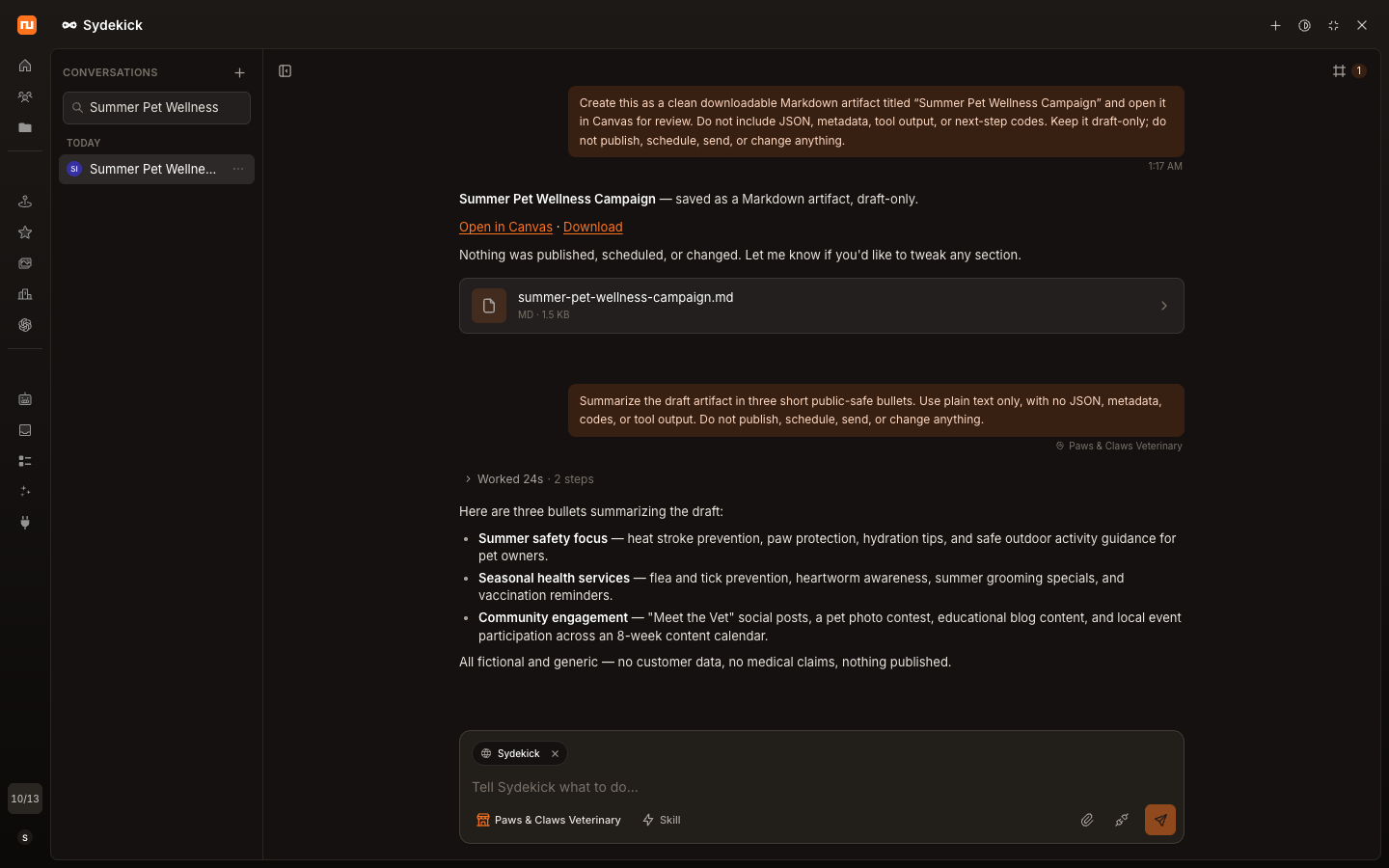
Start work from anywhere in Synup
Start a new Sydekick conversation from the Dashboard, open it from the global top bar, or move into the full workspace when the work needs more room. Sydekick is available from the places teams already use in Synup instead of requiring a separate, disconnected tool.
Contextual Quick Starts help users begin common requests faster. They provide a starting point, while the conversation remains available for teams to guide and refine.
Work in the right business context
Choose the scope that matters before asking Sydekick to work: all clients, one client, or a specific location. Supported Synup product surfaces can also hand their current context into Sydekick, helping the conversation begin with the relevant business already in focus.
That scope gives agencies and multi-location teams a clearer way to direct work without implying that every page or product surface provides the same handoff.
- All clientsWork across the portfolio.
- ClientFocus Sydekick on one client.
- LocationNarrow the request to one business location.
Turn conversations into reviewable work
Conversations remain available in searchable history, so teams can reopen prior work and continue refining it. Images and pasted screenshots can be added when visual context helps explain the request.
Sydekick can turn a conversation into generated work that is ready to inspect. Preview generated work in Canvas and continue refining it through the conversation, without treating every output format as identical or ready to use without review.
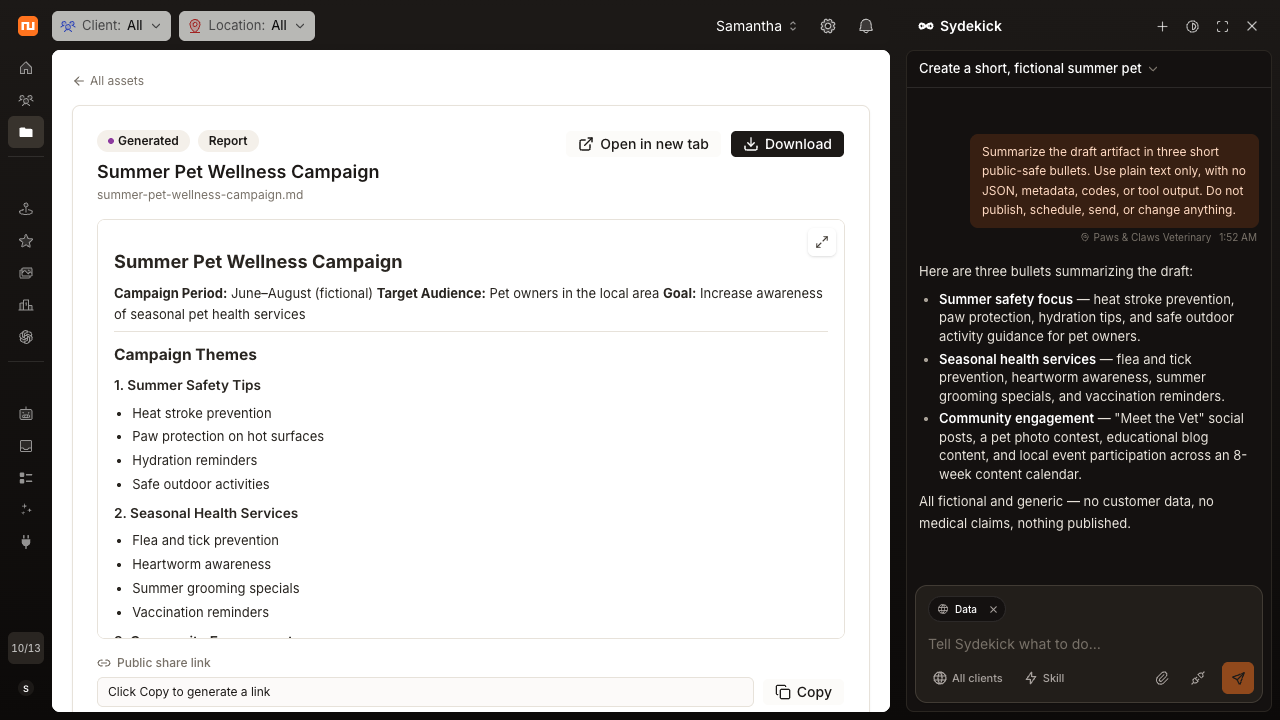
Generated work opened from Sydekick’s Canvas flow.
Keep people in control
When work is queued for approval, Sydekick gives teams a chance to review it before that workflow proceeds. Approval previews provide context for the decision, while human review remains part of supported workflows that require it.
The approval path is intentionally specific to work that has been queued for review:
- Work preparedSydekick prepares the requested work.
- Review neededA supported workflow queues the work for approval.
- Human reviewA person reviews the work and decides what happens next.
- Workflow proceedsApproved work can continue through that workflow.
Automate repeatable work with Playbooks
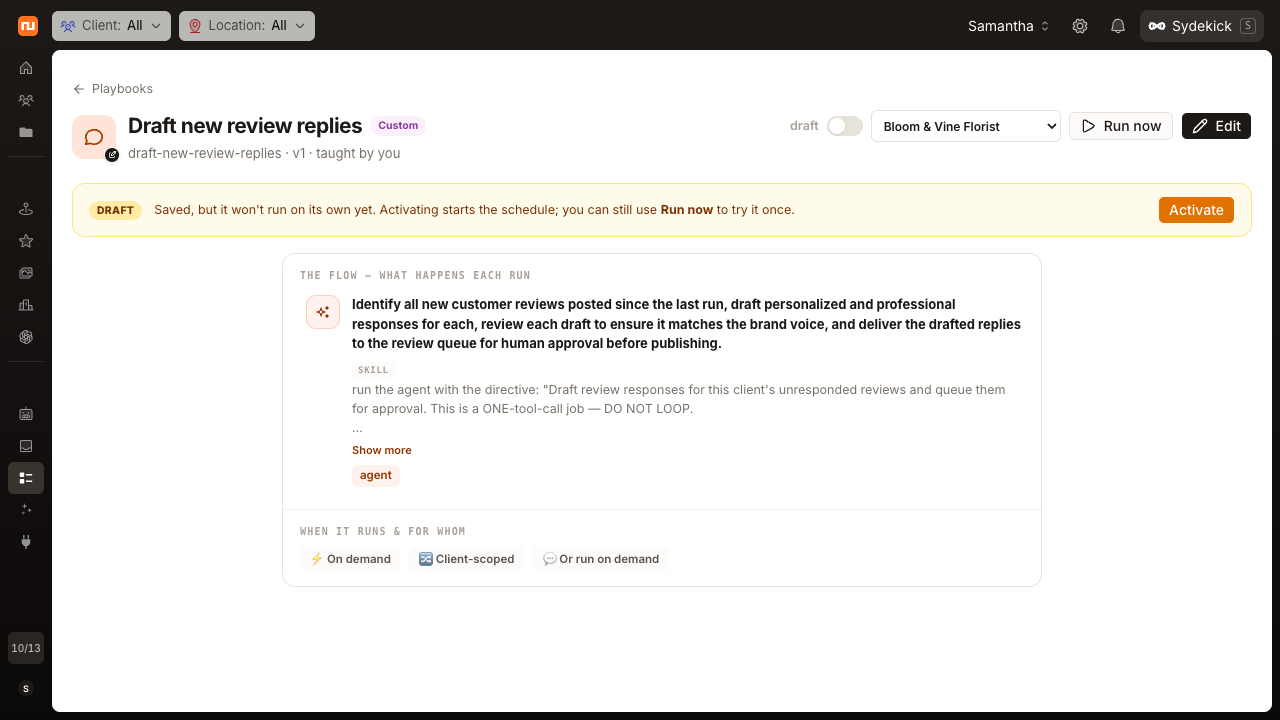
Create reusable, multi-step Playbooks for recurring operational work. A Playbook can run on demand or follow a daily, weekly, or monthly schedule configured for the appropriate time zone.
Run history and visible status make it easier to follow progress instead of sending work into a black box. Where a Playbook includes an approval boundary, the workflow can retain human review before that queued step proceeds.
Pick up where you left off
Search conversation history, reopen prior work, and resume the conversation without starting over. Sydekick keeps in-flight conversations available as users navigate through supported Synup surfaces, preserving the working thread without making promises about indefinite background execution.
What this means for teams
Sydekick gives agencies and multi-location teams one place to direct work, inspect what was prepared, and return to ongoing operations.
- Work with context Choose the client or location Sydekick should focus on.
- Review before work moves forward Keep human review in workflows that require approval.
- Automate repeatable work Use Playbooks for recurring operational processes.