How to Increase Good Star Rating in Google For Your Business
As a business owner, you want to know how to increase good review score on Google. Don't let negative reviews and low star ratings ward away your customers.
It is really frustrating for a business to have a low star rating in Google. Star ratings are often one of the first things people look at when they discover your business. A low star rating may even factor into where your business’s website ranks in Google search results (in local packs, etc.).
If you have a low rating or your rating is less than perfect, don’t get discouraged. There are a lot of things you can do to increase Google ratings, and this guide will help you do just that.

Step 1: Figure out why you have a low rating
Has your customer service been poor? Do any of your employees come off as rude to customers? Have you received negative publicity? Try to analyze your negative reviews to figure out if any of these things are affecting your business’ reputation. Getting feedback from your customers is a great way to go about this if you’re not able to deduce this from reviews.

Step 2: Respond to customer reviews regularly
May it be angry reviews or positive ones, responding to your reviews on Google is a good practice. The reviewers get the idea that you’re making an effort when you respond to their reviews online, and others who read your responses get the impression that you care about your customers. If you don’t want to waste too much time typing out responses to the reviews, you can use these customizable review response templates to get the job done.

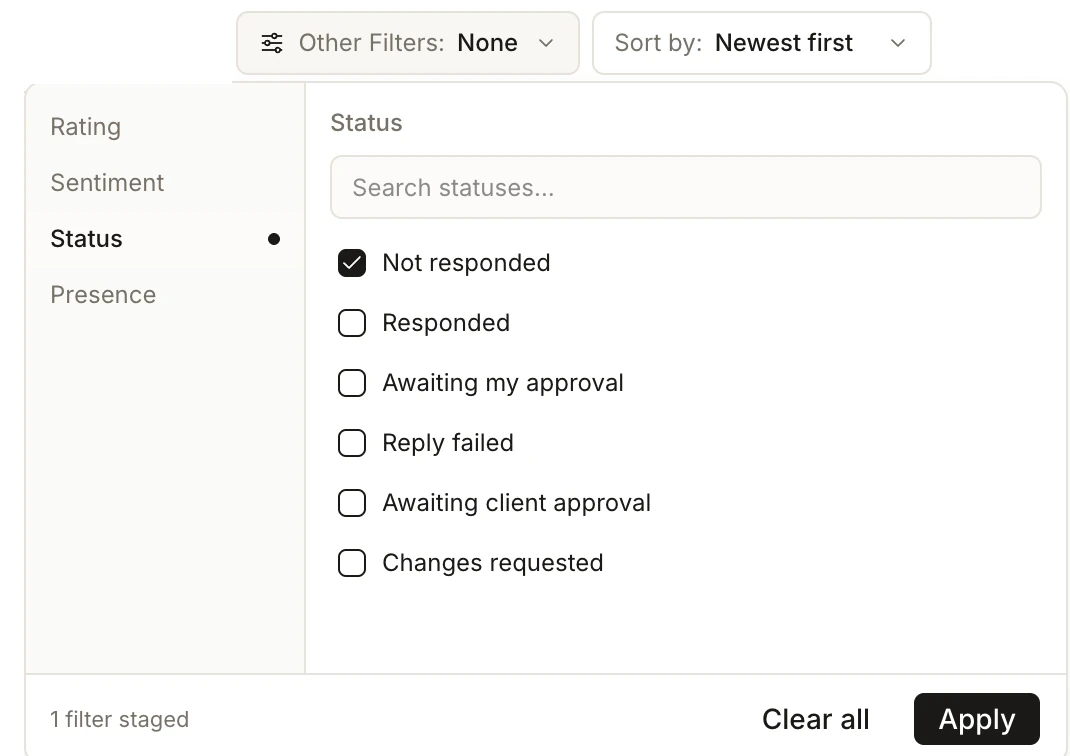
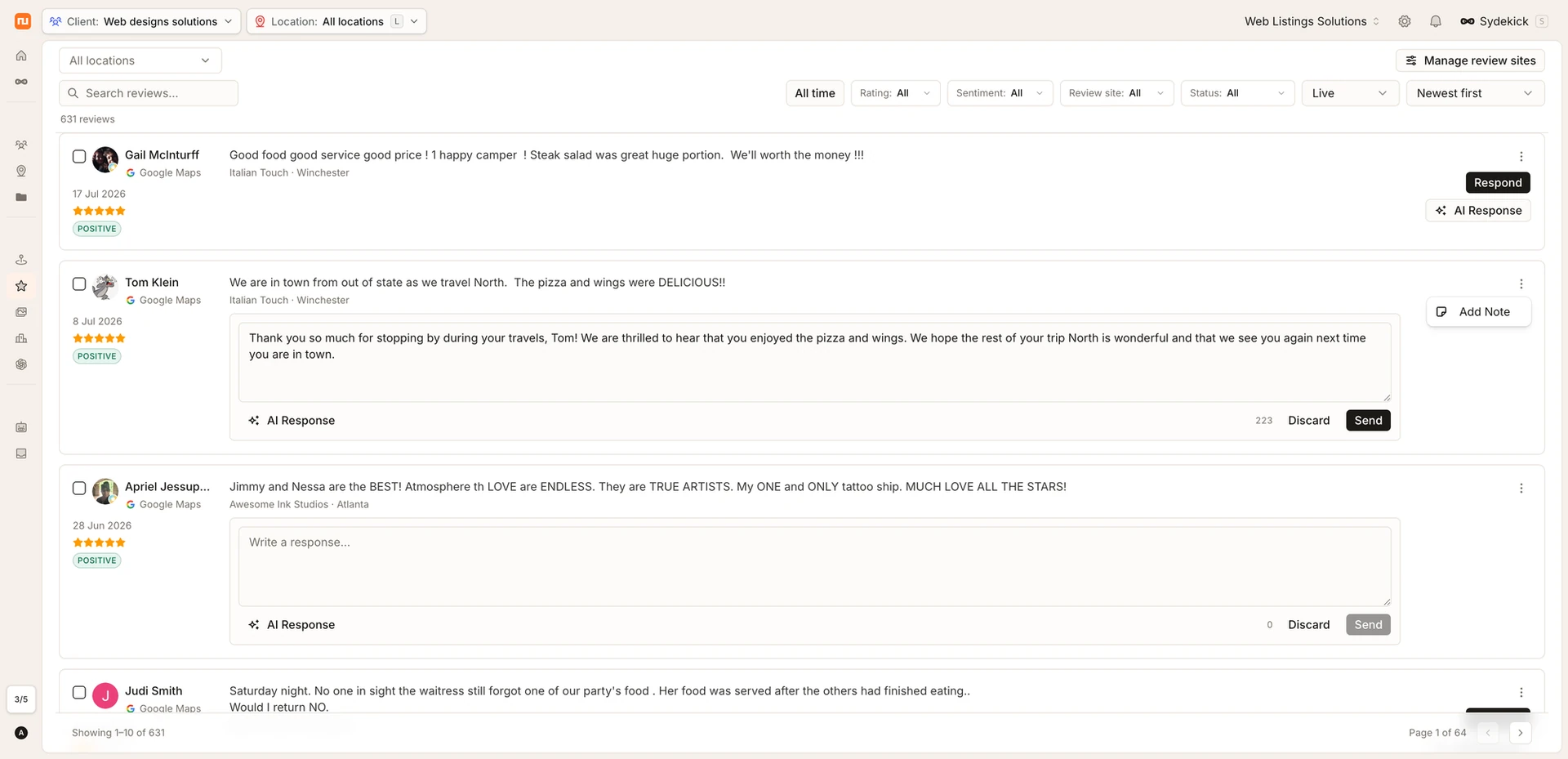
Templates can help you write replies to both praise and complaints on Google. Once you’re checking several profiles or locations, keeping track of what you’ve answered takes more work than writing the reply. Synup’s review management software gives businesses and agencies one inbox for reviews from Google and other supported sites. Filter by rating and reply status, then respond without leaving the inbox.
Step 3: Optimize your Google My Business Page
Optimizing your Google My Business profile makes it easier for customers to find you. Making sure your core information such as your address, phone number, website, etc. are accurate, and adding relevant content is a great place to start.
To truly optimize your page, you want to add attributes about your business. Including key attributes such as, offering WiFi, parking, dietary items, gyms or on premise ammenities, etc. make your business more recongizable for customers who are searching for these specific properties. Consumers are more likely to review you on sites in which they find you.
(Picture credits: Blumenthals)
The most important thing to remember when you are working to increase your Google star rating is to be patient. Rome wasn’t built in a day and it takes time to build more awareness of your brand’s website. Keep working at it!
Catch up on your Google review replies
In your trial, open the Reviews inbox, filter for unanswered Google reviews, and reply to customers from the same screen.
- Try it with one location
- Cancel anytime