6 updates
This week’s main updates
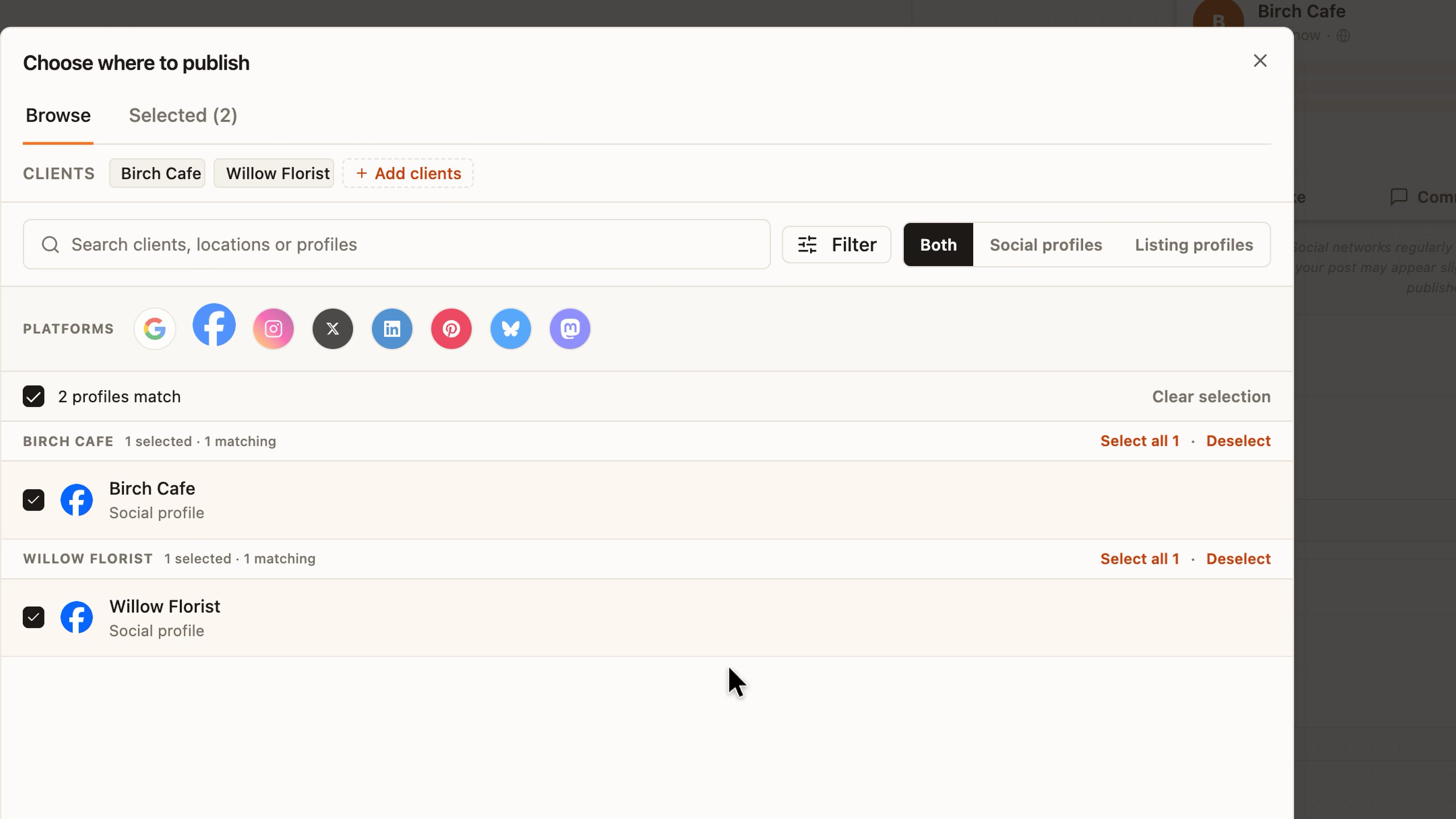
Create one social post for multiple clients
Create a post once for the clients you choose, without rebuilding it for each account.
Use + Add clients to choose existing clients and their social profiles. Write one shared caption, then review the selected destinations and post preview before continuing.
Built by Subasri Sridhar
WhereSocial post composer → + Add clients.
Reuse Google and Facebook listing connections
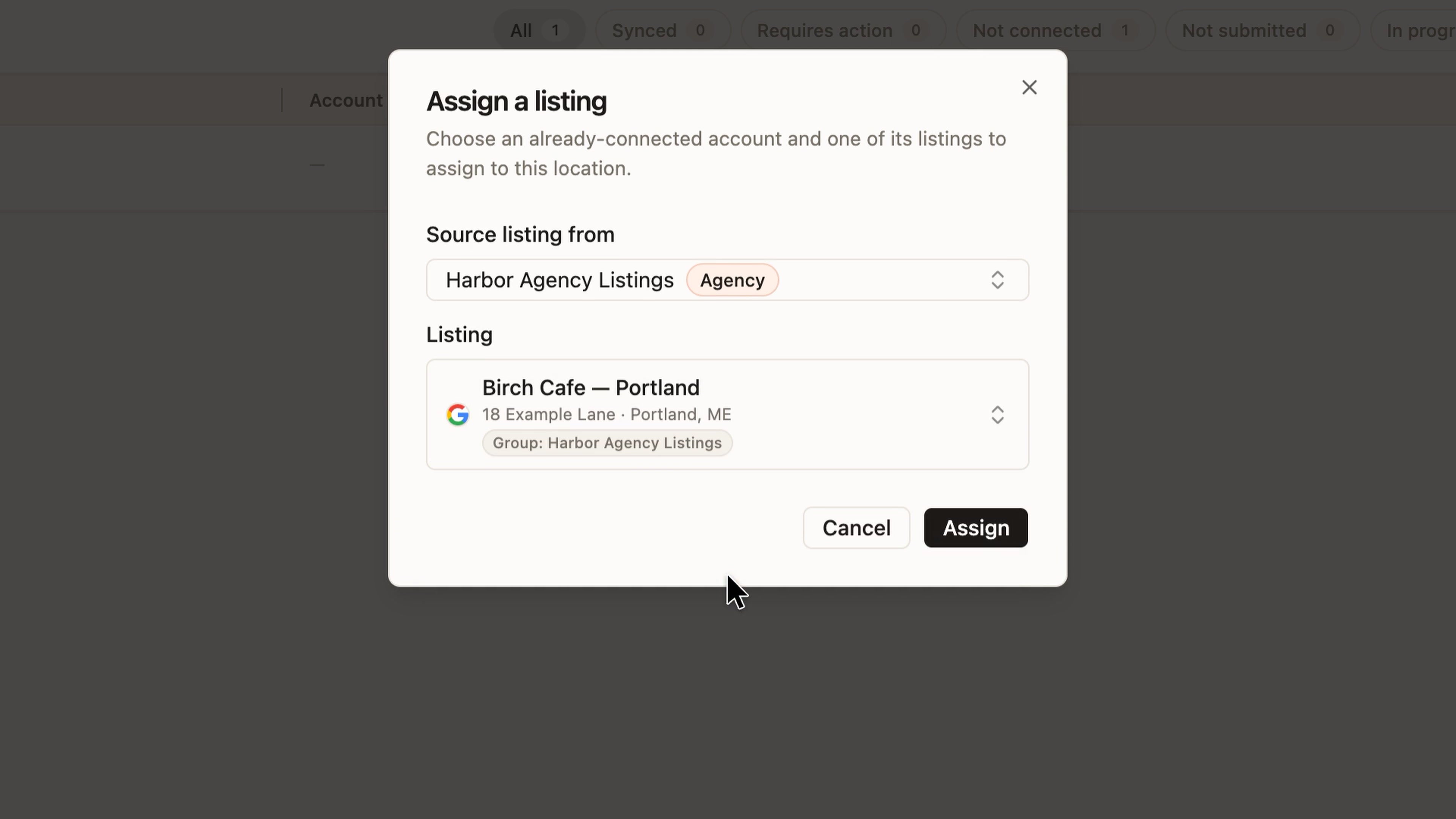
Reuse your agency’s Google or Facebook listing connection when assigning listings for clients, without signing in again.
Choose an already-connected agency account when assigning a listing to a location. The picker separates Agency accounts from This client so you can find the right connection and existing listing.
You still choose a listing for each location. Shared access does not assign listings in bulk, and Apple connections are not included.
Built by Subasri Sridhar
WhereListings → Published → Assign a listing; agency listing connections.
Get client sign-off on review replies
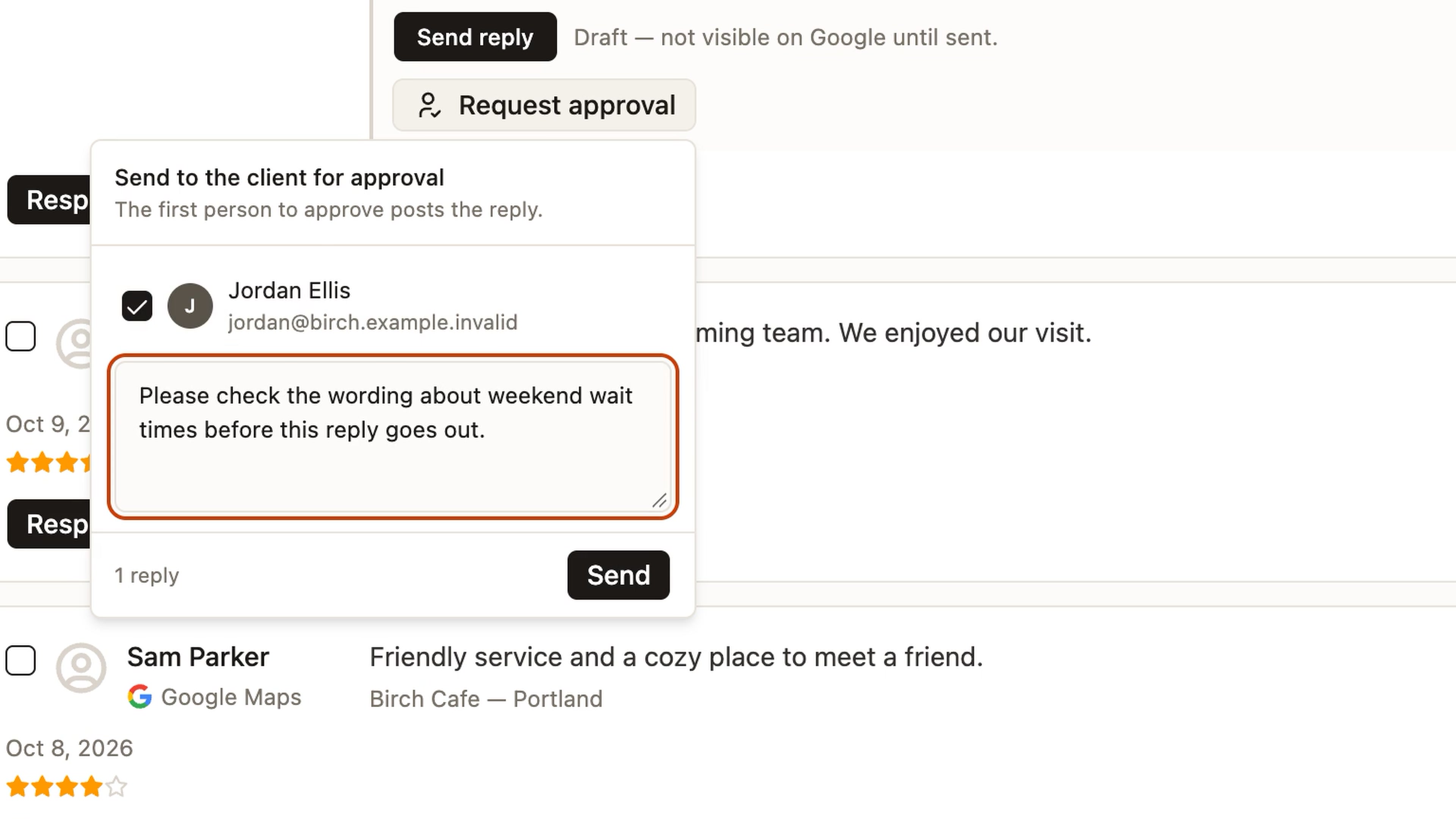
Request client approval on a review reply and keep the draft, feedback and decisions together.
Beside the reply draft, choose Request approval, select client users with access to that location, and add a note about what needs checking. Clients can review the request in their portal Inbox; the draft, feedback and decisions stay in the approval history.
Built by Faizan Madakiya
WhereReviews → All Reviews → Request approval; client portal Inbox.
Compare Publishing Series in Analytics
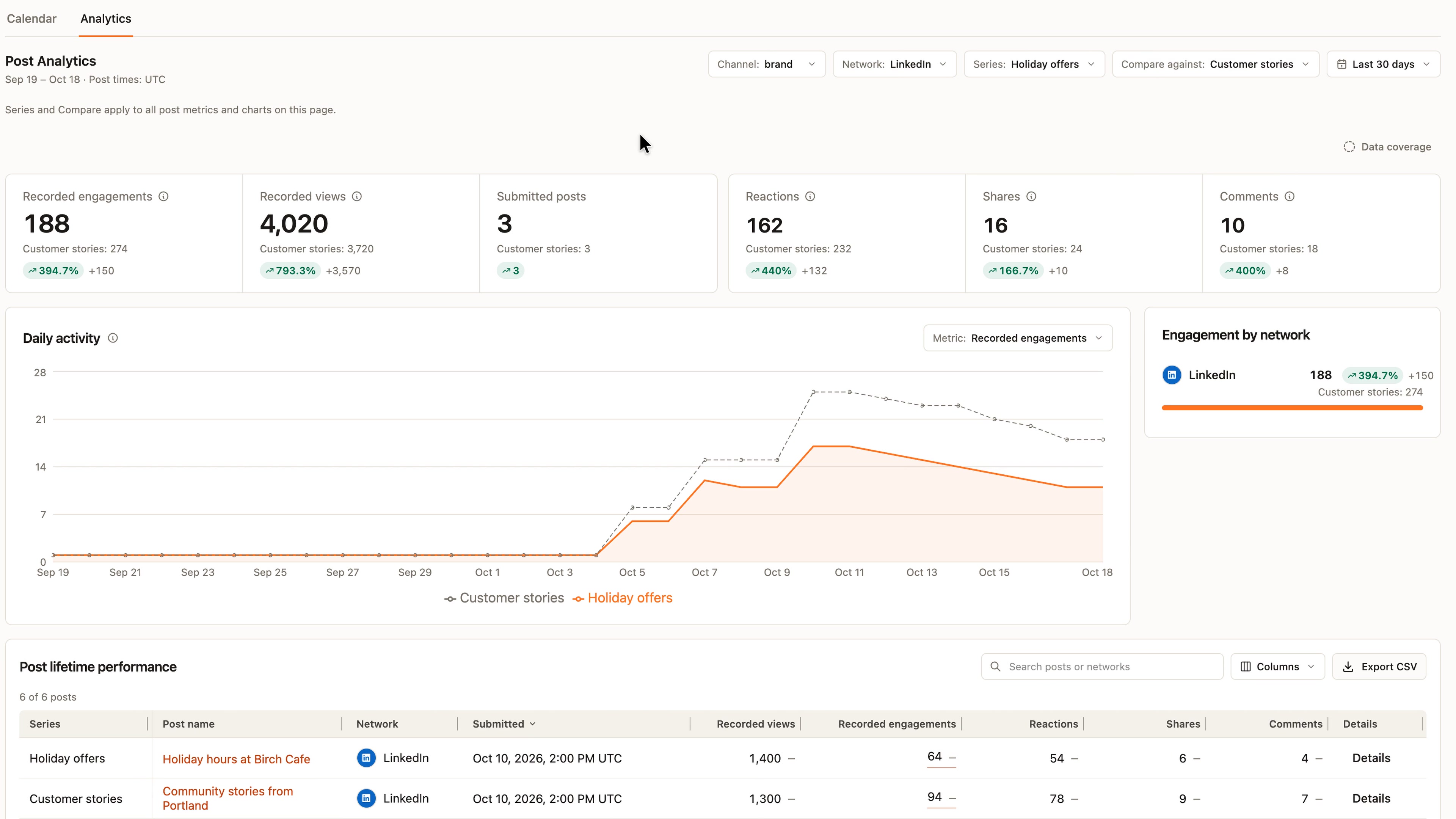
Compare Publishing Series using the same network and date filters, without assembling separate reports.
Choose Series and Compare in Analytics with the same network and date filters. Follow both groups through the KPIs, chart and matching post rows. Unavailable or partial measurements are labeled; follower and import metrics are unavailable for a selected series. The example uses sample data.
WhereSocial Analytics → Series and Compare.
Reuse a report format in custom Playbooks
Give reports from your custom Playbook a consistent format with a reusable report template.
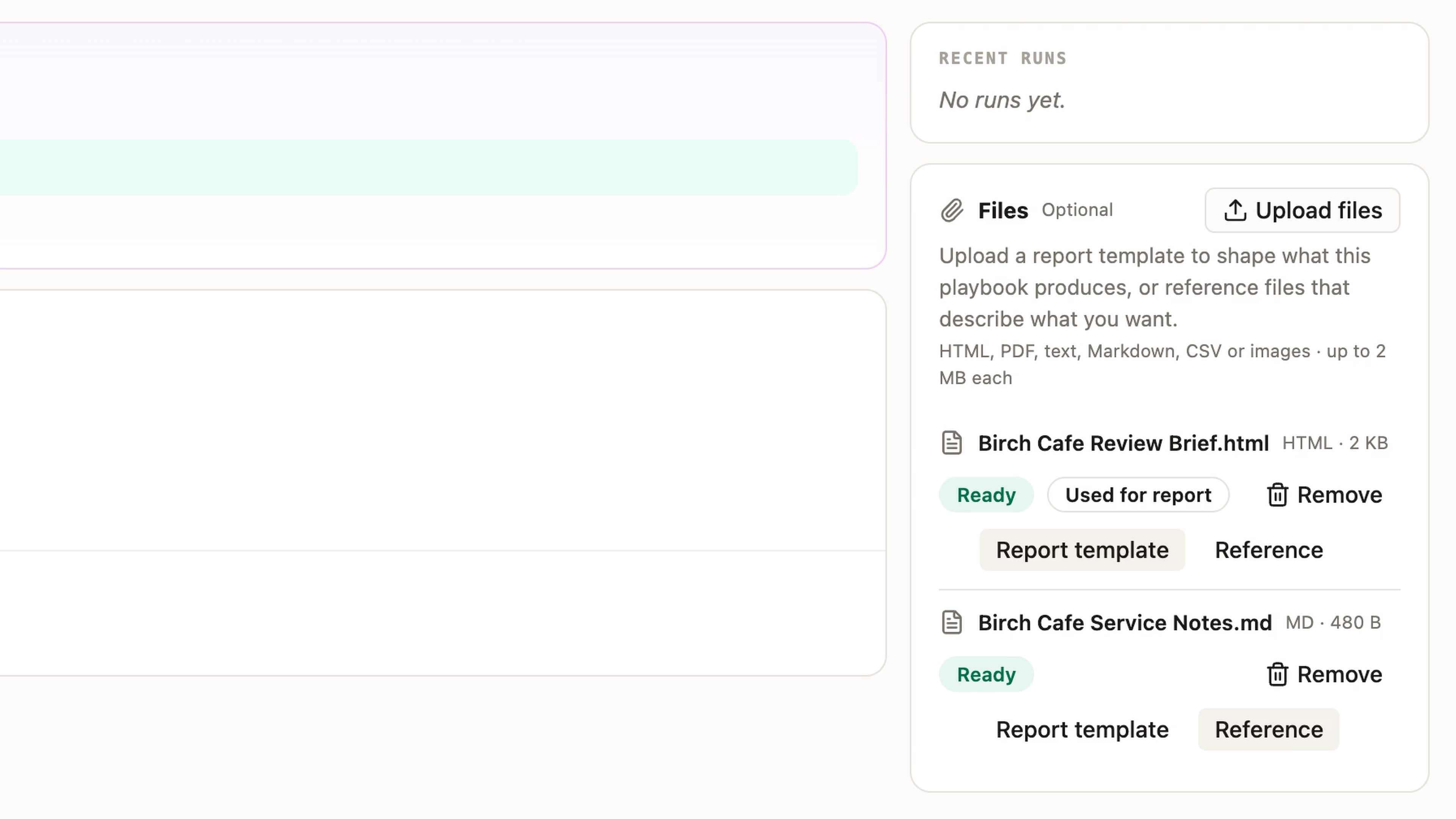
Add a supported HTML report template and relevant reference files when creating or editing the Playbook. Choose Report template for the layout and Reference for supporting context, keeping the template aligned with the information the Playbook collects.
Built by Sayantan Ghosh
WhereCustom Playbook → Edit → Files → Report template / Reference.
Find the right screen with Show me
Find a setting when a supported Sydekick reply offers Show me. The guide is available in workspaces where it is enabled.
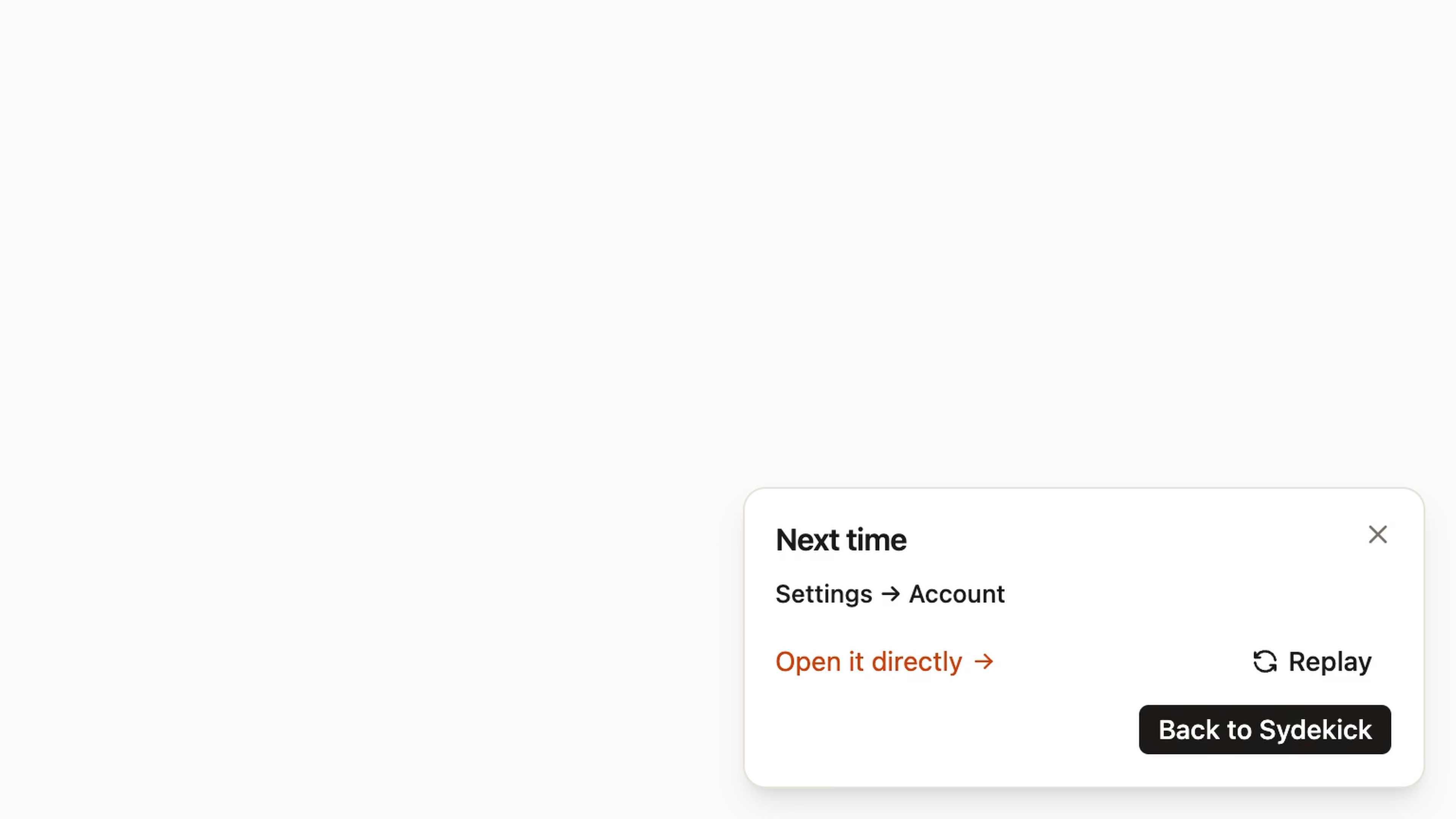
Use Show me in supported Sydekick replies for on-page guidance. For example, with Account settings already open, choose Show me on this page to highlight the screen. Select Done to see a Settings → Account recap for next time. The guide shows where to look; you make any account changes yourself.
WhereSupported Sydekick replies → Show me; Account settings.
Smaller improvements
Review the timing before retrying a failed Series post
Before retrying a failed Series post, check when it can run within your agency’s posting hours. For eligible Series posts whose variants have all failed, Review Retry shows the next allowed time and time zone before you confirm. Already published sibling posts are left untouched.
See each day’s posts without expanding it first
In regular month and week calendar views, see each day’s posts without expanding it first. Use Show less to collapse a busy day. On phones, scroll month columns horizontally to read posts. Fullscreen behavior is unchanged.