
Synup product updates October 2026: what's new and why it matters
Twenty-one updates across Sydekick, social, listings and Agency OS, all aimed at one thing: less manual work. Roshan Agarkar explains what each does and why it matters.
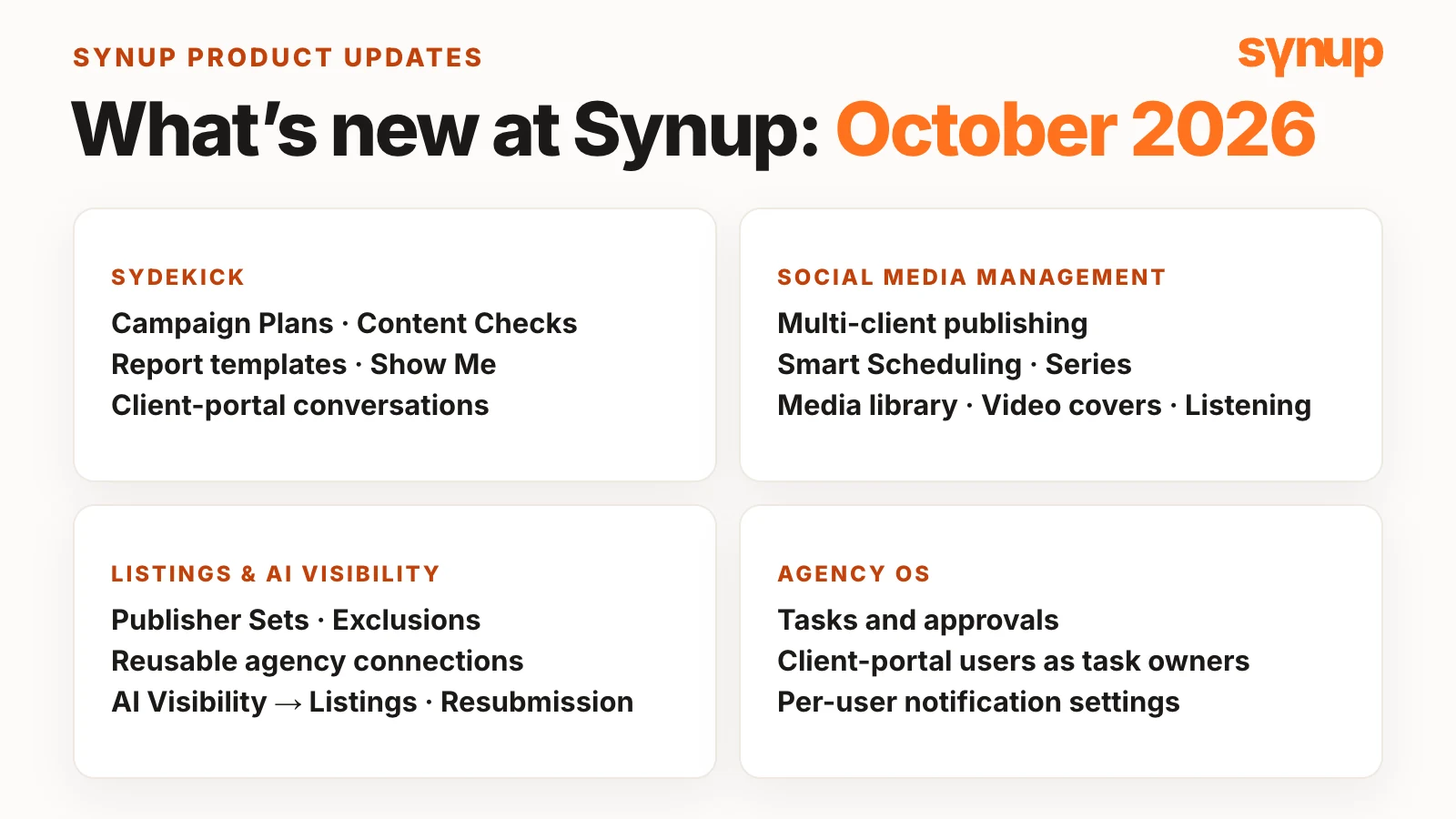
This is the Synup product updates October 2026 roundup. The theme, says Roshan Agarkar, VP Product & CX at Synup, is helping agencies and businesses get the work done: not more dashboards, more screens or another AI chatbot that only tells you what to do. The goal is to remove as much unnecessary manual work as possible, whether that’s planning a campaign, publishing across clients, keeping listings accurate, managing reviews or collaborating with clients.
At a glance
- Sydekick turns a plain-English brief into a campaign plan, checks content against each client’s rules and walks you to the right screen.
- Social lets you prepare one post for many clients, schedule it within your own rules and plan in a continuous calendar.
- Listings and AI visibility take you from a missing citation straight to the fix.
- Agency OS puts tasks and approvals in the client portal, with one owner each.
Five features are in early access. Ask your account manager to turn them on.
Watch: Synup product updates October 2026
Sydekick: from AI conversations to work that gets done
Sydekick was never meant to be another chatbot that answers questions and generates content. It’s an AI agent that understands your business, knows the tools available to it and helps you get things done. Five updates move it further that way. See Sydekick’s capabilities.
Campaign Plans · early access
What’s new: Describe a campaign in plain English, for example “Help me plan a two-week holiday promotion for a local coffee shop: introduce a new seasonal drink, promote it on social media and send reminders before it ends.” Sydekick organizes the brief into a plan with goals, steps, timing and approval points. You review it, make changes and confirm it before anything launches.
Why it matters: Today someone has the idea and someone else works out the steps, the timing, the approvals and who does what, and a simple idea becomes a project across tools and people. With a plan, progress stays connected to the campaign, so you aren’t jumping between conversations, spreadsheets and project tools. For agencies with many clients, the hard part isn’t the idea; it’s turning it into coordinated execution.
In early access since September 30; ask your account manager.
Content Checks · early access
What’s new: Set each client’s guidelines in Synup. Social posts, review replies and listing text are checked against them, and content that breaks a rule is held until it’s fixed, before it’s sent or saved.
Why it matters: Manage marketing for 20 or 30 businesses and every client has its own rules: one always wants the full business name, another has set promotional language, another has rules for answering reviews. Roshan’s example: always “Green Valley Dental”, never just “Green Valley”. AI makes content faster to produce, but businesses still need consistency and control.
In early access; ask your account manager.
Playbook report templates
What’s new: Attach a supported HTML report template, plus reference files and other context, to a custom playbook.
Why it matters: The monthly marketing performance report you prepare for every client follows the same structure every time, instead of being formatted from scratch. It’s a step toward standardizing repeatable work and reporting.
"Show me" guidance · early access
What’s new: Supported Sydekick replies open the product in a new tab and walk you to the right area, highlighting it.
Why it matters: You know what you want to do, but not where the setting lives. Instead of searching a help article, watching a tutorial or contacting support, Show Me takes you there, and you still make every change yourself. A small change, Roshan says, but a meaningful one: AI as a natural part of the product.
In early access; ask your account manager.
Personal Sydekick in client portals
What’s new: Each client-portal user has their own Sydekick conversations, with answers scoped to the locations they’re allowed to see.
Why it matters: Agencies that give clients restricted access can let them use AI to understand their own business and marketing activity, within the right boundaries. See Synup’s client portal for marketing agencies.
Social media management: built for agencies with many clients
Nine updates for teams running social for many clients at once. See social media management for multiple clients.
Multi-client publishing
What’s new: Create one post and prepare it for multiple clients in one workflow. Use Add clients to pick the clients and social profiles, write one shared caption, review the destinations, check the preview and continue through publishing.
Why it matters: Say you run social for 50 local businesses and want to post a holiday greeting, an awareness-day post or a shared campaign message across several of them. Before, that meant recreating the same post for each client. When you manage dozens or hundreds of accounts, every repetitive task adds up.
Smart Scheduling
What’s new: Set scheduling boundaries, and eligible posts adjust within them, in each account’s local time zone. Posts waiting for approval or close to their publishing time aren’t moved; if no time fits, the schedule is kept and the issue is flagged. You can turn it off to keep fixed schedules.
Why it matters: Scheduling gets hard across many accounts, time zones, approvals and changing calendars. When a campaign gets added or timing shifts, your team spends less time reorganizing the calendar by hand. It follows the rules you set; it doesn’t claim to predict the perfect engagement time.
Social Series
What’s new: Organize related posts into a sequence, adapt each one per network, review spacing and timing, and import a prepared series from Markdown or JSON. Retries for failed series posts now include a review of the next permitted publishing time.
Why it matters: A campaign’s announcement, product highlight, reminder, testimonial and final call to action are connected, and shouldn’t be managed as separate pieces. The series is checked before scheduling, so you catch issues before part of it goes out, and campaign publishing becomes more predictable.
Continuous social calendar
What’s new: Scroll through earlier and later weeks in the month and week views without paging between months. The today marker, weekday headers and the posts within each day are clearer.
Why it matters: It may not sound dramatic, Roshan says, but it makes a difference when you work in the calendar every day.
Media library and video covers
What’s new: Upload multiple images with progress, then reuse supported images in local and social posts. For supported social destinations, choose a video cover from an upload, the media library or a frame of the video.
Why it matters: When a restaurant client sends 30 photos from a new menu shoot, you keep them in the media library and pick the ones you need, instead of downloading and uploading them again. Video covers give you more control over how each video is presented.
Social Listening and the LinkedIn inbox · early access
What’s new: Track selected brands, competitors or topics across supported public sources. The social inbox also supports LinkedIn business pages: comments, replies and mentions.
Why it matters: Not every conversation about your business happens on your own pages. People discuss brands on Reddit, mention competitors, ask questions in public forums and talk about services in the news. A local fitness studio can learn what people say about memberships in its city and what they complain about at competing studios; if people ask about beginner-friendly classes, that’s the next post.
In early access; ask your account manager.
More content destinations · early access
What’s new: Prepare content for Reddit, Medium and Substack. Reddit and Substack use posting kits that help you finish publishing there; Medium publishes directly for connections with a legacy integration token, with a hand-off for other connection types.
Why it matters: Your team prepares more of its content in one place, even when the final publishing step happens elsewhere.
In early access; ask your account manager.
Listings and AI visibility
Five updates that make listings work more connected: see where a business is visible, spot what needs attention and take the next step. See Synup’s listing management.
Publisher Sets and publisher exclusions
What’s new: Save a reusable group of directories as a Publisher Set, for example “Essential Listings”, and assign it to a client. Publisher exclusions now also cover supported Google and Facebook bulk listing operations, photo actions and the related API and MCP calls.
Why it matters: If your agency sells listing packages, say a basic, a broader and a premium tier, keeping track of which directories belong to each one was manual work. Now a new client on the same tier gets the existing set instead of a rebuilt selection, and your account managers, delivery and client-facing teams share one reference for each client’s coverage.
Reuse agency listing connections
What’s new: If your agency already has an authorized Google or Facebook account connected, select that connection when assigning an existing listing to a client’s location.
Why it matters: Agencies, partners and resellers skip the repeat sign-in for each location, which makes setup much more convenient. You still choose the right listing for each location; it isn’t a bulk assignment feature.
From AI Visibility to Listings
What’s new: When Synup finds a missing citation directory in AI Visibility, follow that finding straight into Premium Listings, with the client and location kept and a directory filter applied.
Why it matters: As AI-powered search grows, businesses want to know how AI answer engines represent them, and missing citations and directory coverage are part of that. Knowing a citation is missing isn’t enough; you need a direct path to investigate and fix it. As Roshan puts it, insights should lead to action. See Synup’s AI search visibility and the citations coverage guide.
Listings resubmission
What’s new: From a business’s Published view, request a fresh submission to eligible publishers using the saved profile, with no edits needed.
Why it matters: Resubmitting used to be awkward when nothing in the business details had changed. Publisher eligibility, opt-outs and publishing checks still apply, and a queued submission doesn’t mean the listing is live.
Agency OS: client work in one place
Agencies tell Synup that managing client work can be as hard as delivering the marketing itself: tasks, approvals, documents, feedback and client communication, owned by different people and often spread across separate tools. Two updates help. See Agency OS.
Tasks and approvals
What’s new: Manage tasks with subtasks, comments and attachments. Each task has one owner: an internal team member or a client user in the client portal, who works on the tasks they’re permitted to. Internal comments stay private from the client.
Why it matters: For a restaurant client’s seasonal promotion, the client approves the details, sends updated photos and confirms the launch date through tasks, instead of several email threads. Agencies collaborate with clients while the internal team keeps its own space. See tasks and activities.
Client notification controls
What’s new: Notification settings per user, including which locations each person hears about, in-app and by email.
Why it matters: Not everyone needs every update. In a multi-location business, a regional manager responsible for one group of locations gets only the updates that matter to them.
October 2026 updates at a glance
| Area | Update | Availability |
|---|---|---|
| Sydekick | Campaign Plans | Early access |
| Sydekick | Content Checks | Early access |
| Sydekick | Playbook report templates | Available |
| Sydekick | Show Me guidance | Early access |
| Sydekick | Personal conversations in client portals | Available |
| Social | Multi-client publishing | Available |
| Social | Smart Scheduling | Available |
| Social | Series (with Markdown/JSON import) | Available |
| Social | Continuous social calendar | Available |
| Social | Media library and video covers | Available |
| Social | Social Listening and LinkedIn inbox | Early access |
| Social | Reddit, Medium and Substack destinations | Early access |
| Listings | Publisher Sets and publisher exclusions | Available |
| Listings | Reusable agency listing connections | Available |
| Listings | AI Visibility to Listings | Available |
| Listings | Listings resubmission | Available |
| Agency OS | Tasks and approvals | Available |
| Agency OS | Client notification controls | Available |
Common questions about Synup's October 2026 updates
What's new in Synup in October 2026?
October's updates cover four areas. Sydekick gains Content Checks, playbook report templates, Show Me guidance and personal conversations in client portals, alongside Campaign Plans (in early access since September 30). Social adds multi-client publishing, Smart Scheduling, Series, a continuous calendar, media library and video cover controls, Social Listening, LinkedIn inbox support and more content destinations. Listings adds Publisher Sets, wider publisher exclusions, reusable agency connections, a path from AI Visibility to Premium Listings and listings resubmission. Agency OS adds tasks and approvals and per-user notification settings.
Which October features are in early access?
Campaign Plans, Content Checks, Show Me guidance, Social Listening with LinkedIn inbox support, and publishing to Reddit, Medium and Substack are in early access. Ask your account manager to turn them on for your account.
Can I publish one social post for several clients in Synup?
Yes. When you create a post, use Add clients to pick the clients and social profiles to include, prepare one shared caption, review the destinations, check the preview and continue through the publishing workflow.
Does Smart Scheduling predict the best time to post?
No. Smart Scheduling follows the scheduling rules you set and adjusts eligible posts within them, in each account's local time zone. Posts waiting for approval or close to their publishing time aren't moved, and if no suitable time is available the existing schedule is kept and flagged.
Can clients see agency comments on tasks?
No. Each task has one owner, a team member or a client-portal user, and internal comments stay private from the client.
Next step
For the week-by-week detail behind these Synup product updates, see What’s New for October: week 1, week 2, week 3 and week 4. To try the early-access features, ask your account manager.
Put your local marketing in motion.
Manage listings, reviews and local visibility in one place. Sydekick, your AI agent, lines up the work and you approve what goes live.
- 14-day free trial
- $50 in AI credits
- Cancel anytime