6 updates
Featured updates
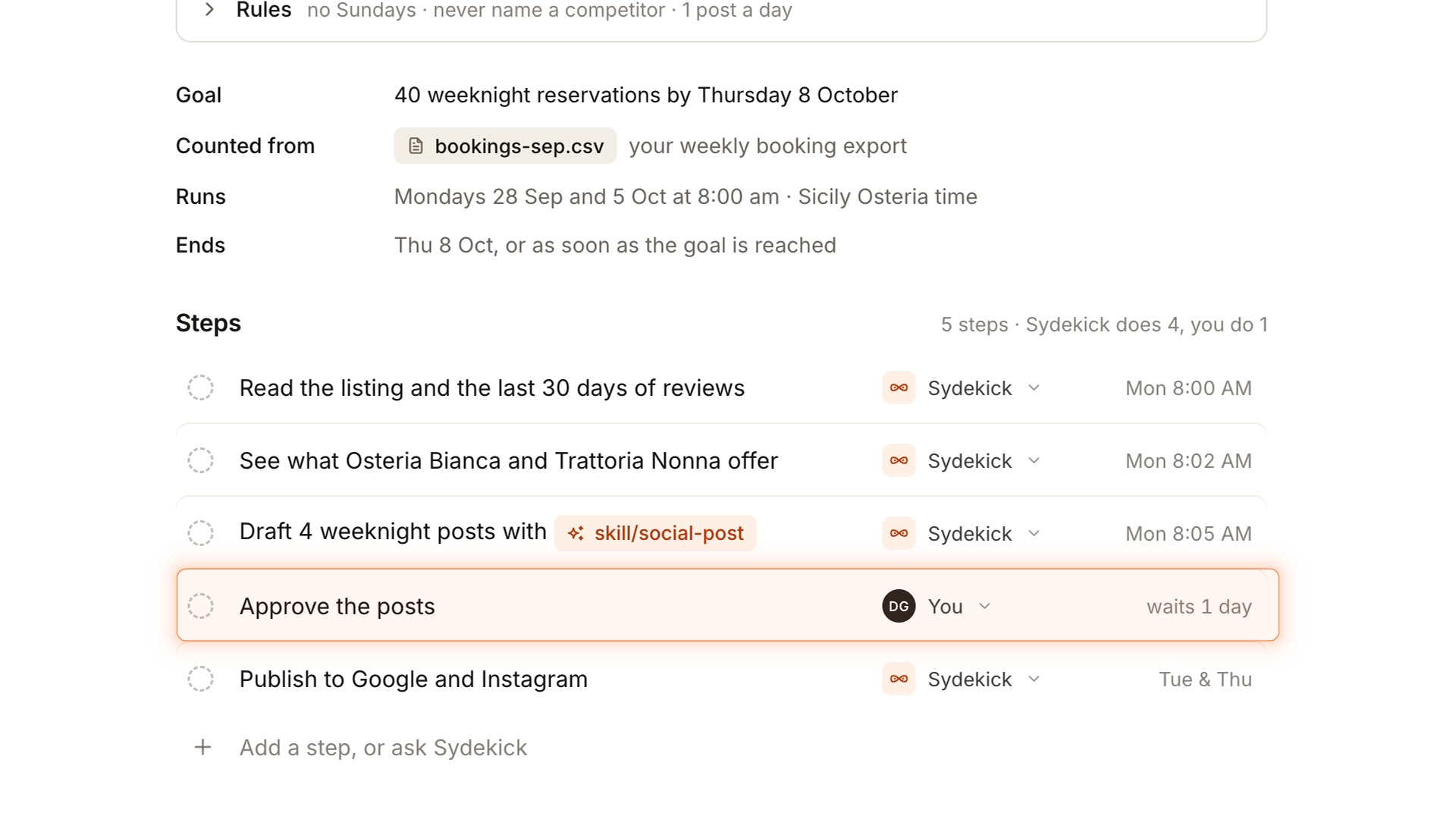
Plan a campaign with Sydekick
A seasonal promotion may begin with a simple brief: introduce an offer and remind people before it ends. Your team still has to turn that idea into a sequence of work, decide on timing and agree on what needs approval.
We built Campaign Plans to give that work a shared starting point. Ask Sydekick to turn your brief into a plan with a goal, steps, timing and approval points. Review the proposed work, confirm the details and launch when you’re ready.
Recorded progress stays alongside the plan, so anyone returning to the campaign can see where the work stands without piecing the story together from separate messages.
Built by Sayantan Ghosh
WhereSydekick → Plans
Track conversations beyond your inbox
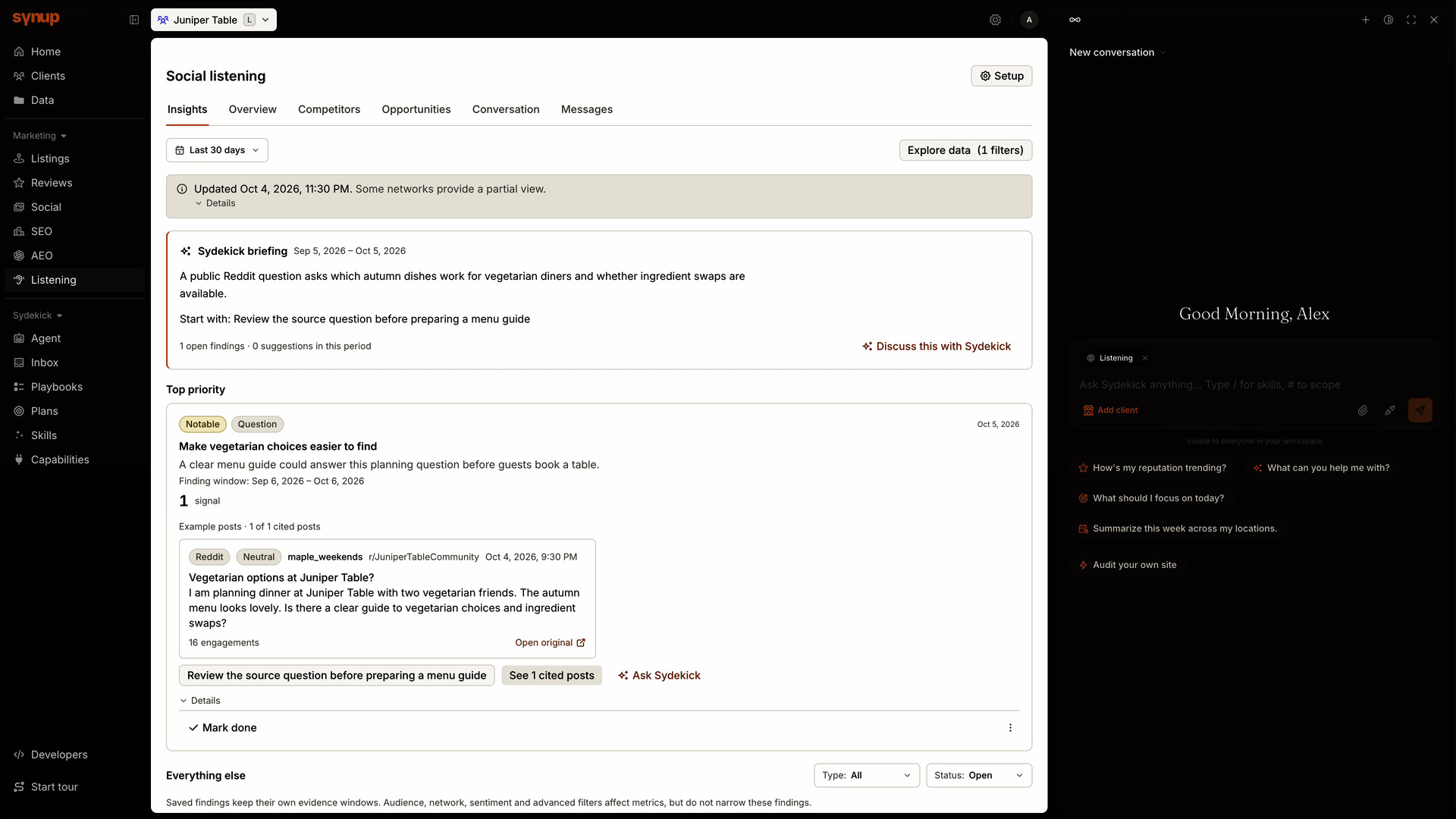
An inbox shows the conversations that reach your connected accounts. It can miss a local discussion about your client, a comparison with a competitor or a question people keep asking elsewhere.
Listening gives your team a way to find that wider context. Set up tracking for a brand, competitor or topic across supported public sources, including Reddit, news and web discussions. Open a matching mention to read it in context and decide what deserves attention.
Recurring questions about an offer could point to information your next post needs to explain. A concern could flag something for the client’s team to investigate.
Built by Subasri Sridhar
WhereListening
Keep connected-account conversations close, too
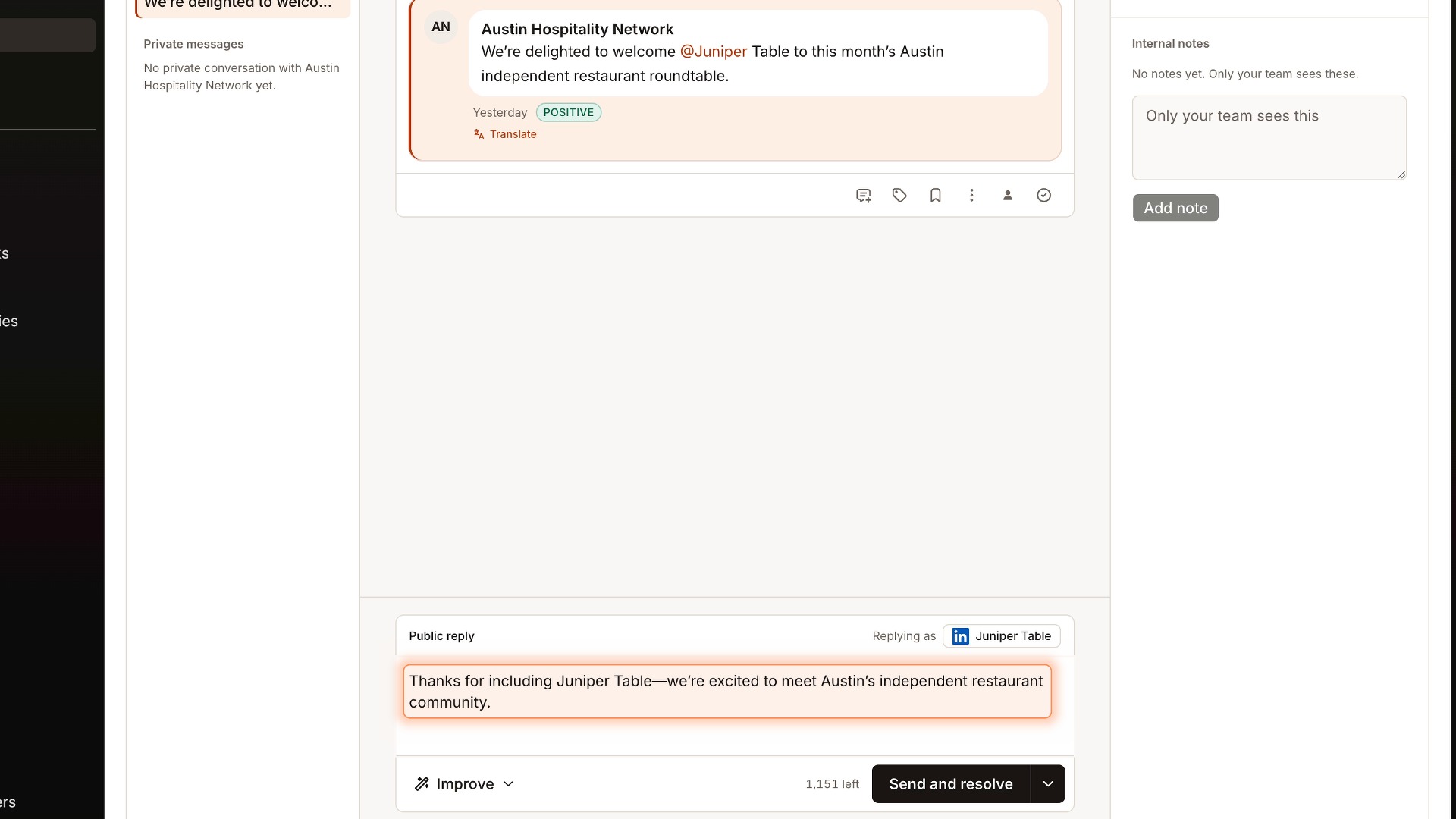
Social Inbox brings supported LinkedIn organization Page comments, replies and mentions alongside your other connected-account conversations. Handle public replies where supported, keeping the conversation and its context together.
WhereSocial → Inbox
Check content against your business guidelines
Every client has preferences about how their business is described. As more people contribute posts, review replies and listing updates, a guideline saved in a document is easy to overlook.
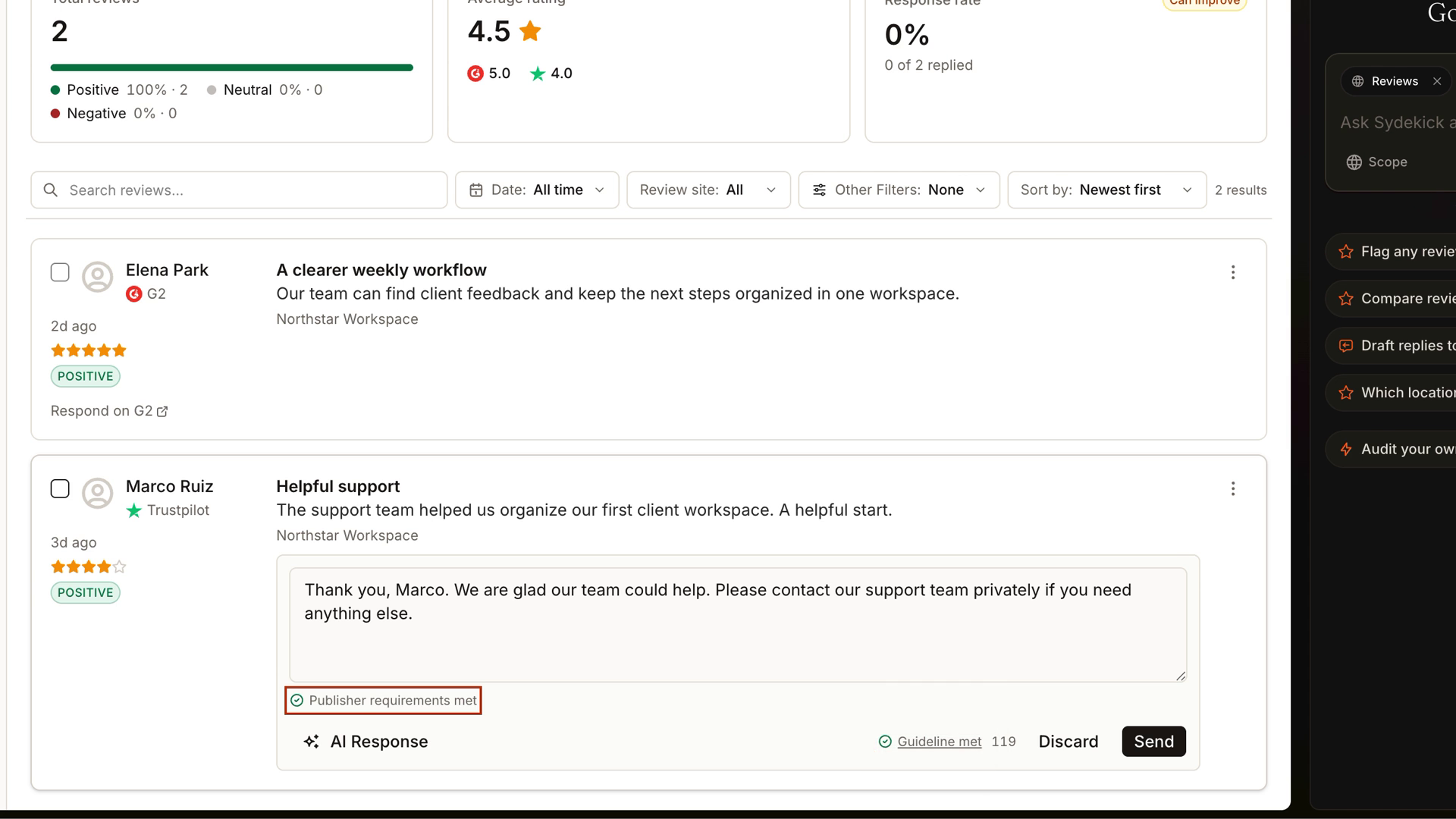
Content Checks brings those guidelines into the drafting process. An admin can add plain-language instructions, such as using the full business name or avoiding promises of guaranteed results. Check supported post text, review replies and listing text against that guidance, see what needs attention and revise the wording before sending or saving it.
Your team can apply each client’s preferences consistently without having to remember every guideline for every draft.
Built by Sayantan Ghosh
WhereSettings → Content checks
Build and schedule a social series
An event announcement, a reminder and a final invitation belong to the same story. Preparing them as isolated posts makes it harder to spot a missing step, repeated copy or awkward timing.
The improved Series workflow lets you build that sequence together. Put posts in order, adapt the copy and media for each network, then review the timing and spacing before scheduling. You can also import a prepared series from Markdown or JSON.
Checks cover the whole series before scheduling, helping you resolve issues before part of the sequence goes ahead. Post-level statuses make it easier to follow each item as the series progresses.
WhereSocial → Series
Prepare content for more destinations
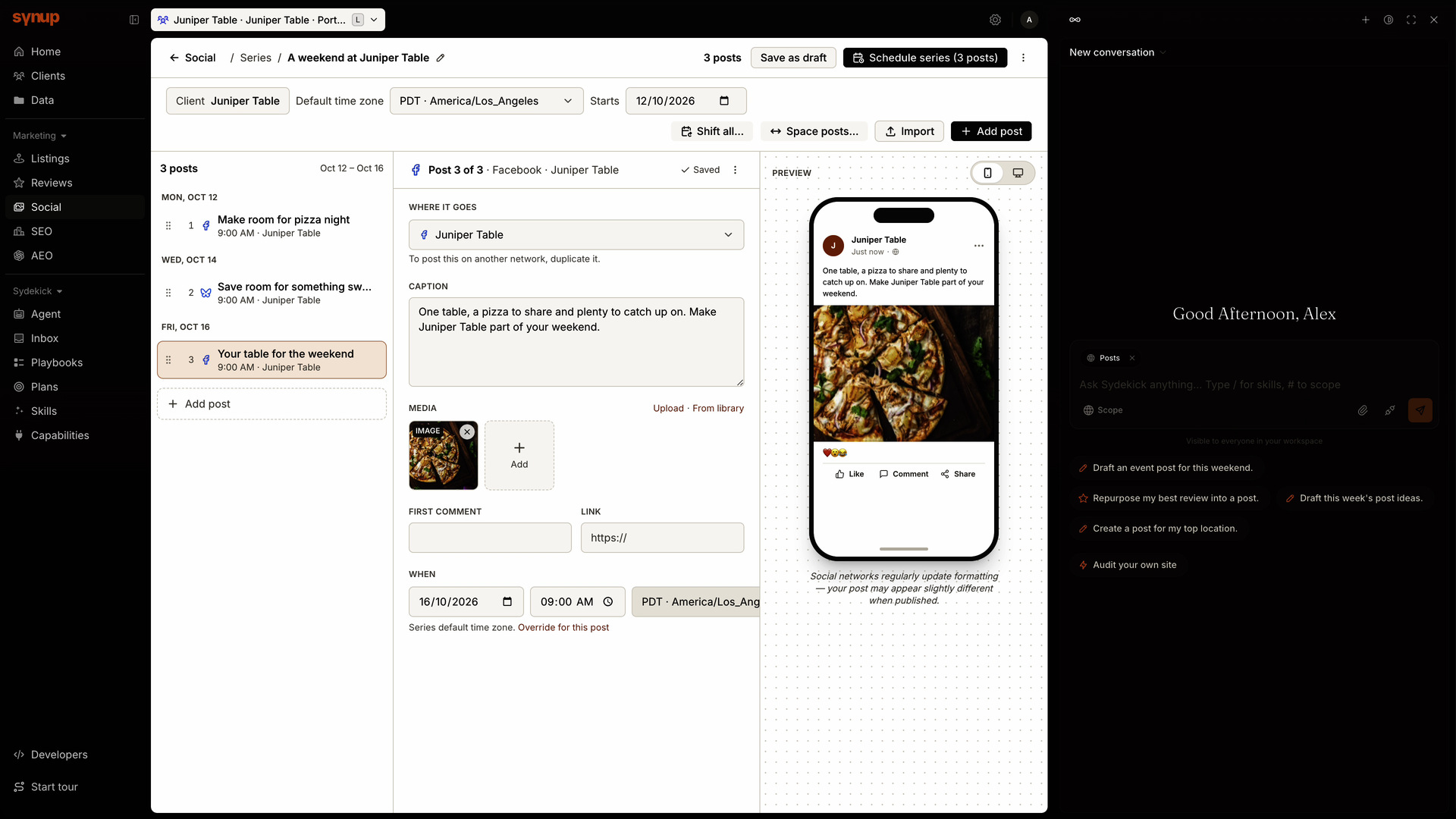
The same idea may need a different treatment for a Reddit community, a Medium article or a Substack post. Keeping that preparation alongside your other content helps the team see what is ready and what still needs work.
You can now prepare content for all three in Synup. For Reddit and Substack, a posting kit gives you a handoff to finish publishing on the destination. Medium supports direct publishing through a supported legacy integration token, with a handoff for other connections.
The Substack handoff supports a web post; email delivery to subscribers is managed separately in Substack.
WhereSocial → Create post
Connect G2 and Trustpilot
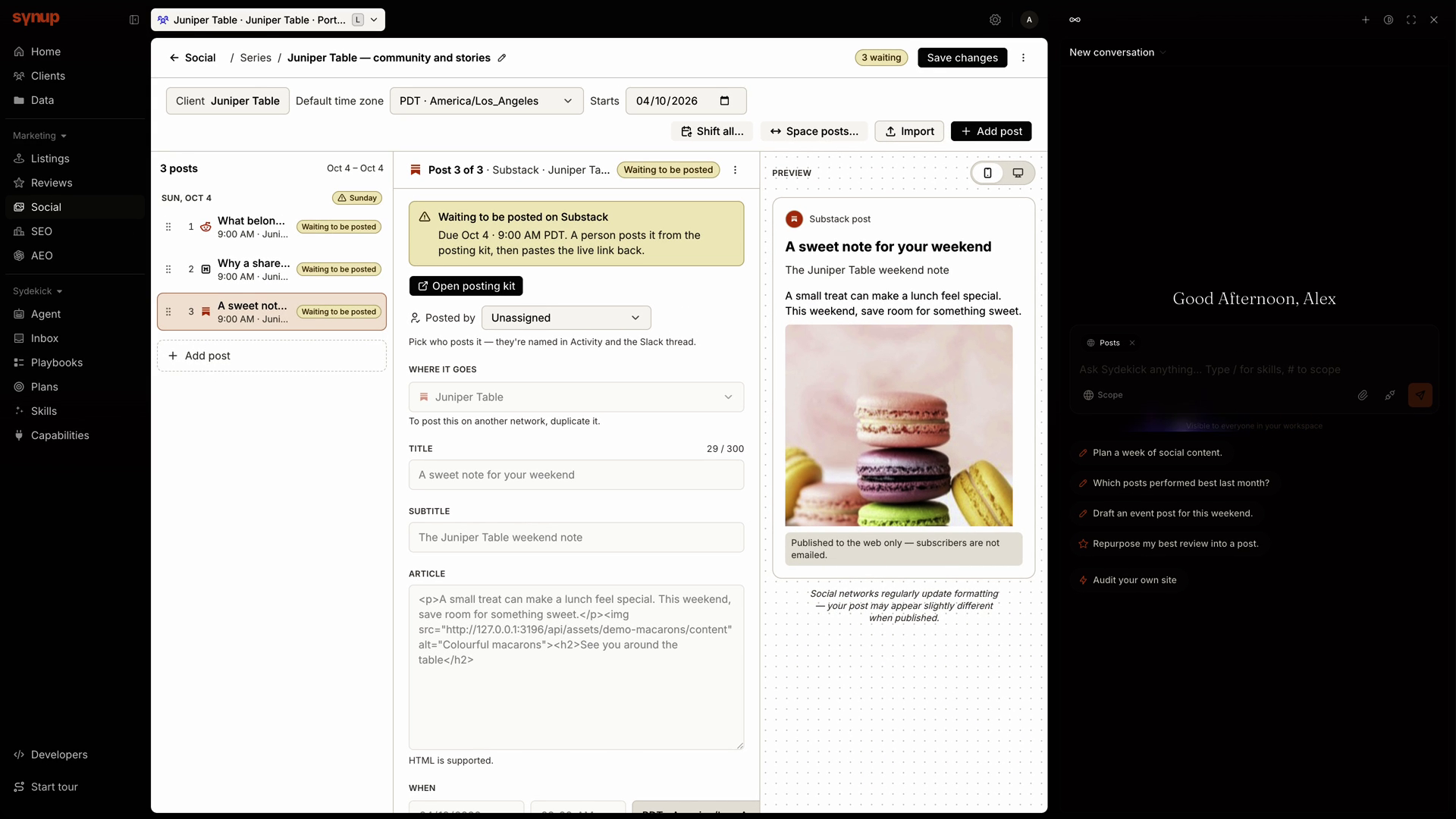
Customer feedback is spread across review sites, and checking each one separately makes it harder to build a complete picture. New native G2 and Trustpilot connections bring more of that feedback into the review workflow your team already uses.
Connect the relevant profile to collect reviews in Synup and read them alongside your other sources. Your team can spot feedback that needs attention without starting a separate review routine for each site.
G2 replies open on G2. With Trustpilot, a sign-in connection collects reviews; replying inside Synup requires an API-credentials connection with the appropriate business access.
WhereReviews → Sources → Manage review sites
Find additional review pages, too
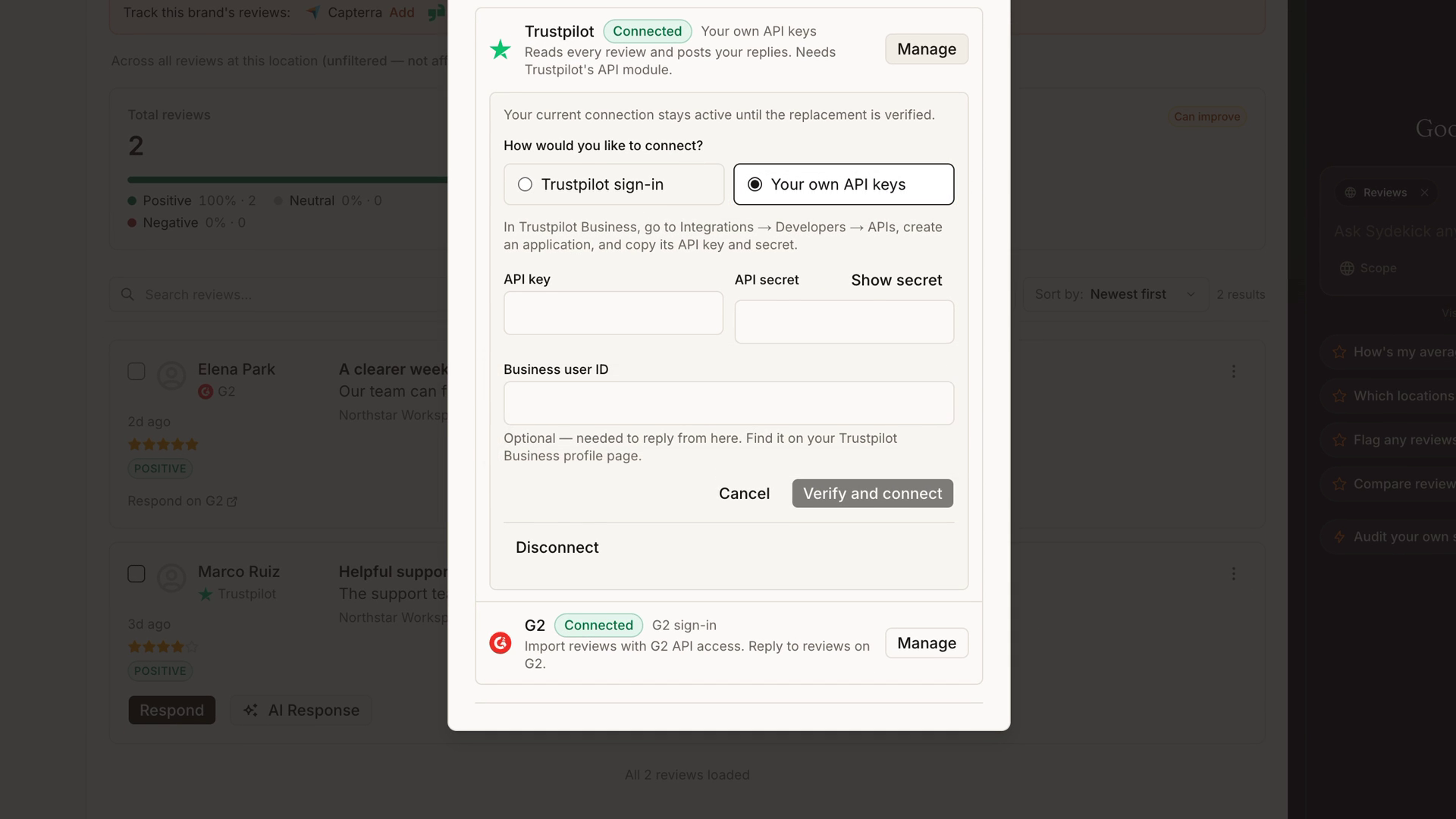
Review Discovery helps you find additional pages associated with your business. Confirm the right matches to add them for review collection, so you can expand the feedback you follow without searching every site yourself.
WhereReviews → Sources
Also improved
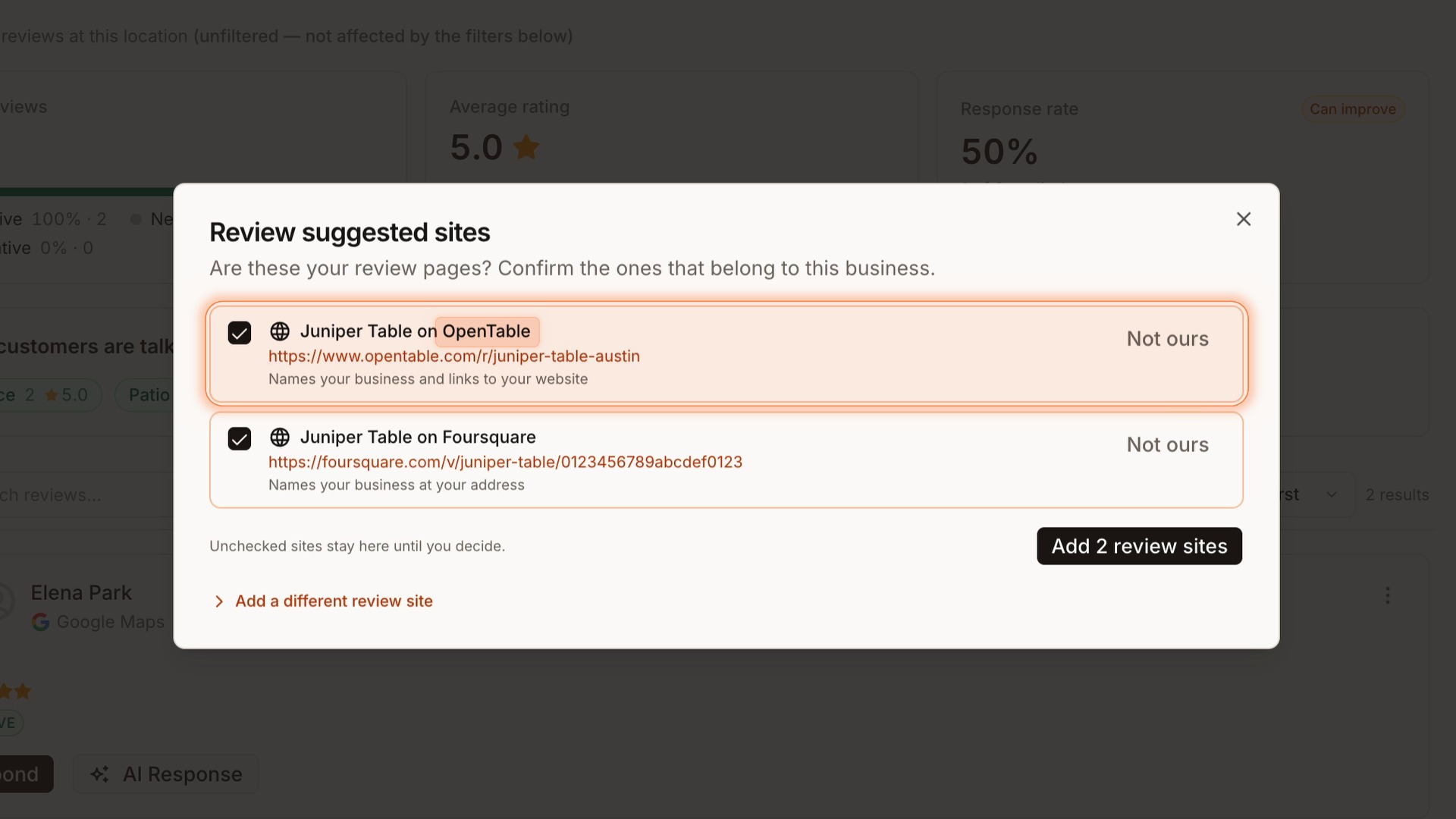
Coordinate posts across time zones.
Plan around each account’s local time and review conflicts with known scheduled posts before applying changes, helping you get the timing right for each location.
Refresh without losing your place.
Keep filters and unfinished review replies while requesting an update. Existing information stays visible, so checking for new data does not interrupt the work in front of you.
Start location setup sooner.
Add locations before assigning a client, with duplicate checks to help avoid creating the same location twice. Assign the client when you’re ready.
See what review work finished.
Clearer counts and outcomes in Sydekick help your team see what completed and what still needs attention, making follow-up easier to plan.