4 updates
Featured updates
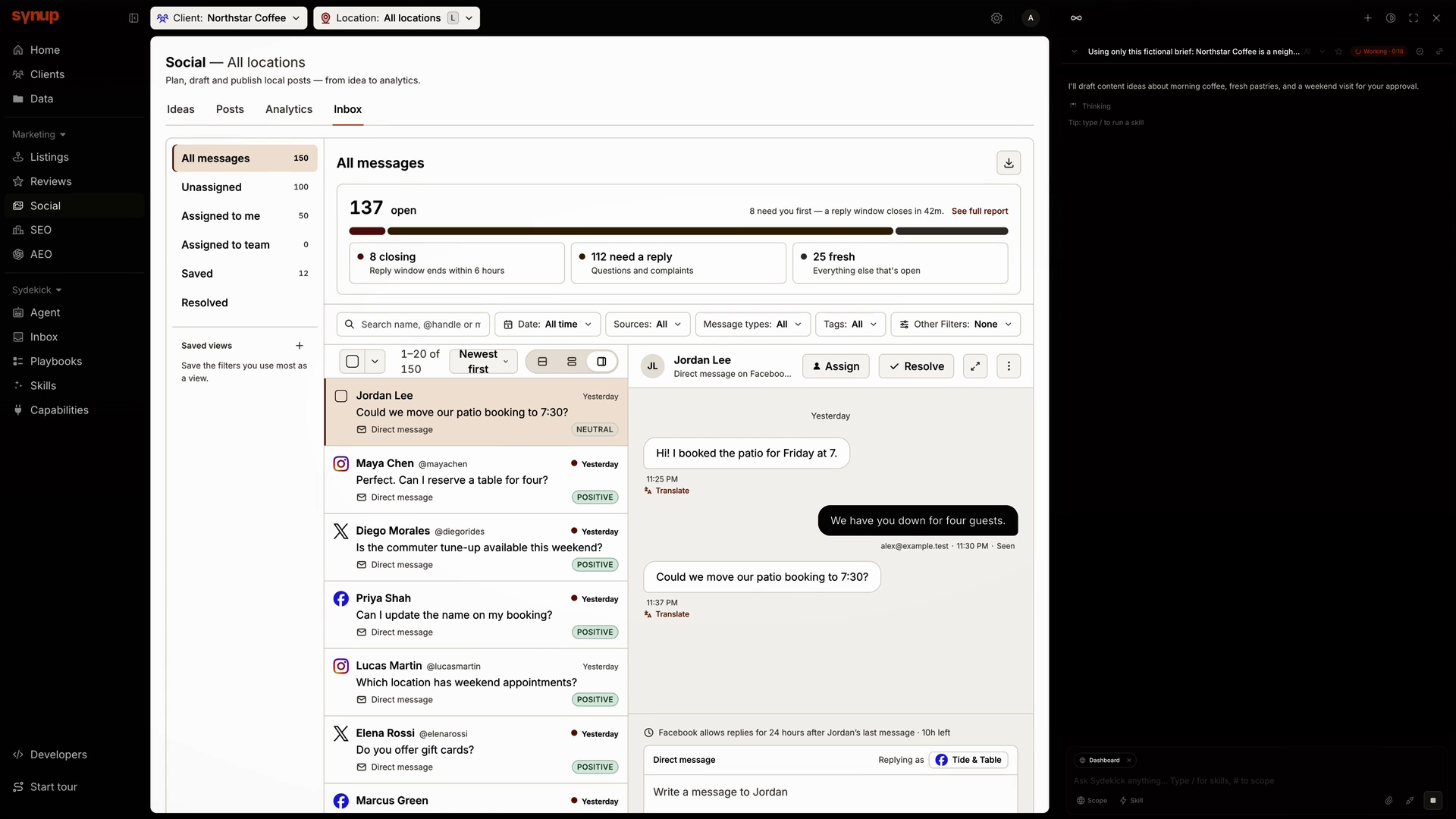
Social Inbox is here
A booking question on Instagram. A product enquiry on Facebook. A follow-up on X. Keeping up shouldn’t mean jumping between three inboxes.
Social Inbox brings Facebook Messenger, Instagram and X direct messages into Synup. Read the conversation, see which brand you’re replying as, and write your response in the same workspace.
For teams managing several brands, that means less switching between accounts and more attention on the customer waiting for an answer.
WhereSocial → Inbox → Direct messages
Reply from the right connected account, with the full thread in view.
Set clearer access for each teammate
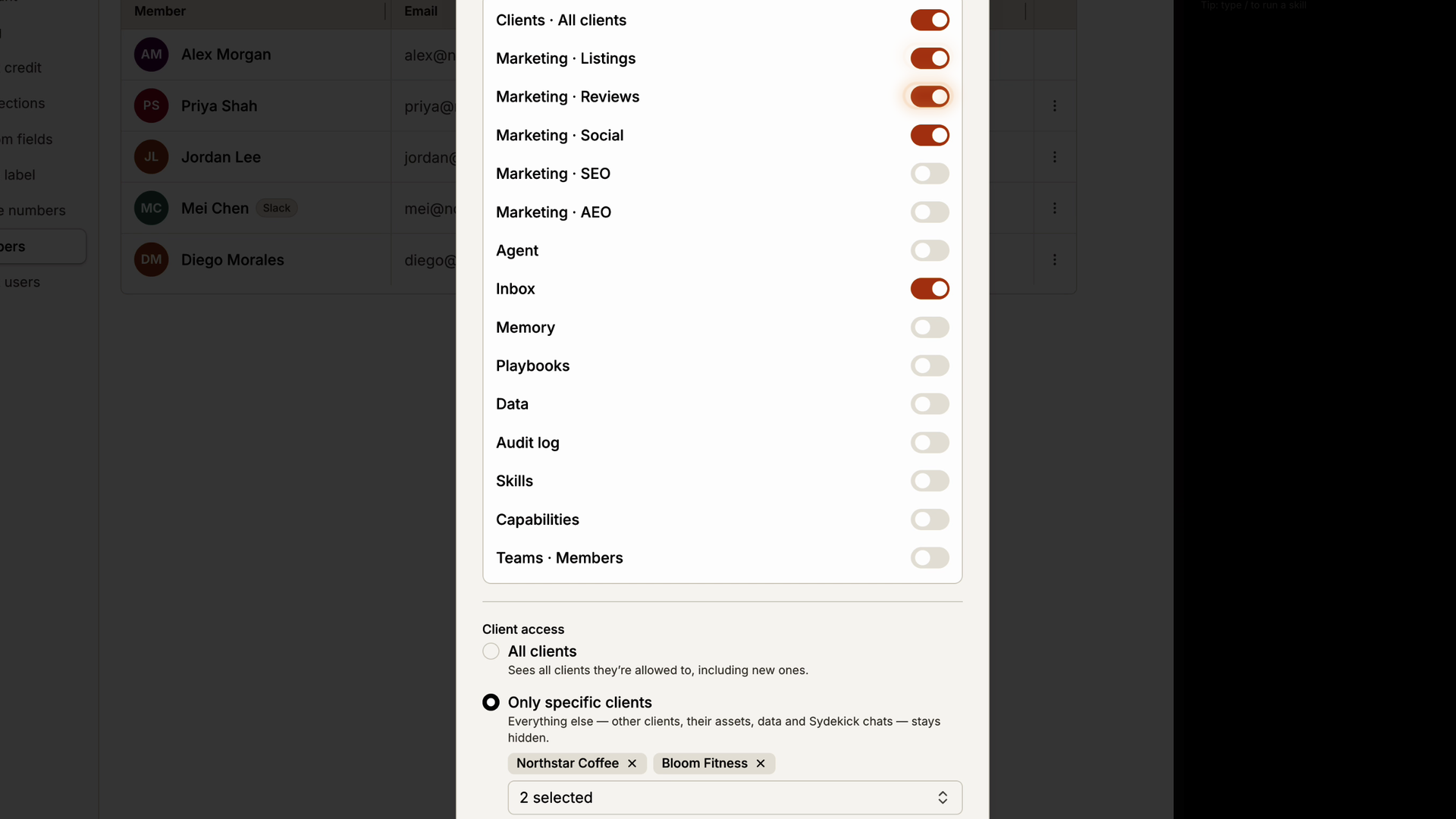
As your agency grows, page access alone doesn’t always match who is responsible for each client.
Access settings now bring member client scope and page permissions together. Choose all clients or a specific list, then select the parts of Synup the member can use. Those page permissions are now enforced more consistently across the app API and Sydekick.
That makes it easier to give specialists a focused workspace—and strengthens the boundaries behind the screens and actions they can reach.
WhereSettings → Team → Invite or edit member
Match member client scope with page access in one place.
Preview posts before importing
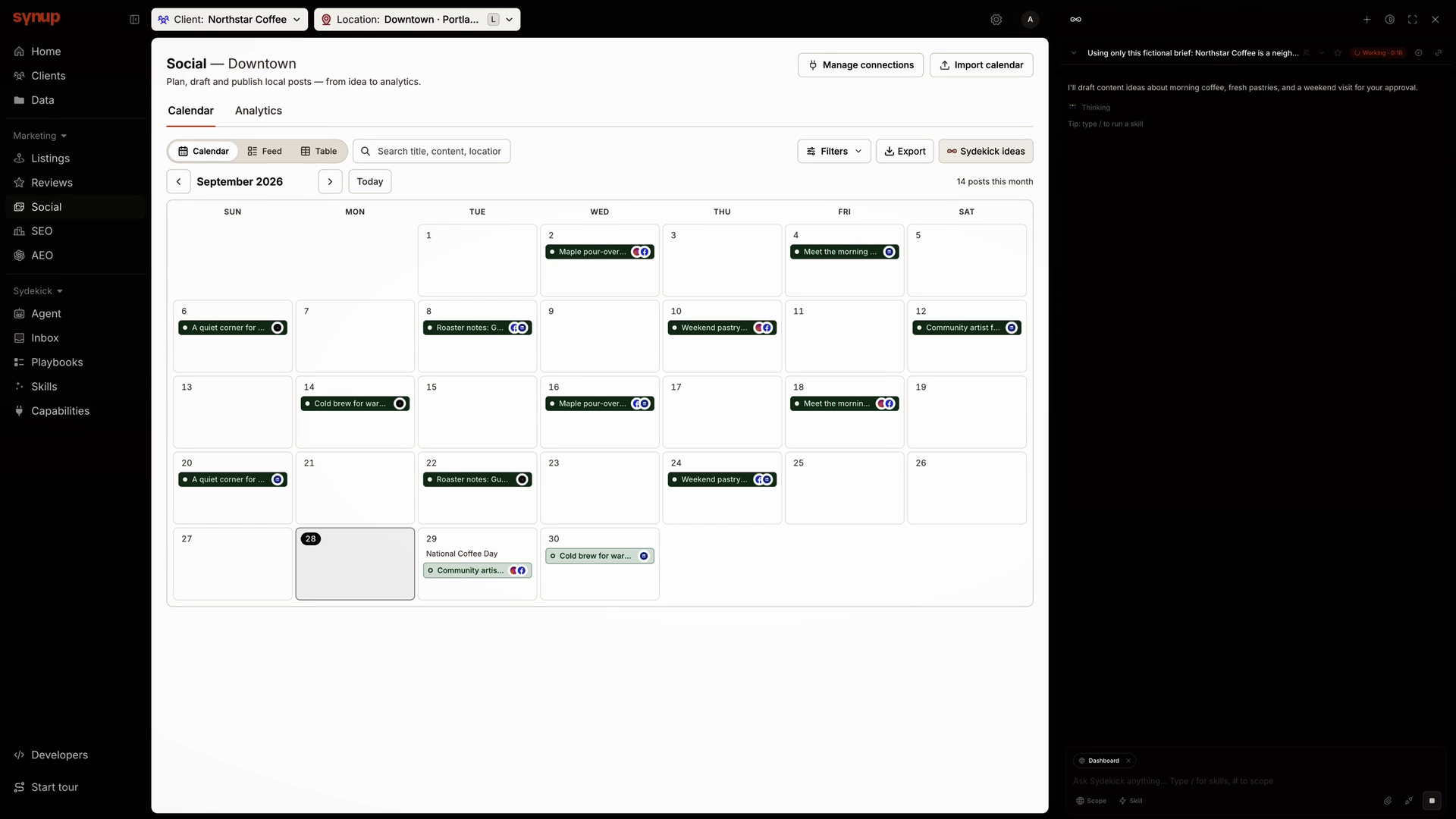
A content calendar can look right in a spreadsheet and still import incorrectly. A mismatched column or missing caption is easier to catch before it reaches your calendar.
Map the columns in your CSV, Excel file or Google Sheet, then review the first post’s date, caption and platforms before completing the import. Validation brings missing information and unsupported platform choices into view.
Whether you’re taking over a client’s calendar or bringing in next month’s plan, you get a chance to check how the content will appear before importing it.
WhereSocial → Calendar → Import calendar
Map your columns, then preview the first post.
Approve once. Track the outcome.
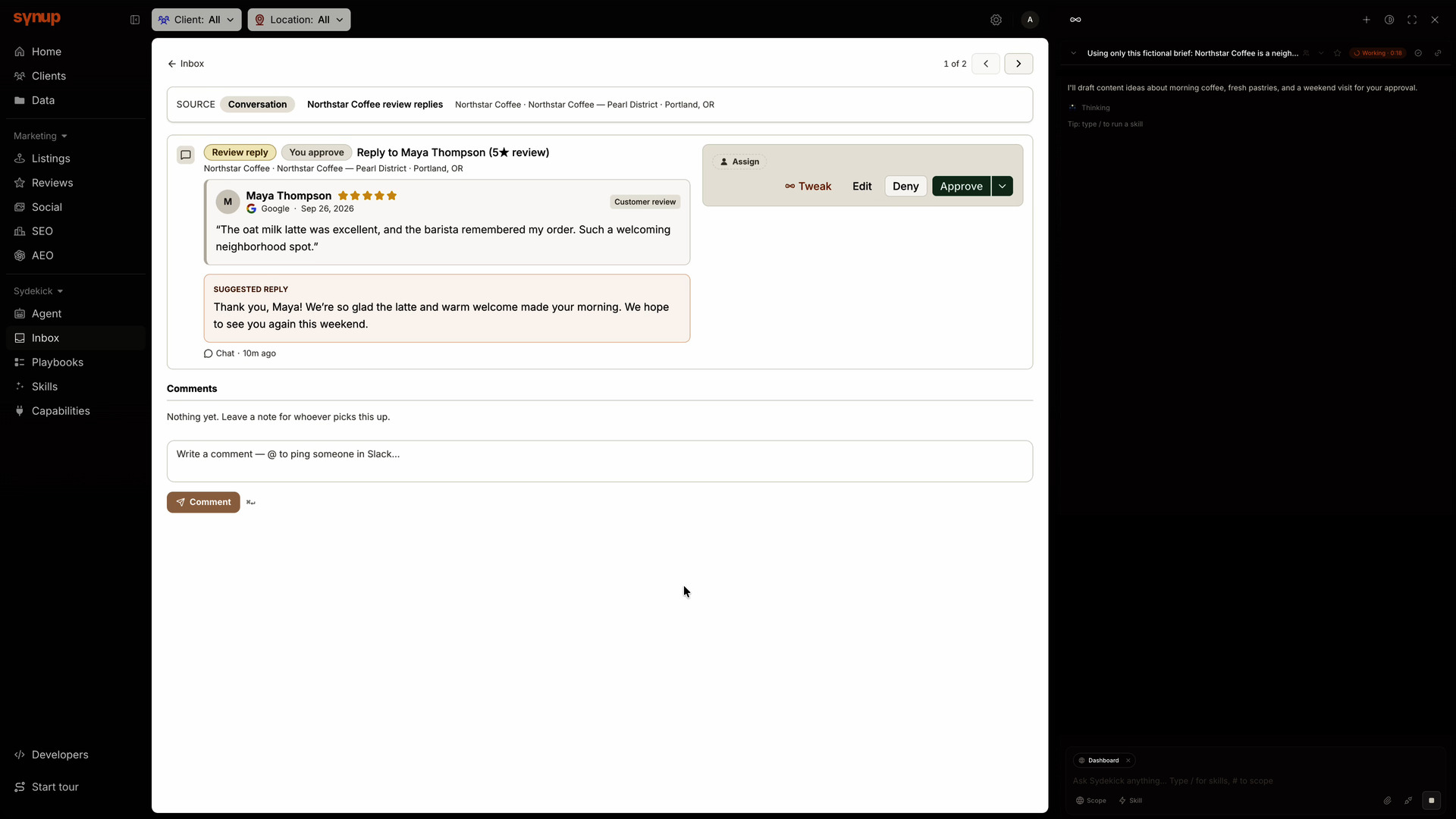
Approving a reply should move the work forward. Being asked for the same decision again makes it harder to know what still needs your attention.
We’ve improved how Sydekick carries an approval through the next steps. When the same approved action resumes, it retains your original decision. Recorded outcomes help distinguish work that completed from work that failed or was deferred.
For review replies, you can review the proposed response, approve it and follow its status in Synup—with less uncertainty about what happened next.
WhereSydekick conversations and Inbox → Approvals
Approve once, then follow the recorded result.
2 updates
More improvements
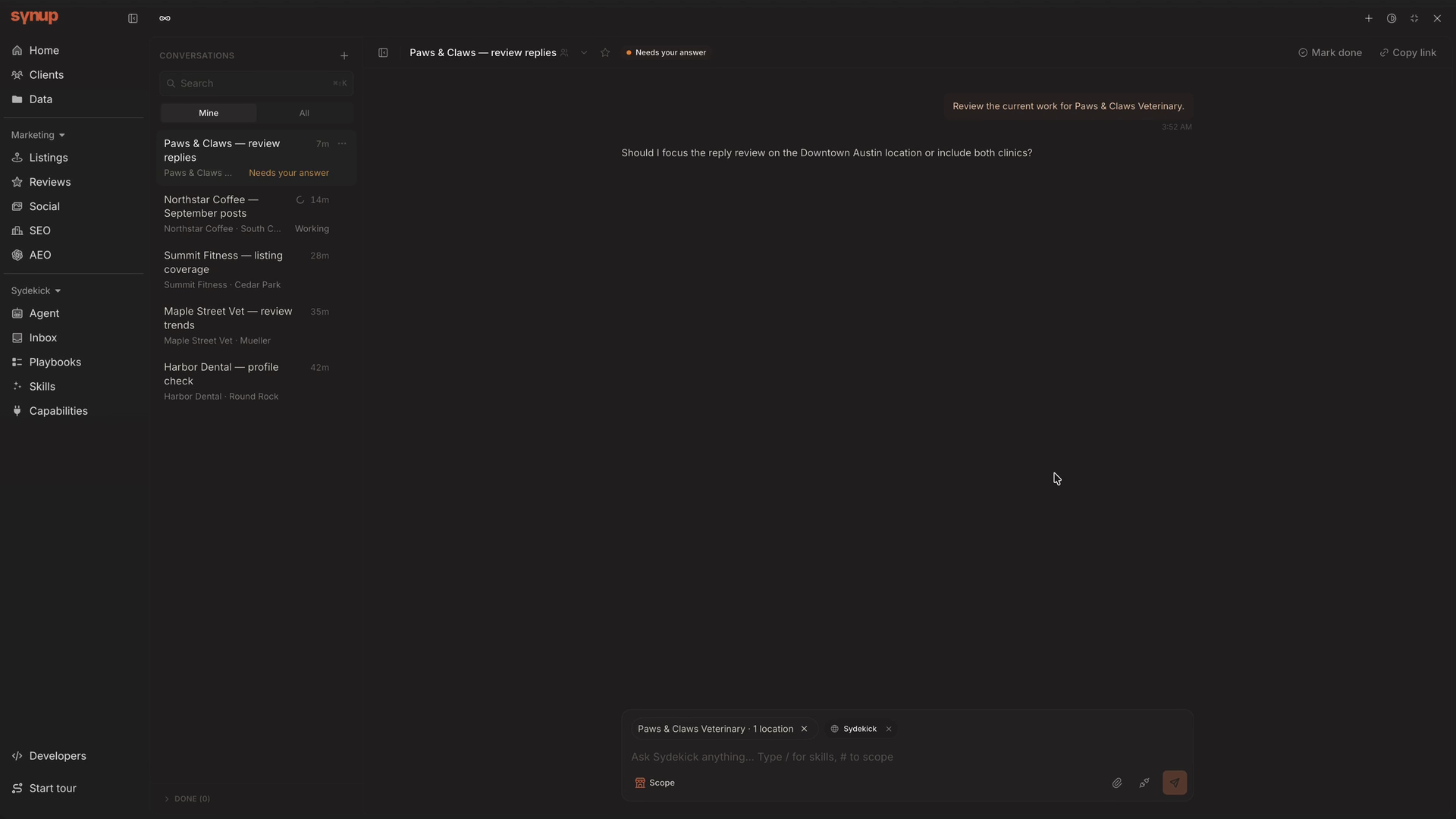
Star, sort and finish conversations
When several clients have work in progress, a long conversation list makes it difficult to separate today’s priorities from work you’ve already finished.
Switch between Mine and All, star conversations you want to revisit, and move completed threads to Done. Preview replies on hover or keyboard focus, while richer conversation cards show client context and recent activity.
Keep an important client request close at hand, clear completed work from the active list, and pick up a conversation without reopening every thread.
WhereSydekick conversation list
Preview, Star and finish work from the conversation list.
Faster planning in Sydekick
Waiting for an assistant to work out its next step can interrupt your flow. We’ve improved Sydekick’s planner so it spends less time deciding how to approach your request.
The enhanced planner narrows down the tools relevant to your request before building its plan, helping Sydekick get to the next step sooner.
WhereSydekick conversations